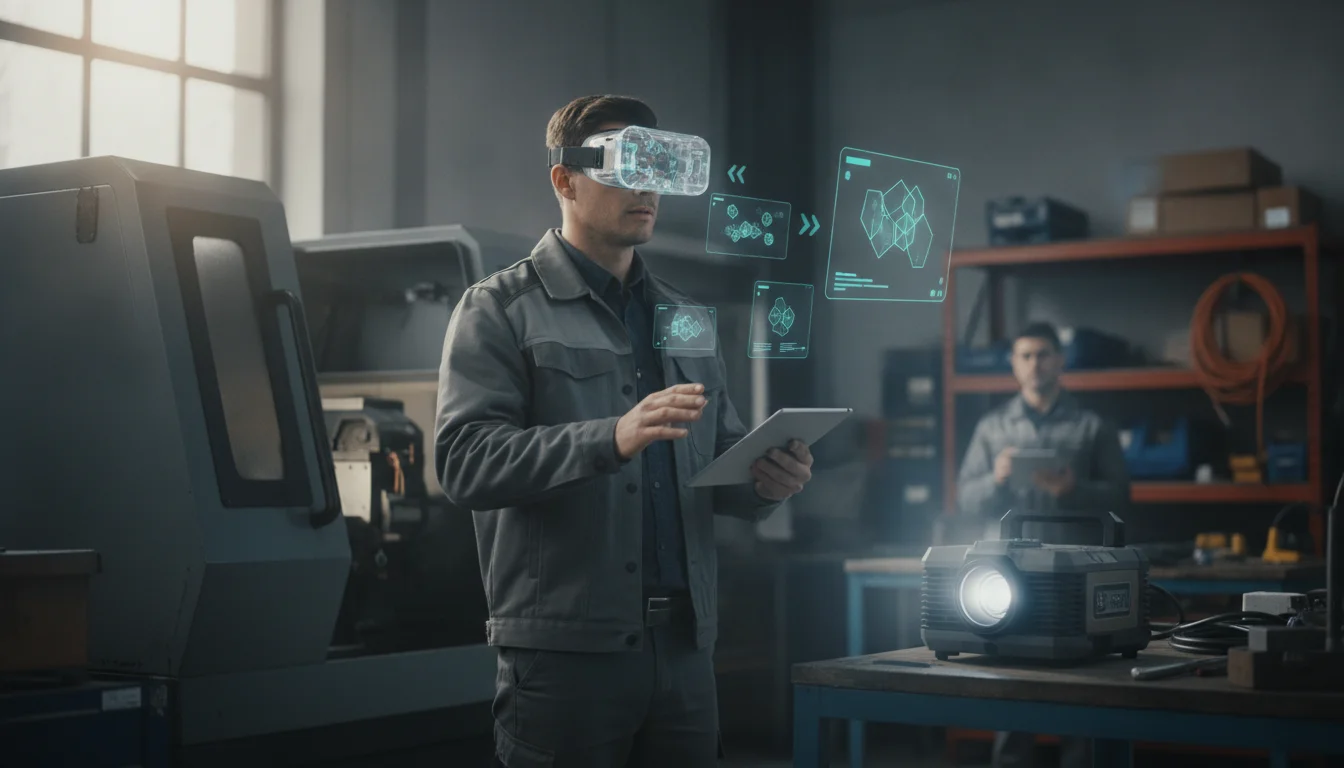
AR-assisted Slide Decks for Field Service: a Practical Guide
A practical, data-driven guide to using AR-assisted slide decks for field service to improve diagnostics and handoffs.
The field service landscape is changing fast, and technicians face complex equipment, scattered knowledge, and rising expectations from customers. Augmented reality (AR) is moving from a novelty to a core enabler of on-site diagnostics, guided repairs, and faster handoffs. When you pair AR with slide-based, context-rich instructions—what we’ll call AR-assisted slide decks for field service—technicians gain hands-free access to visual guidance right in their line of sight. They can follow step-by-step procedures, annotate live views, and capture lessons for future teams, all while reducing travel and downtime. This guide offers a comprehensive, actionable path to design, implement, and optimize AR-assisted slide decks for field service teams, grounded in current data and real-world best practices. It’s a practical blueprint for engineers, field managers, and knowledge managers who want measurable improvements in first-time fix rates, uptime, and knowledge retention.
If you’re evaluating AR-based field-service programs today, you’ll walk away with concrete prerequisites, a repeatable step-by-step workflow, practical troubleshooting tips, and clear next steps for scaling. Expect a data-driven view of benefits, anchored in industry research and real deployments. By the end, you’ll be able to build and deploy AR-guided slide decks that align with your service workflows, staffed with guidance that technicians can rely on in the moment. Time to implement a solid pilot: roughly 4–6 weeks for a focused use case, with broader rollouts following after successful validation. The approach balances rigor with practicality, so your team can start delivering measurable gains without overhauling existing tools.
Prerequisites & Setup
Hardware readiness
AR-assisted field service hinges on hands-free, reliable guidance delivered in the field. Start by selecting a hardware platform that fits your environment and safety requirements. Options range from AR headsets (such as HoloLens 2) to enterprise smart glasses (RealWear, Vuzix) or AR-enabled mobile devices. Ensure devices support the slide-deck AR annotations, voice commands, and offline capabilities you’ll need in the field. Practical deployments today show AR footwear with hands-free operation reduces downtime and accelerates fault diagnosis. (hololens-partner.de)
Software, platforms, and accounts
You’ll need a platform capable of delivering AR-guided instructions, recording sessions, and integrating with your field-service management stack. Many teams pair AR collaboration tools with their FSM systems to enforce step-by-step procedures, annotate live views, and automatically attach AR-guided sessions to work orders. Real-world examples include AR remote-assist workflows that guide technicians step-by-step and capture the session for knowledge sharing. (continuumar.io)
Foundational knowledge and processes
Before you build AR-assisted slide decks, align on core field-service processes: work-order creation and routing, escalation when expertise is required, and post-job knowledge capture. ServiceNow’s field service AR guidance shows how AR can be embedded into existing workflows, including capturing solutions in the work order and creating knowledge assets from remote sessions. This alignment reduces rework and standardizes practice across sites. (servicenow.com)
Data security, privacy, and offline planning
AR sessions will involve video, audio, and possibly sensitive equipment data. Ensure IT governance covers device management, data retention policies, and secure sharing channels. In offline or low-bandwidth environments, plan for local caching of slides and AR annotations, with synchronization when connectivity returns. Some AR vendors emphasize structured, compliant workflows and recorded sessions to support audits and knowledge retention. (continuumar.io)
AR-assisted slide decks for field service require disciplined setup—hardware, software, and processes must align to deliver reliable, repeatable guidance in the field. The payoff is faster, more consistent service with better knowledge sharing. (continuumar.io)
Accelerate Field Service with AR-Assisted Slides
Turn on-demand knowledge into hands-free, on-site guidance.
Get Started →
Knowledge capture and template strategy
Decide how your AR slide decks will be structured: a standard template for common maintenance tasks, with modular slides that can be recombined for different asset types. A well-designed template helps technicians follow consistent steps, while enabling remote experts to annotate or adapt slides in real time. The broader move to AR-enabled knowledge sharing shows a strong trend toward embedded guidance, checklists, and remote support as core capabilities in field-service ecosystems. (servicenow.com)
Data readiness and asset inventory
Catalog equipment types, common failure modes, and the standard maintenance sequences that will appear in your AR slides. Include part IDs, procedure steps, safety notes, and emergency procedures. This catalog will serve as the content backbone for AR-guided decks and ensure technicians see accurate, asset-specific instructions. AR-enabled field service solutions emphasize structured checklists and captured learning assets to improve long-term knowledge retention. (continuumar.io)
Pilot scope and success metrics
Define a narrow pilot with 2–3 high-volume asset families, a measurable FTFR (first-time fix rate), and a clear downtime reduction target. ServiceNow’s AR guidance highlights how remote, AR-driven triage and guided repairs can reduce visits and shorten repair cycles, which translates directly into FTFR improvements and cost savings. Establish baseline metrics and a simple dashboard to track progress. (servicenow.com)
AR Guides for Field Service Mastery
Harness remote expertise and proven AR checklists to cut dispatches.
Try Free →
Step-by-Step Instructions
Step 1: Define use cases and success metrics
What to do
- Identify 2–4 high-frequency fault types or maintenance sequences where AR-assisted slide decks would add the most value.
- Specify success metrics (e.g., FTFR, mean time to repair, travel savings, knowledge retention).
Why it matters
- A focused scope ensures your AR slides address real pain points and you can measure impact clearly. Remote AR guidance has demonstrated reductions in travel time and improved diagnosis efficiency. (servicenow.com)
Expected outcome
- A clearly defined list of use cases, with baseline metrics and a target MTTR/FTFR improvement for the pilot.
Common pitfalls to avoid
- Scoping too broad a problem set; failing to tie slides to observable metrics; neglecting to plan data collection for the pilot.
Visual aid suggestion
- Attach a slide deck outline visual showing the 2–4 use cases and the target metrics for quick reference during onboarding.
Step 2: Design AR slide deck templates that map to field workflows
What to do
- Create modular slide templates that reflect typical work orders, maintenance steps, safety checks, and escalation paths.
- Include placeholders for AR annotations, tool locations, and real-time data overlays (sensor readings, part numbers, procedure steps).
Why it matters
- Templates ensure consistency across technicians and jobs, making AR sessions repeatable and easier to audit later. AR-guided checklists and remote-assistance workflows are proven to enforce correct sequences and improve documentation. (continuumar.io)
Expected outcome
- A library of AR slide decks that cover the most common field service scenarios, ready for deployment with a single tap.
Common pitfalls to avoid
- Overloading slides with too much information; using static content that doesn’t adapt to asset-specific data in the field; failing to test readability in the technician’s field of view.
Pro tip
- Include at least one “remote expert annotation” slide per deck to demonstrate how an expert can draw, point, or label components in real time. Real-world deployments show remote experts guiding field technicians with live AR annotations to expedite repairs. (hololens-partner.de)
Step 3: Build AR-enabled slides with live annotations and media
What to do
- For each step, integrate text, images, diagrams, and AR annotations that appear in the technician’s field of view. Plan for arrows, labels, and highlighted components that appear aligned with the physical asset.
Why it matters
- Live annotations directly guide the technician to the correct parts and sequence, reducing confusion and the chance of errors. AR guidance has been shown to improve alignment with procedures and to support real-time remote interaction. (hololens-partner.de)
Expected outcome
- A set of slide decks where each step is paired with AR overlays that surface the right actions at the right time.
Common pitfalls to avoid
- Misaligned overlays due to calibration drift; slides that rely on manual data entry in the field; failing to test readability at various distances and lighting conditions.
Visual cue
- Include a sample deck screenshot showing a step with an overlay arrow pointing to a valve and a callout describing the required torque. (Add an image here in your own draft.)
Step 4: Configure remote expert collaboration and real-time feedback
What to do
- Set up a dedicated AR collaboration channel where technicians can share their live view with remote experts, who can annotate, annotate, and annotate again—while technicians perform tasks hands-free.
Why it matters
- Remote support accelerates diagnosis and reduces the need for travel, a major cost and downtime driver in field service. Structured remote assistance plus AR overlays helps ensure consistent execution and faster resolution. (continuumar.io)
Expected outcome
- A functioning remote-annotation workflow integrated into each AR slide deck, with session recording for knowledge capture.
Common pitfalls to avoid
- Latency or bandwidth limitations that degrade the remote session; insufficient access control or audit trails for AR sessions.
Pro tip
- Use session recordings to build a knowledge base; recorded AR-guided interventions become reusable training material, enriching your knowledge management program. This practice is highlighted by AR-enabled field service platforms as a core benefit. (servicenow.com)
Step 5: Pilot the AR slide decks in controlled environments
What to do
- Run a pilot with a small group of technicians and a few asset families. Collect quantitative data (FTFR, MTTR, travel avoided) and qualitative feedback (ease of use, clarity of overlays).
Why it matters
- Piloting validates the approach and surfaces real-world frictions before a broader rollout. ServiceNow’s AR guidance demonstrates how AR-driven triage and remote assistance can compress repair cycles and minimize site visits. (servicenow.com)
Expected outcome
- A validated pilot with measured improvements and a documented learning log for scale.
Common pitfalls to avoid
- Setting too aggressive goals without a plan for data collection; ignoring technician feedback on overlay readability.
Visual cue
- Include a post-pilot dashboard visual with baseline vs. post-pilot FTFR and travel reductions.
Step 6: Prepare for rollout, training, and continuous improvement
What to do
- Create a rollout plan with phased adoption across additional asset families, while continuing to train technicians on AR slide decks and remote-support workflows. Build a feedback loop that channels field insights into slide improvements and new templates.
Why it matters
- AR-enabled field service is a capability that compounds over time: more templates, better annotations, and richer knowledge artifacts lead to steadily higher FTFR and uptime. Real-world deployments show that AR-enabled support and knowledge sharing can drive significant efficiency gains. (servicenow.com)
Expected outcome
- A scalable program with ongoing improvements, new templates, and measurable benefits.
Common pitfalls to avoid
- Scaling too quickly without sufficient training and governance; neglecting to refresh content as assets and processes evolve.
Visual aid suggestion
- A roadmap graphic outlining the 3–6 month rollout plan and the associated metrics targets.
Troubleshooting & Tips
Overlay calibration and alignment issues
What to do
- Regularly calibrate AR overlays to the technician’s eye position and working distance. Validate alignment on representative assets and lighting conditions.
Why it matters
- Misalignment erodes trust in AR guidance and can cause errors. Consistent calibration helps overlays stay anchored to real-world parts, improving accuracy.
Expected outcome
- Stable, near-perfect alignment of AR callouts with the physical asset, reducing user frustration.
Common pitfalls to avoid
- Skipping calibration steps; assuming a one-time setup suffices for all environments.
Pro tip
- Build a quick “calibration checklist” into your AR deck that technicians can run before each session.
Offline operation and data synchronization
What to do
- Design AR slide decks with offline caches for critical assets and steps. Synchronize session data when network connectivity returns, and ensure remote annotations can be captured and attached to work orders later.
Why it matters
- Field service environments often experience intermittent connectivity. Offline readiness ensures that guidance remains available when it’s most needed. AR-enabled field service solutions emphasize reliable offline workflows and session logging. (zoho.com)
Expected outcome
- Seamless AR guidance even in low-bandwidth conditions, with session data syncing when possible.
Common pitfalls to avoid
- Full reliance on cloud-only assets; neglecting to store essential slides locally for offline usage.
Security, privacy, and data governance
What to do
- Enforce device management, user access controls, and data retention policies for AR sessions, recordings, and work orders. Ensure that sensitive plant or customer information is protected.
Why it matters
- AR sessions can capture video, audio, and proprietary process details. Proper governance minimizes risk and supports auditability.
Expected outcome
- A secure, auditable AR program with clear ownership and data stewardship.
Knowledge management and content curation
What to do
- Regularly review AR slide decks with knowledge teams, update templates to reflect new procedures, and retire outdated content. Leverage session recordings to enrich knowledge articles.
Why it matters
- A living library of AR-guided content accelerates onboarding and reduces knowledge concentration in a few individuals. ServiceNow and Zoho Lens illustrate how AR sessions feed into knowledge trails and training. (servicenow.com)
Next Steps
Advanced analytics and optimization
- Build dashboards that track FTFR, MTTR, travel time, and emergency escalation rates. Use A/B testing to compare AR-assisted slide decks with traditional guidance for selected tasks. The data-driven case for AR in field service is well-documented, with governance bodies predicting sustained growth in AR-enabled knowledge-sharing tools. (servicenow.com)
Integrations and enterprise-scale programs
- Integrate AR slide decks with broader FSM platforms, ERP systems, and asset-management catalogs to unlock end-to-end workflows from work order to asset history. Microsoft Dynamics 365 Remote Assist and Field Service exemplify how combining AR with formal field-service platforms can streamline planning, execution, and documentation. (hololens-partner.de)
Training, change management, and user adoption
- Invest in structured onboarding for technicians and supervisors, including hands-on practice with AR annotations, plus ongoing coaching. Real-world use cases show that remote expert support accelerates learning and reduces onboarding time for new hires. (servicenow.com)
Closing
AR-assisted slide decks for field service offer a concrete path to elevating on-site diagnostics, guided repairs, and knowledge transfer. By starting with clear prerequisites, designing purpose-built templates, enabling robust remote collaboration, and piloting with careful measurement, teams can achieve faster repairs, fewer truck rolls, and richer knowledge artifacts that outlive individual technicians. The data is compelling: AR-enabled guidance and remote assistance have demonstrably reduced the need for on-site specialist travel, improved first-time fix rates, and strengthened learning across distributed teams. If you’re ready to experiment with AR slide decks for field service, begin with a tightly scoped pilot, iterate on templates based on technician feedback, and scale when you’ve proven the value. The potential is substantial, and the path to measurable improvements is clear.
The field service world is evolving toward AR-guided, slide-based instructions that help technicians execute complex tasks with confidence and consistency.
By combining hands-free AR guidance with structured slide decks, teams can realize faster resolutions, better handoffs, and richer knowledge sharing across the organization.
Try Free →
AR-enabled remote assistance and guided workflows are now a mainstream driver of service efficiency, with documented benefits in FTFR, MTTR, and travel reductions that align with modern FSM needs. (servicenow.com)
Real-world deployments show remote experts annotating live views to drive precise, asset-specific guidance, which accelerates learning and improves outcomes for both seasoned and new technicians. (hololens-partner.de)
Author
2026/06/15


