Best AI Tools to Instantly Turn Text into Stunning Slides
Compare the best AI tools that instantly convert text into professional PowerPoint slides — features, pros, cons, and recommendations.
Creating a polished and professional PowerPoint presentation can be time-consuming and tedious. Fortunately, new AI-powered tools are emerging that can automatically generate PowerPoint slides from text. These AI-driven presentation tools, leveraging technologies like ChatGPT, transform text content into visually engaging slides, saving users significant time and effort compared to manual creation.
In this article, we compare four AI services for generating PowerPoint presentations from text: ChatSlide, SlideSpeak.co, Microsoft Copilot, and SlidesAI. These tools use AI to design slides with relevant images, icons, themes, and layouts, making it effortless to create compelling presentations. By handling most of the heavy lifting, AI-powered generators allow users to focus on crafting high-quality content rather than spending hours formatting slides from scratch.
How does AI PowerPoint Generators Work?
AI PowerPoint generators use artificial intelligence to read and understand text. They pick out the main points and turn those points into slides with designs, images and flow. This allows the AI to automatically create a complete PowerPoint presentation from text, without the usual work of making slides manually.
Here’s a quick overview of how generating PowerPoint presentations with AI typically works:
- Upload a document or text that provides the necessary context
- Specify the target audience for the presentation
- Select a theme/design for the presentation
- The AI generates a PowerPoint based on the input
- Modify and adjust the presentation to your needs.
Obviously there’s small nuances on how each PowerPoint generator tool works. So let’s compare a few of the tools and look how they actually work:
ChatSlide-The Best AI Slides Tool
ChatSlide is an AI assistant that effortlessly transforms your content into professional slides and videos. Convert documents, webpages, videos, and tweets into captivating visual presentations.
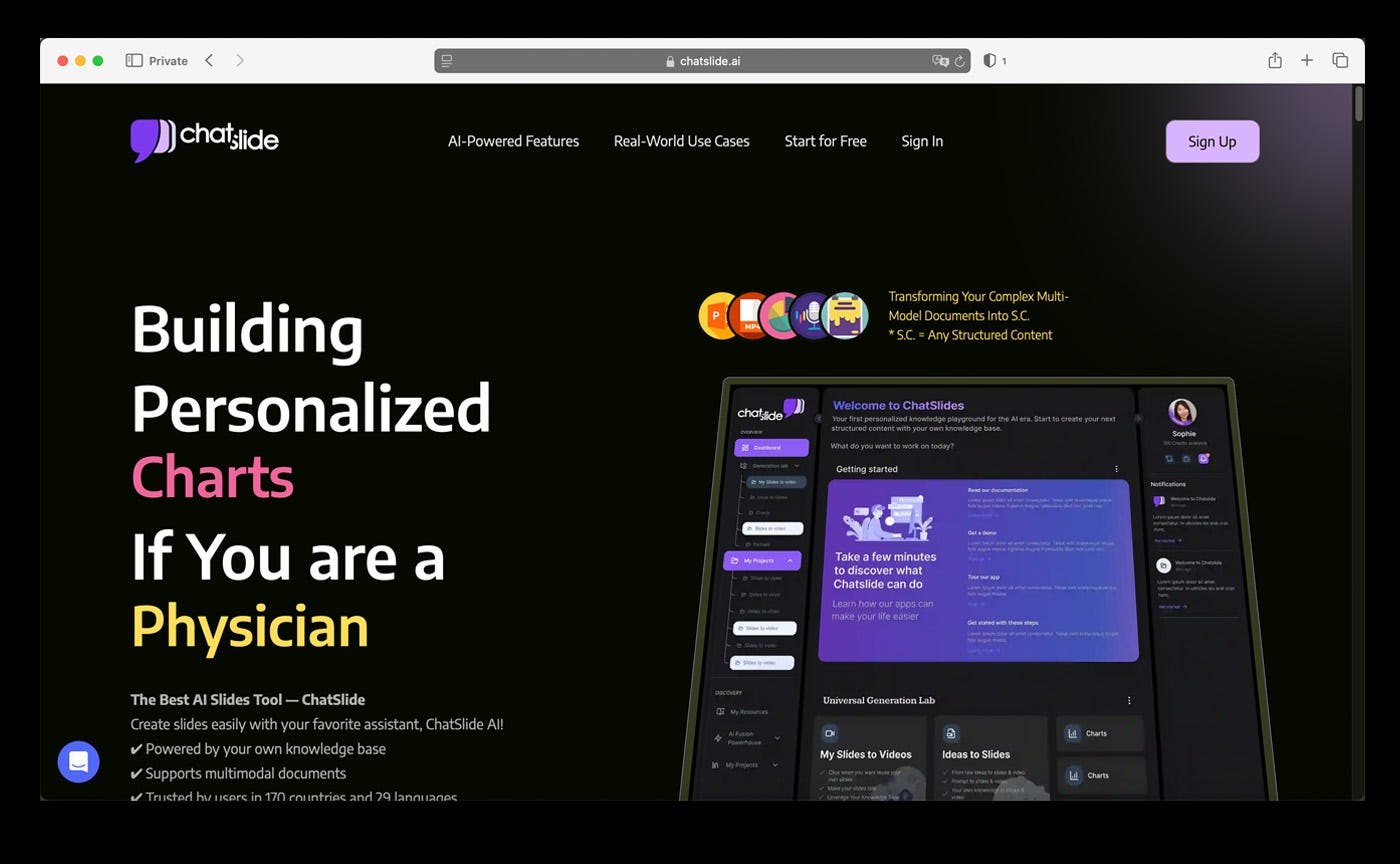 ChatSlide Main Website
Step 1: Go to https://www.chatslide.ai/ and sign up for an account. You will get a free trial opportunity.
Step 2: Follow the on-screen instructions to access the chatslide dashboard.
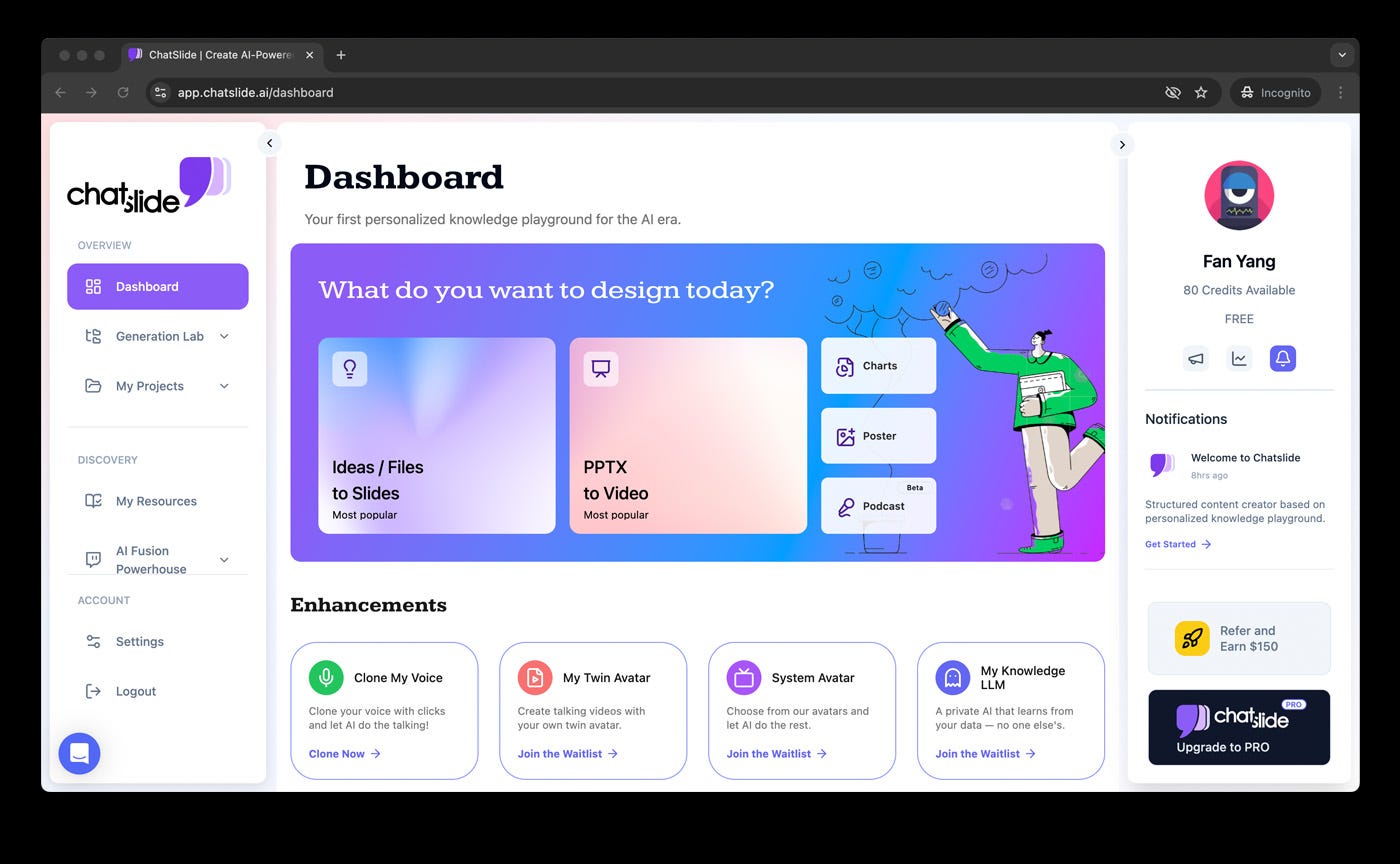 ChatSlide Dashboard
Step 3: ChatSlide offer a wide range of options, but we will test the simplest one — converting a PDF into a presentation.
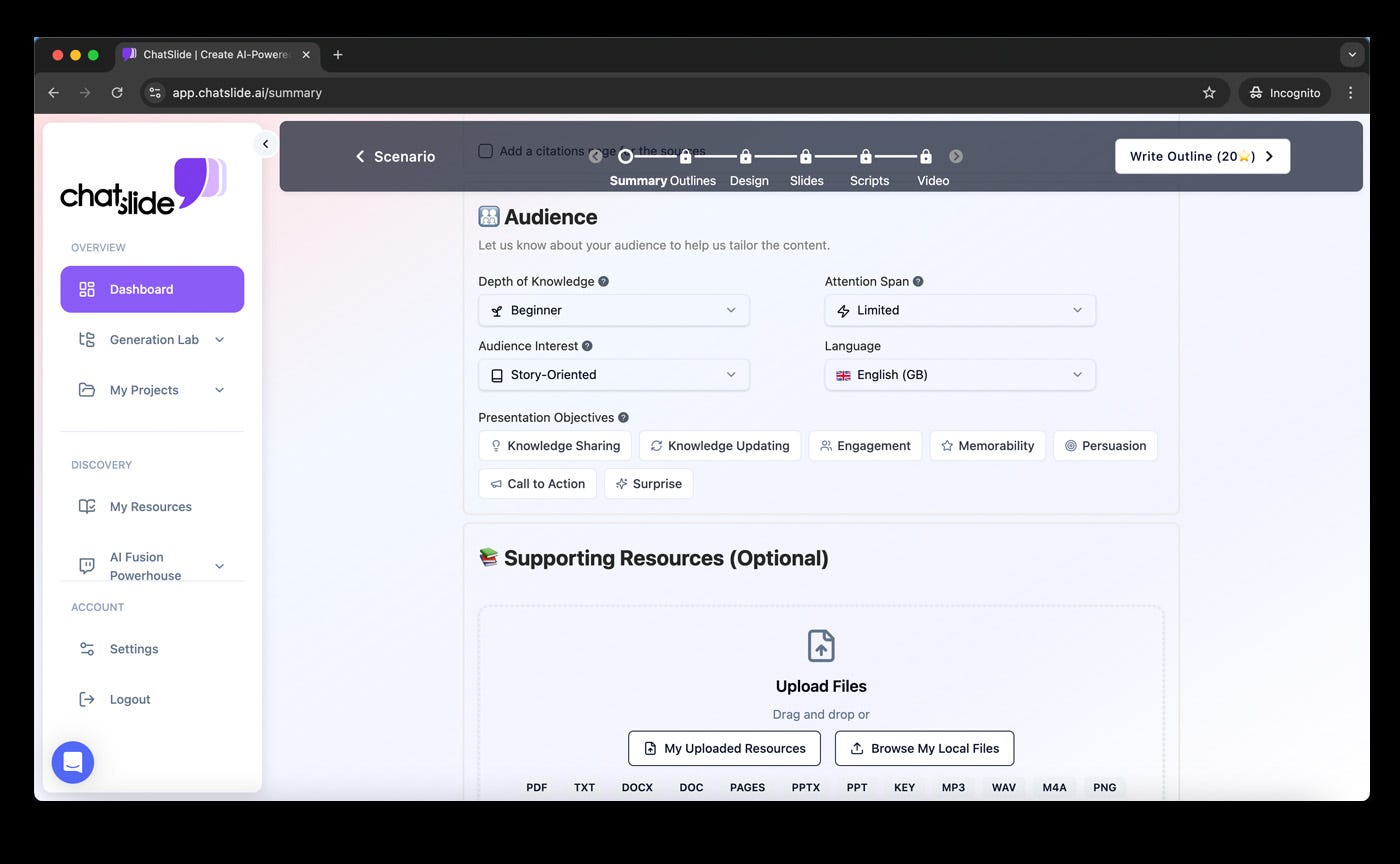
Step 4: Upload a PDF file, and it will be quickly analyzed in the background.

Step 5: Once the analysis is complete, you can choose from various templates and freely adjust them.
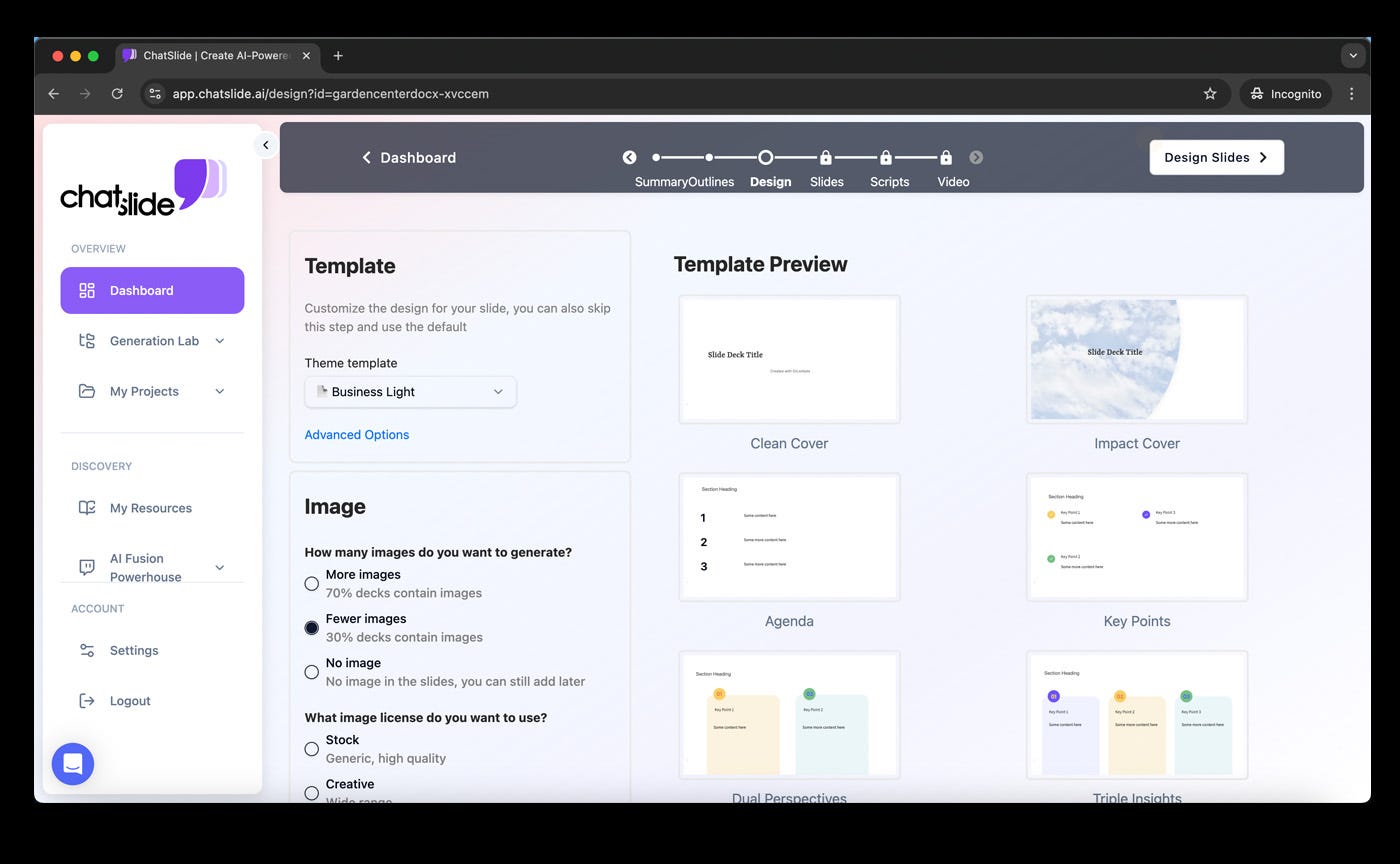
Step 6: The presentation will be generated quickly.
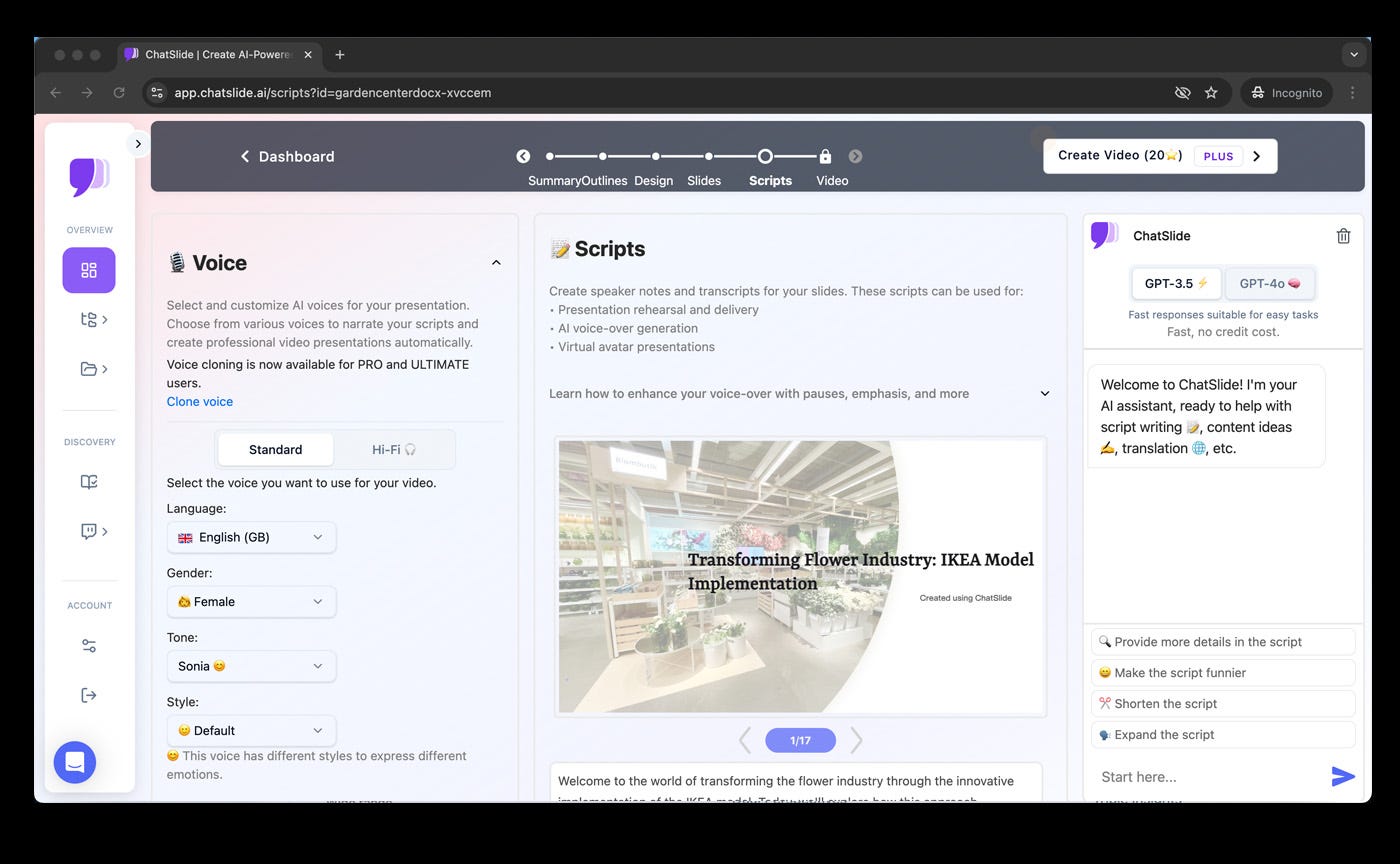
you will have the opportunity to add more elements, such as audio and video, to make your presentation more engaging.
The benefits
- ChatSlide offers a wide range of personalized options, allows you to choose an AI engine, and processes at a very high speed.
- Instant AI-Powered Slide Generation — ChatSlide quickly converts text and PDFs into professional PowerPoint presentations, saving time and effort.
- Extensive Customization Options — Choose from a variety of templates, adjust layouts, and personalize designs to match your presentation style.
- Multimedia Integration — Enhance your slides with audio, video, and images, making your presentations more engaging and dynamic.
- Fast and Efficient Processing — Powered by advanced AI, ChatSlide delivers high-quality presentations in seconds, streamlining your workflow effortlessly.
Overall
ChatSlide transforms PDFs into engaging presentations in just seconds. With its intuitive interface, users can easily upload documents, choose from a variety of templates, and customize slides to their preference. It offers powerful AI engines for intelligent content analysis, ensuring high-quality results with minimal effort. Additionally, Chatslide provides extensive personalization options, including multimedia integration such as audio and video, making presentations more dynamic and impactful. Its fast processing speed and user-friendly design make it an excellent choice for professionals, educators, and anyone looking to create compelling presentations effortlessly.
SlideSpeak.co — Generate Presentations from Text
SlideSpeak utilizes AI to generate PowerPoints from text by allowing users to upload PDFs and Word documents. Originally they launched an AI chatbot to summarize PowerPoint files but SlideSpeak has expanded and released other AI tools in the last months. As a young company they continuously ship new innovations like productivity tools to lead in AI for presentations.
Step-by-step Guide:
Step 1: Go to https://slidespeak.co and click on “Try Now”
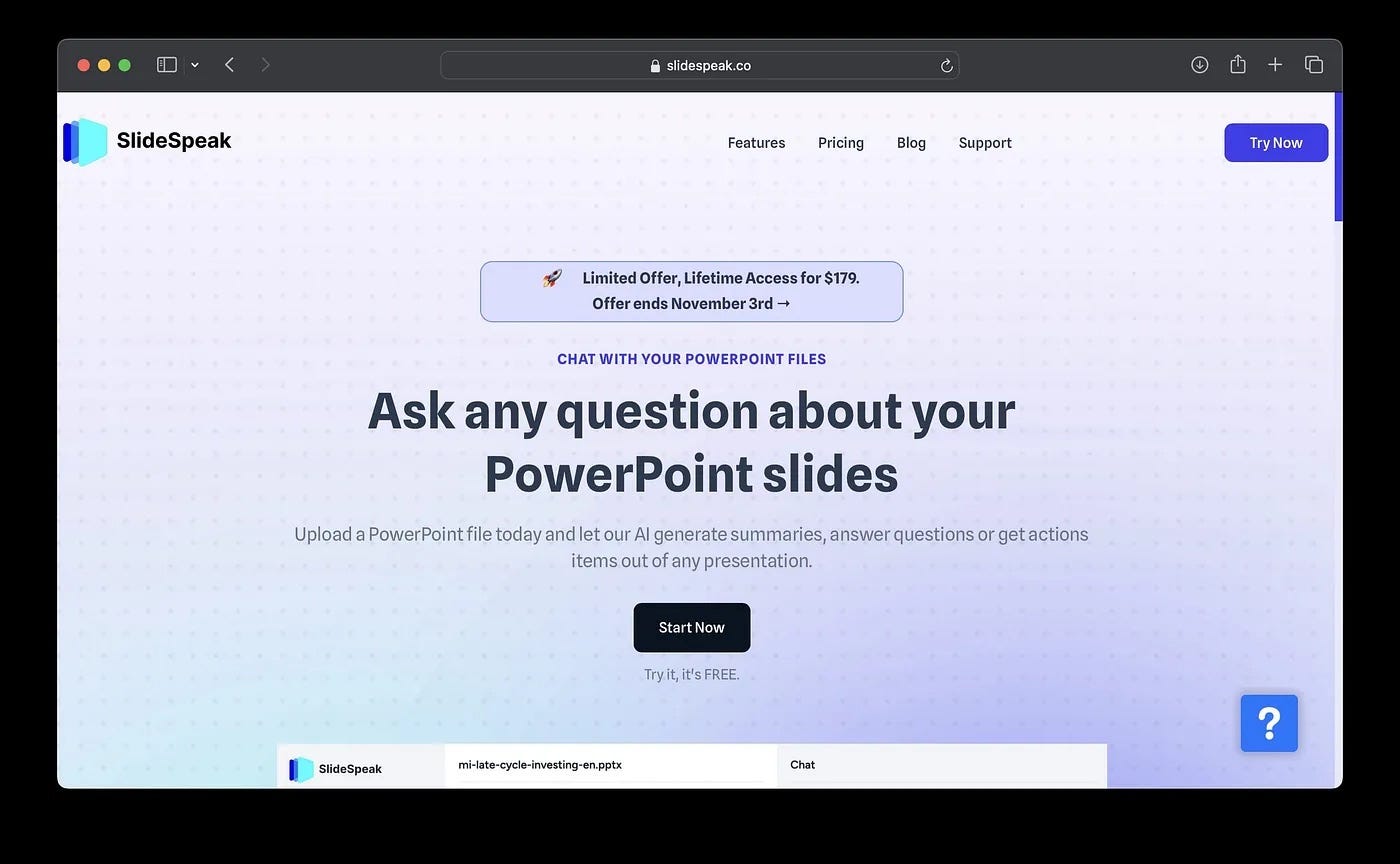 SlideSpeak Main Website
Step 2: Upload a PDF, Word document or paste text
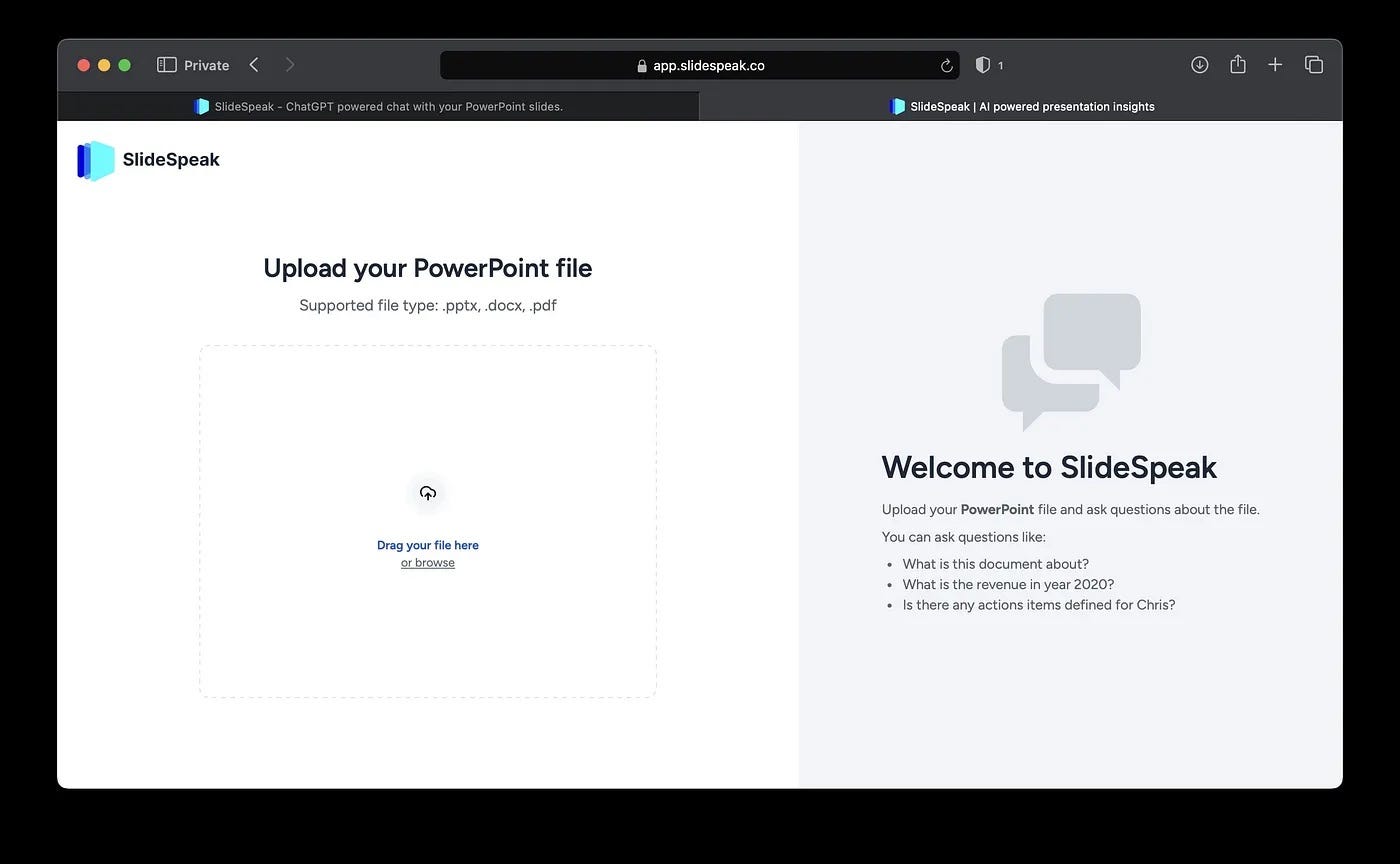 Upload Word or PDF to generate PowerPoint
Step 3: SlideSpeak’s AI will analyze the text and show you a preview of your document
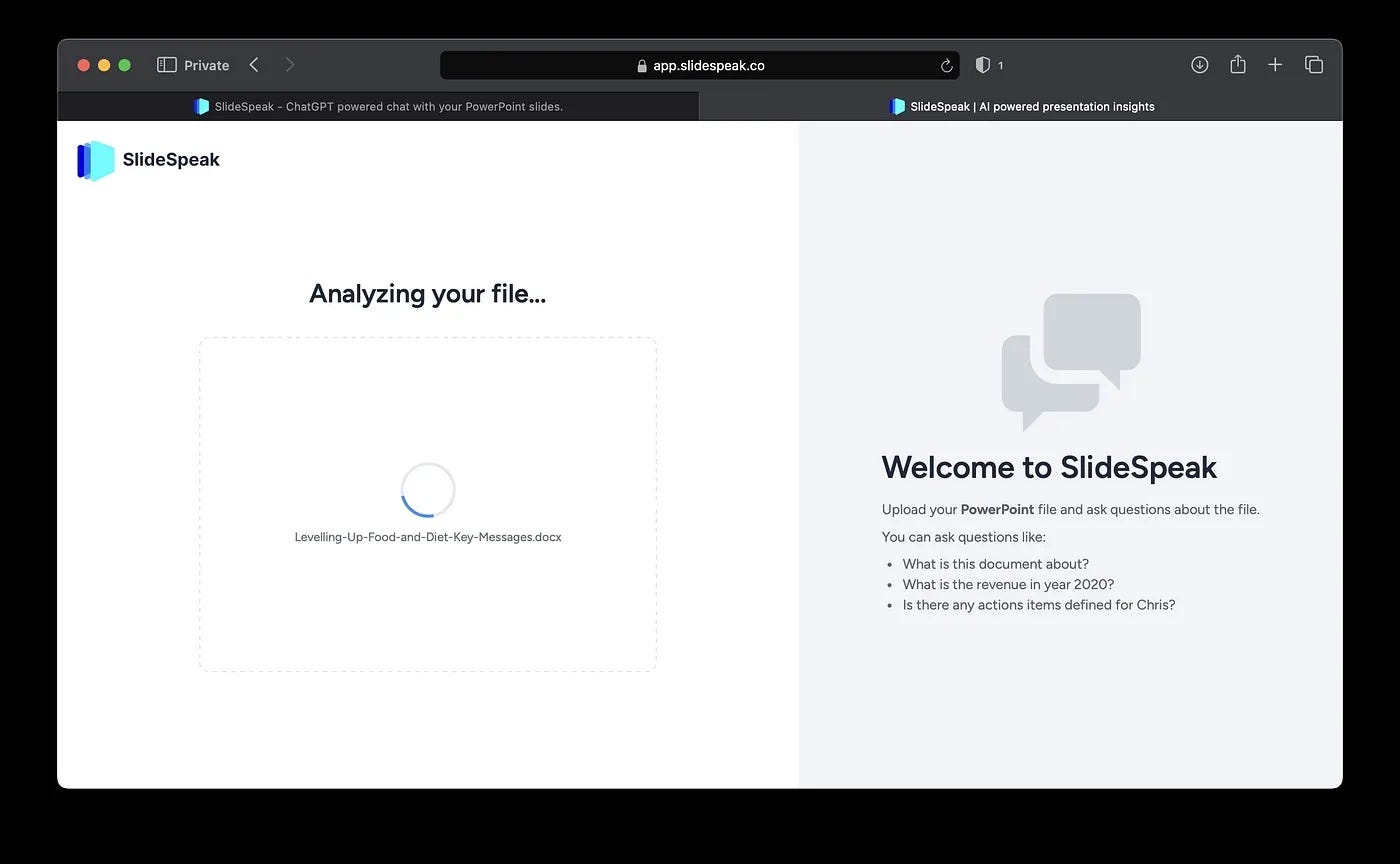
Step 4: Click on “Generate Presentation” in the top right corner
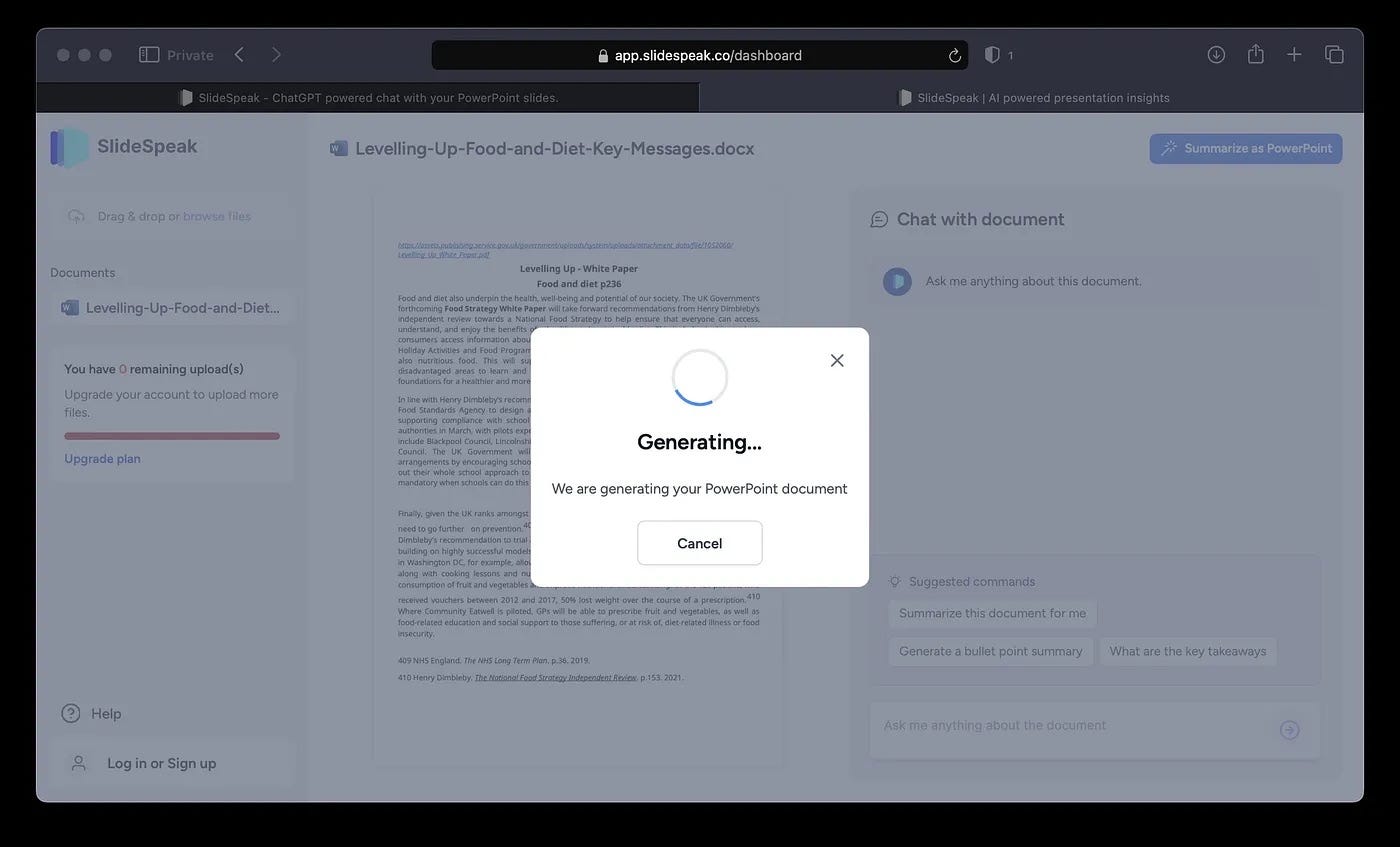
Step 5: SlideSpeak AI will generate a PowerPoint presentation
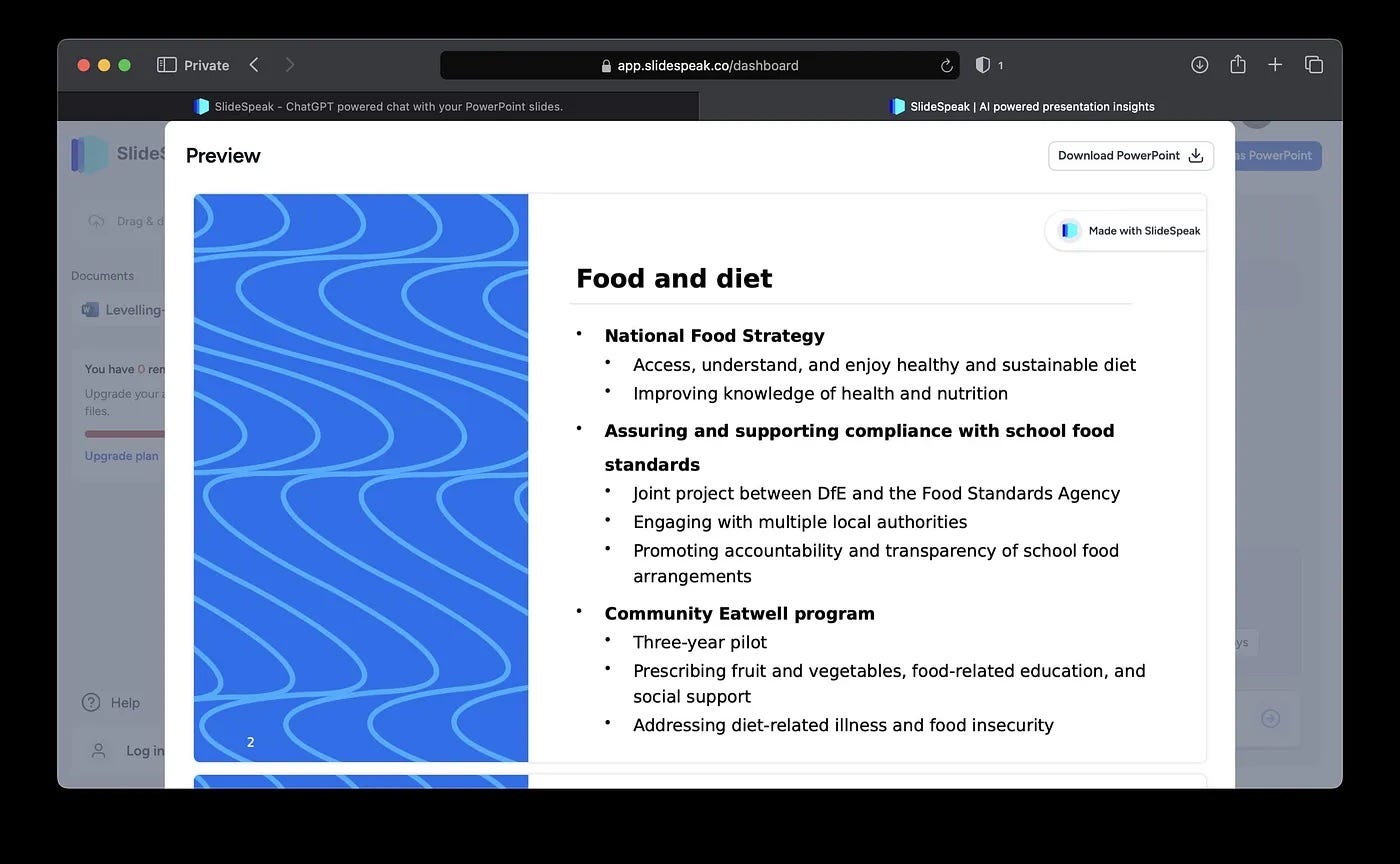
Step 6: Download your PowerPoint as PPTX file click on “Download PowerPoint”
The generate PowerPoint contains:
- Relevant titles and section slides
- Bulleted lists from the text’s key points
- Graphs and charts if data is present
- Professional slide formatting and themes
- Conversational interface allows prompting the AI for specific content
The benefits
- Saves time by automating the busywork of making slides
- Creates a baseline presentation you can tweak vs. starting from scratch
- Handles documents and text of any length
- Great for quickly generating draft presentations
- Allows for easy customization of slides within their online editor
- Wide selection of templates and themes to choose from
The downsides:
- AI isn’t perfect; may require cleaning up transitions or formatting
- Limited customization compared to making a PPT manually
- Can’t handle highly visual presentations or complex layouts well
Overall, SlideSpeak is a good option for quickly generating presentations, While it has limited customization features, it is useful for quickly drafting content, but final adjustments are still needed.for creating PowerPoint decks from text quickly and efficiently. It may require some manual polishing but does the heavy lifting of analyzing text and generating an initial slide deck. For basic to intermediate presentations, it can save creators and professionals a lot of time.
Microsoft Copilot
Microsoft recently unveiled Copilot, an AI assistant that can create presentations and other documents (Word, …). It provides suggestions and autocompletions as users work in the Office365 apps. Copilot can help generate complete slides, notes, and outlines in PowerPoint through conversational prompts. It is considered one of the most advanced AI writing tools available today. Microsoft Copilot is gradually being rolled out, as of the writing of this article (November 1st) not all Microsoft accounts have access to it.
Step-by-step Guide:
Step 1: Head over to https://support.microsoft.com/en-us/copilot-powerpoint and select “Try in PowerPoint”
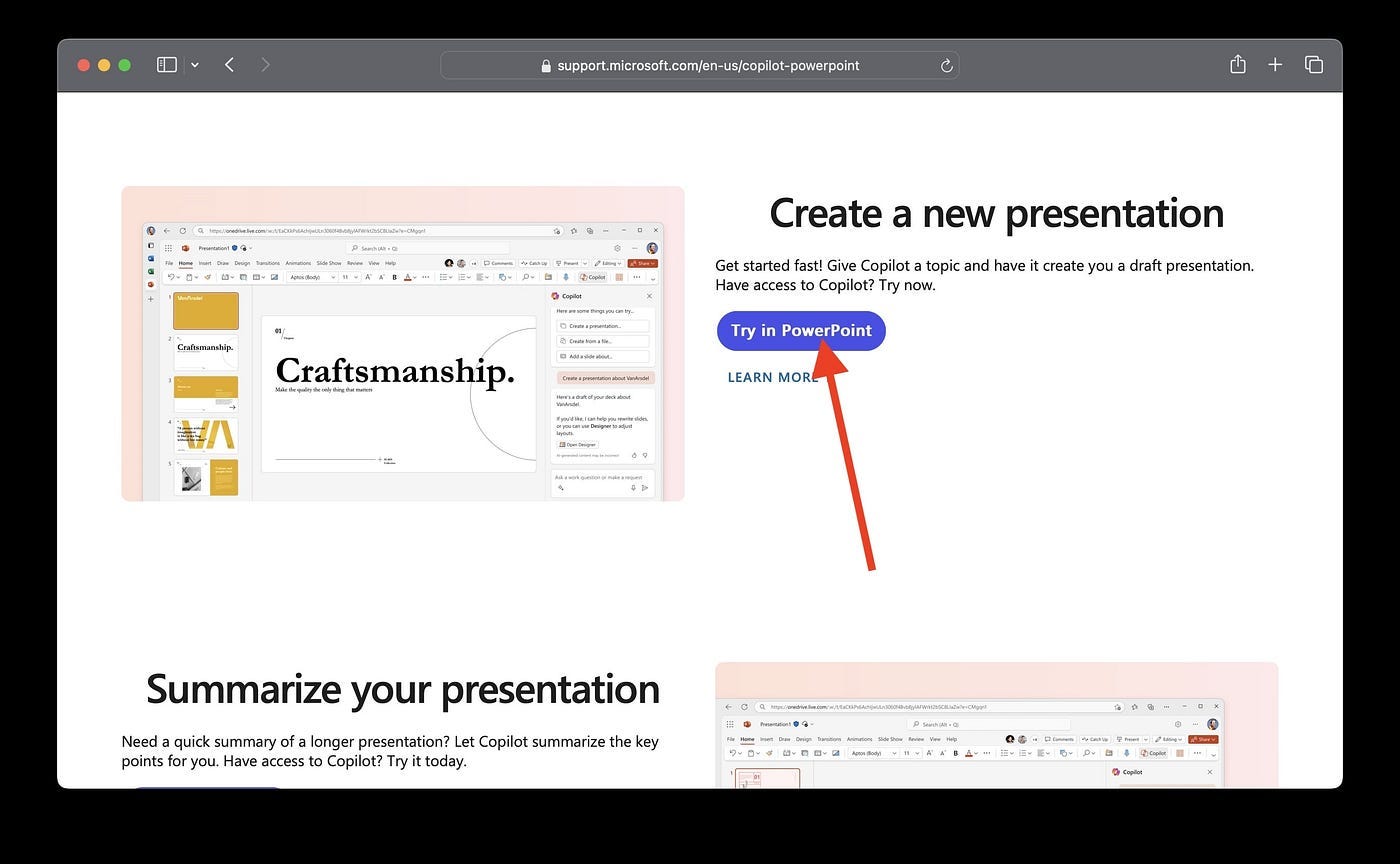 Microsoft Copilot for Office
Step 2: Select the “Copilot” button next to the “Designer” button in the top panel
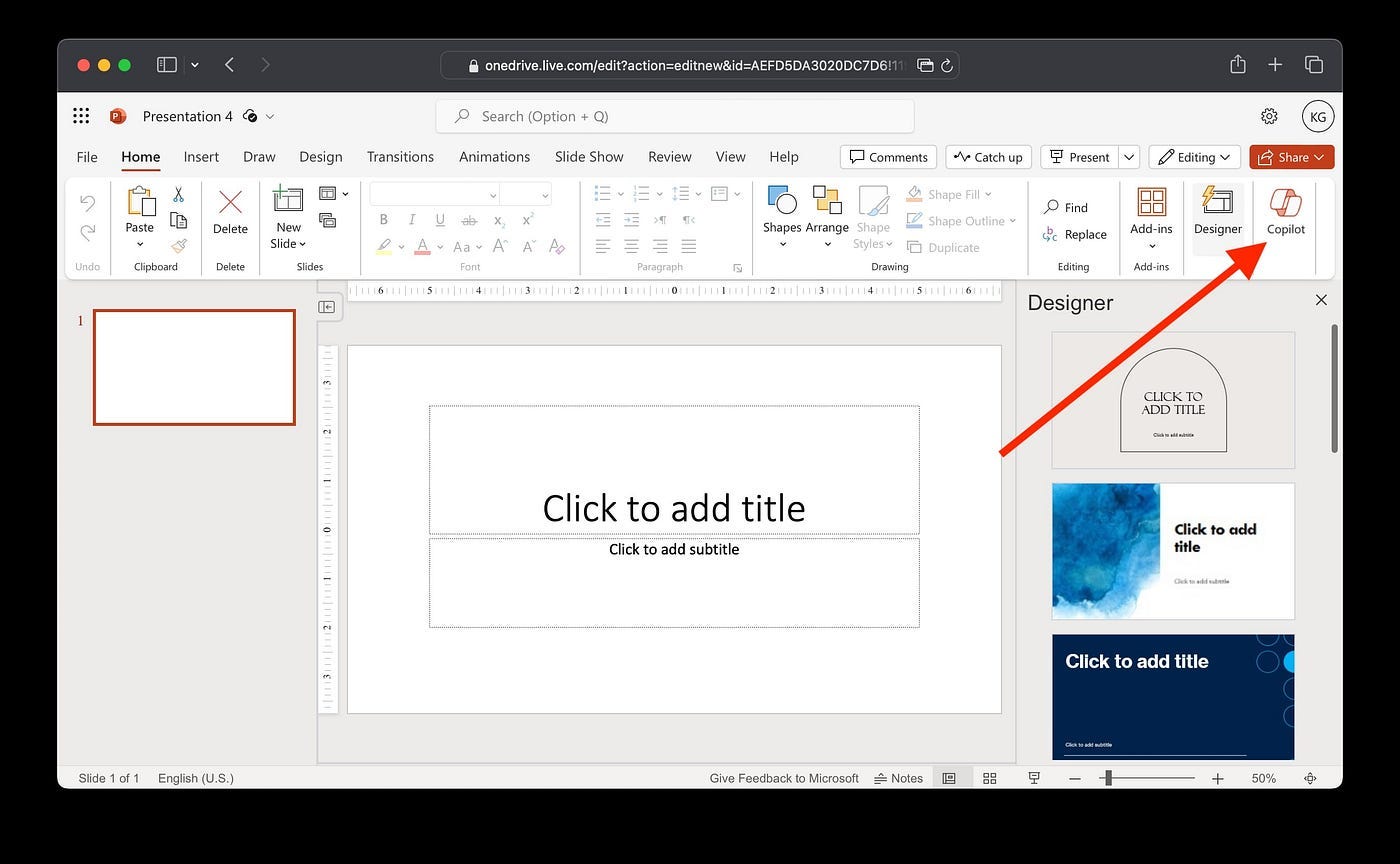 Copilot button in PowerPoint
Step 3: Click on “Create presentation from file”
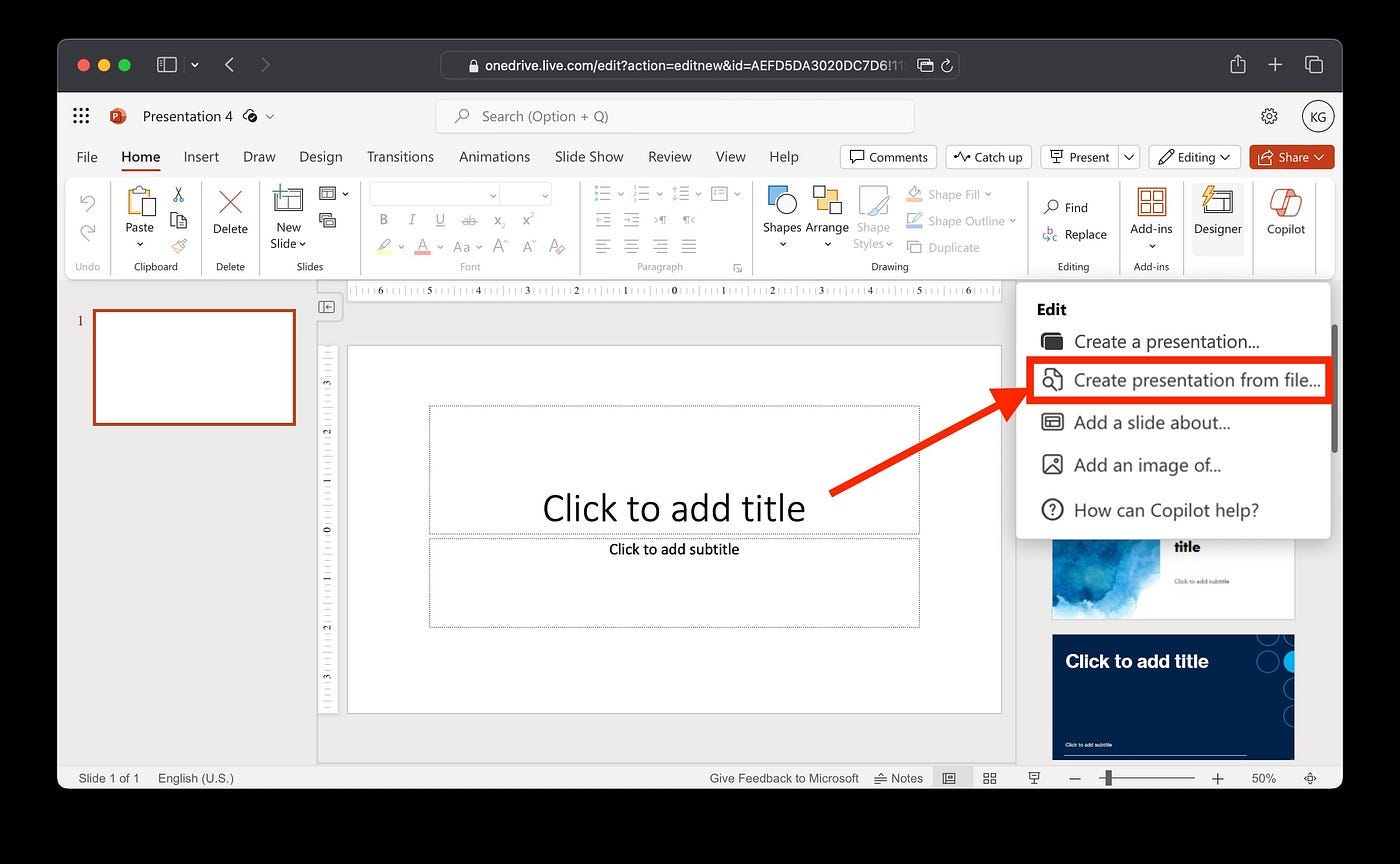 “Create presentation from file” in Office Copilot
Step 4: Select a Word document
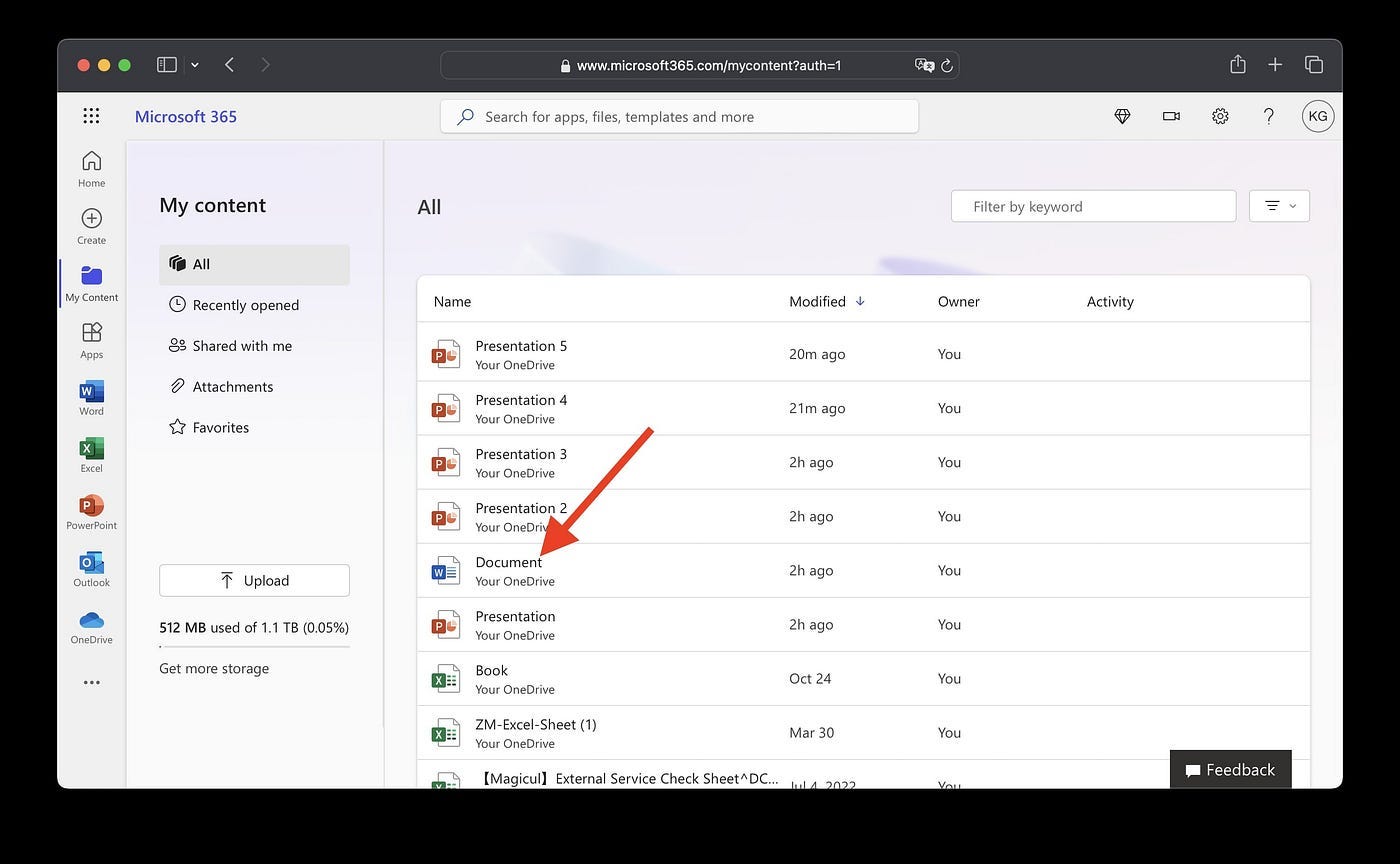 Select Word document
Step 5: Copilot will generate a PowerPoint for you
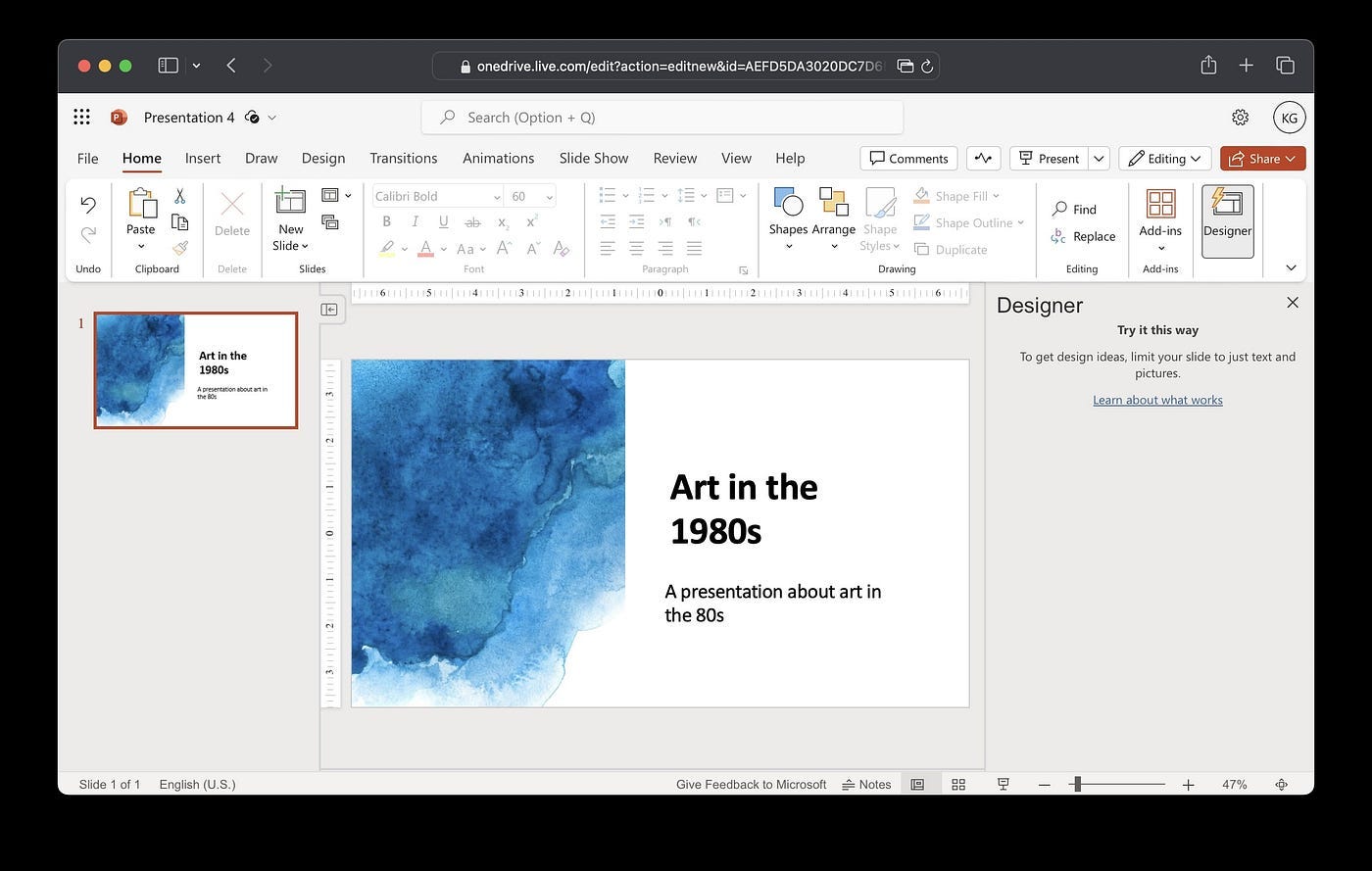 Generated PowerPoint in Copilot
Benefits of Copilot include:
- Can handle complex layouts like research posters
- Directly integrates in Office365
Downsides:
- Requires Office365 subscription
- Only supports creating presentations from docx
- Not fully available in all countries yet
- No chat with documents
SlidesAI.io
SlidesAI is an online presentation tool that uses AI to create presentations in Google Docs from text, PDFs, and URLs. The plugin directly lives in Google Docs which is super handy if you mainly work with the Google Suite.
Step-by-step Guide:
Step 1: Go to the SlidesAI website or install the SlidesAI add-on from the Google Workspace Marketplace.
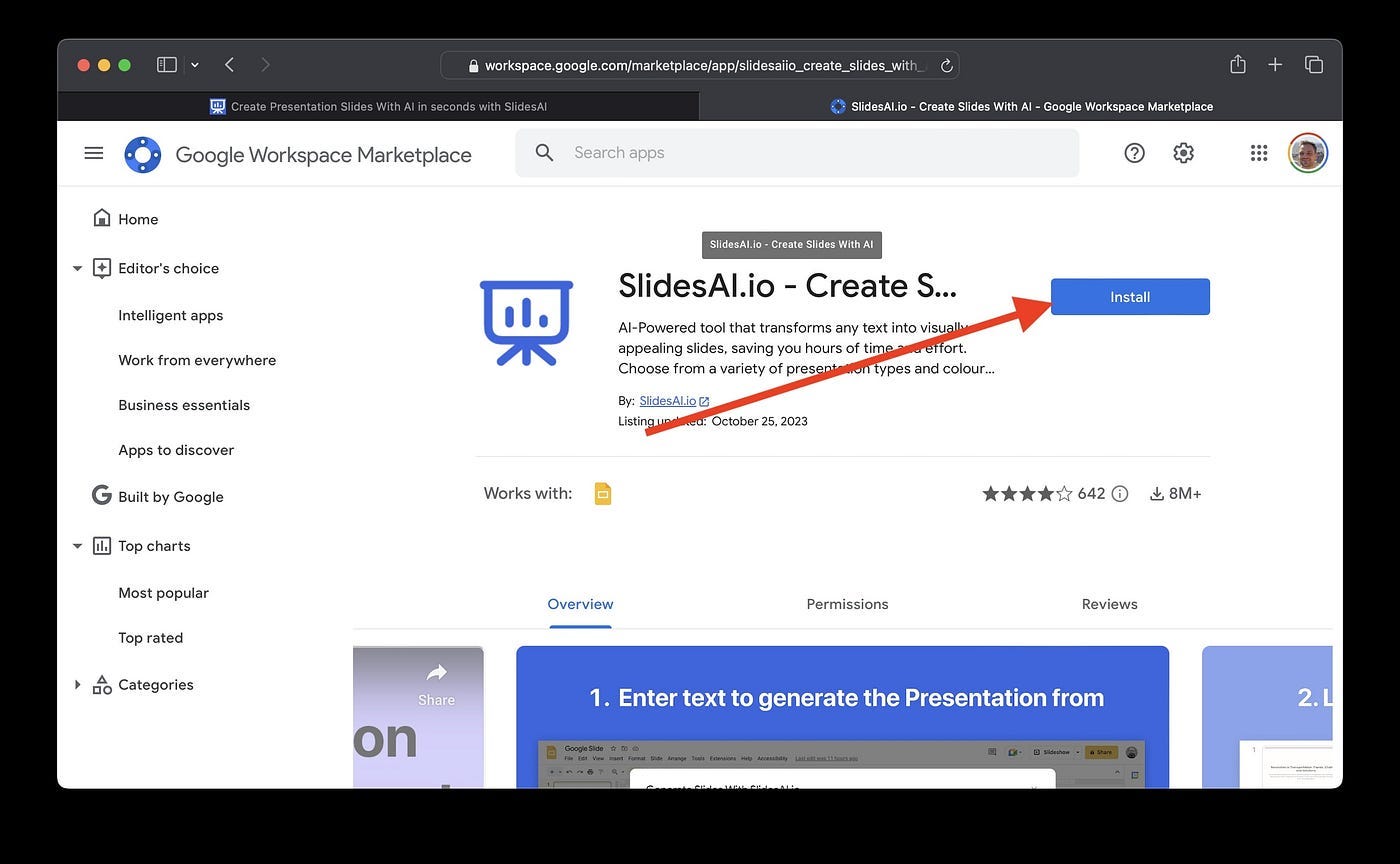 Install SlidesAI Extension
Step 2: In Google Slides, click on the SlidesAI extension.
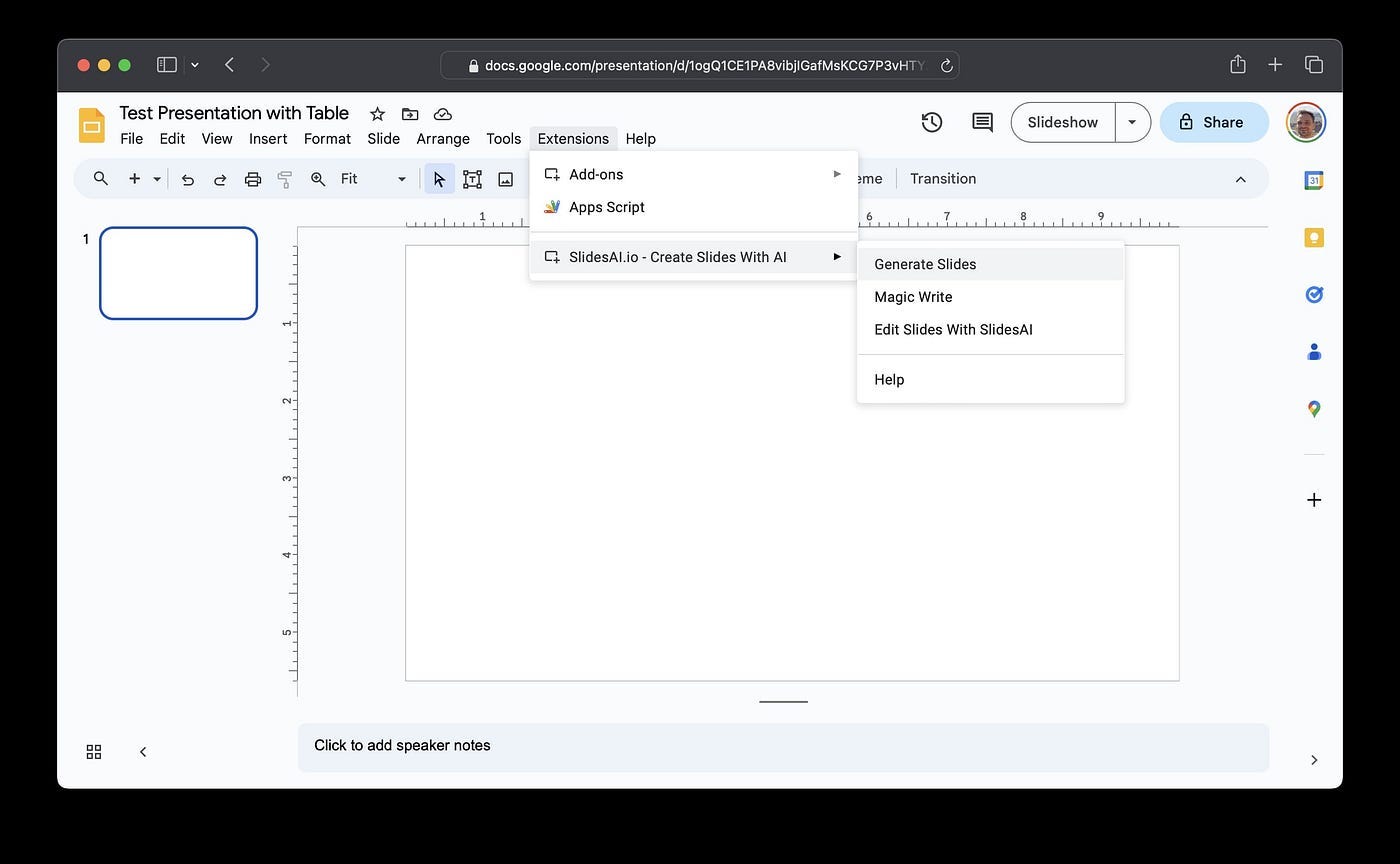 Open SlidesAI Google Extension
Step 3: Click “Generate Slides” in the SlidesAI sidebar
Step 4: Enter or paste your text into the text box.
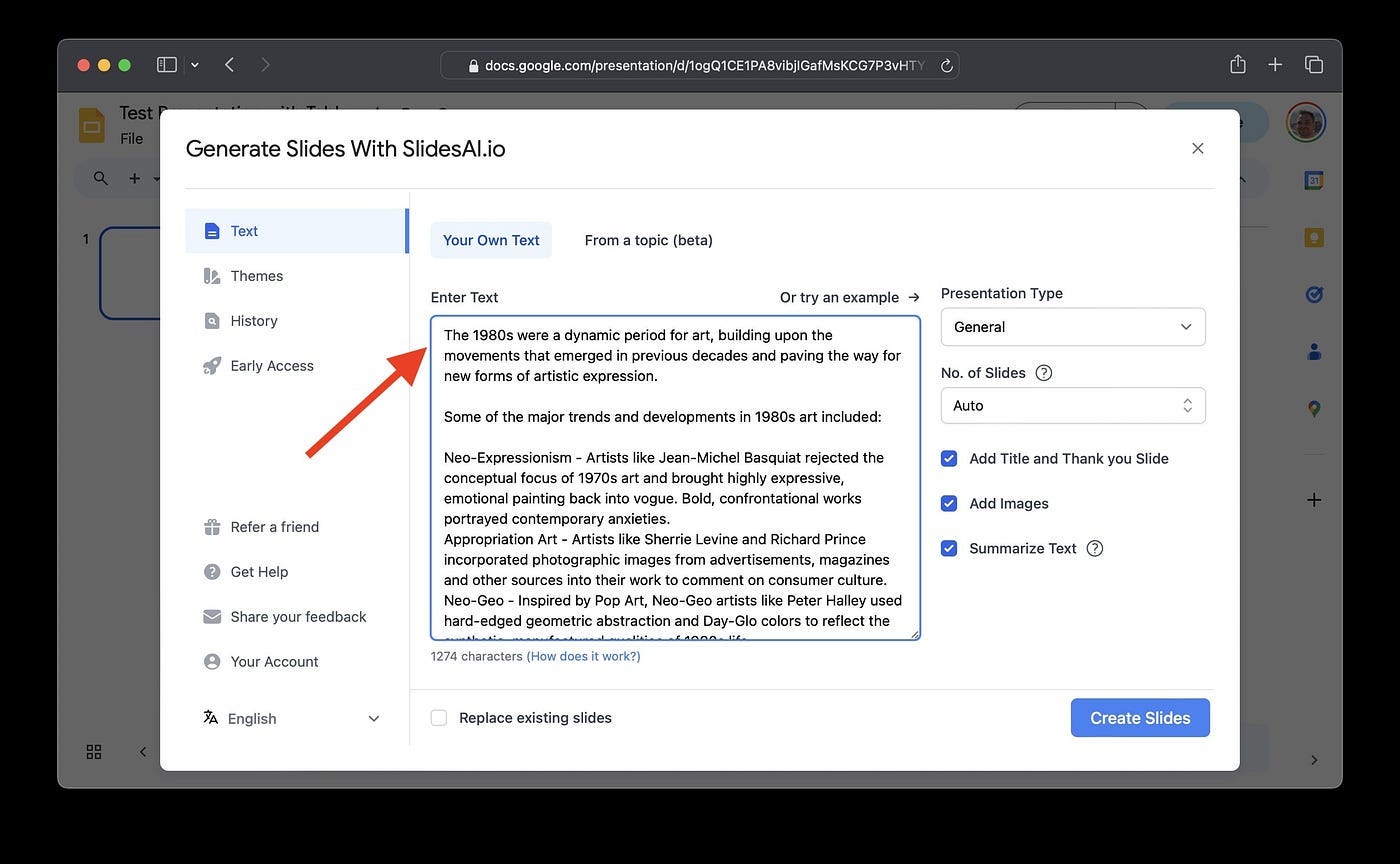
Step 5: Select a presentation theme and make any customizations.
Step 6: Click “Create Slides”. SlidesAI will generate a presentation from your text.
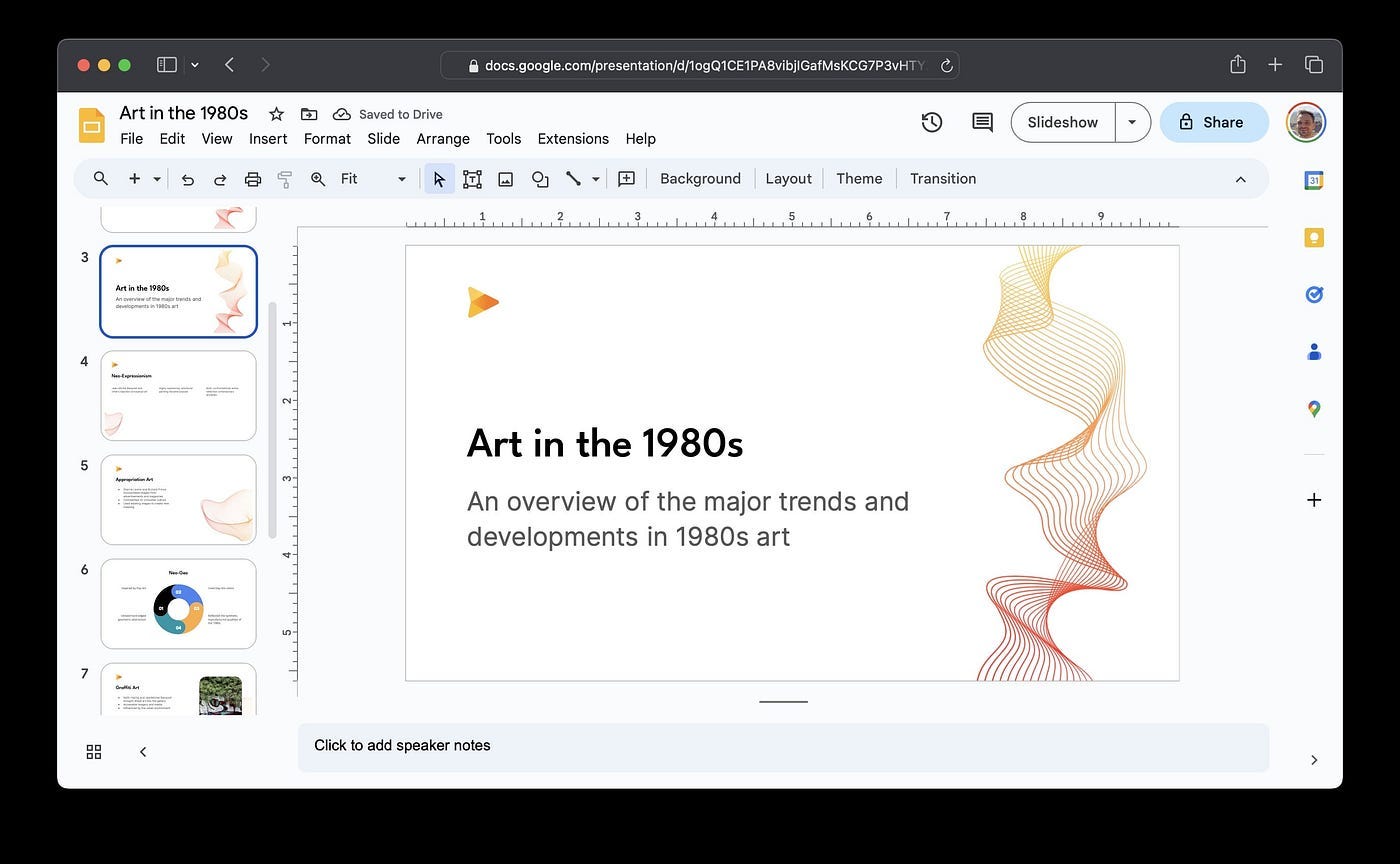 Generated Presentation in Google Slides
Step 7: Download the presentation when complete or continue editing in Google Slides.
Benefits of SlidesAI:
- Integrates directly into Google Slides
- Handy text box for entering content
- Variety of themes and customizations
Downsides:
- Only works Google Slides with the add-on
- Limited customization compared to manual creation
- Exported versions may need reformatting
Use Cases
AI presentation tools are useful in many scenarios:
Students can quickly generate PowerPoint decks from essays and research papers. The AI creates outlines, summaries and basic slides they can refine for class projects. This saves time over manually building presentations from scratch.
Consultants use services like SlideSpeak to speed up client deliverables. They upload reports or proposals to instantly build decks to present findings in a professional format. This impresses clients with fast turnaround.
Research scientists can leverage Copilot’s capabilities to create presentations on technical topics complete with code snippets, charts, and diagrams. Copilot is versatile enough to handle complex scientific presentation needs.
Entrepreneurs use Slides.com to make pitch decks by uploading their business plans, investor memos, and product descriptions. The AI generates professional slides fitting VC presentation standards, saving hours of design work.
FAQ
Here are answers to some common questions about generating PowerPoints with AI:
How accurate is the AI?
The accuracy varies across tools. Most require some clean up of slide text, formatting, transitions, etc. SlideSpeak tends to require the least editing while providing good content and structure.
What about complex presentations?
Copilot can handle more complex layouts like research posters or technical presentations. The other tools are better for standard, text-based presentations.
Is there a limit to how long the text/document can be?
SlideSpeak and Slides.com can handle long-form documents and books if you want a presentation summarizing the full text. Copilot works best with summarized prompt text.
Can it really be as fast as manual creation?
It’s typically at least twice as fast in our testing. But results depend on how much customization is needed after generation. Simple presentations can be 5x faster.
Is the AI-generated presentation quality good?
The presentation quality is quite good overall across tools, although some manual refinement is likely needed. Templates and slide design in Slides.com tend to be most professionally designed.
Conclusion
AI presentation tools like ChatSlide, SlideSpeak, Microsoft Copilot, and SlidesAI.io can help generate PowerPoint slides from text, saving time and effort. While other tools have their strengths — SlideSpeak offers some customization, Copilot can assist with complex layouts, and SlidesAI.io provides automation — ChatSlide offers a strong combination of speed and customization, making it a top choice for many users. It combines powerful AI-driven content analysis with extensive personalization options, allowing users to create high-quality presentations effortlessly. With its fast processing speed, rich template selection, and the ability to integrate multimedia like audio and video, ChatSlide offers the most efficient and versatile solution for making professional presentations.
Author
2025/04/08