
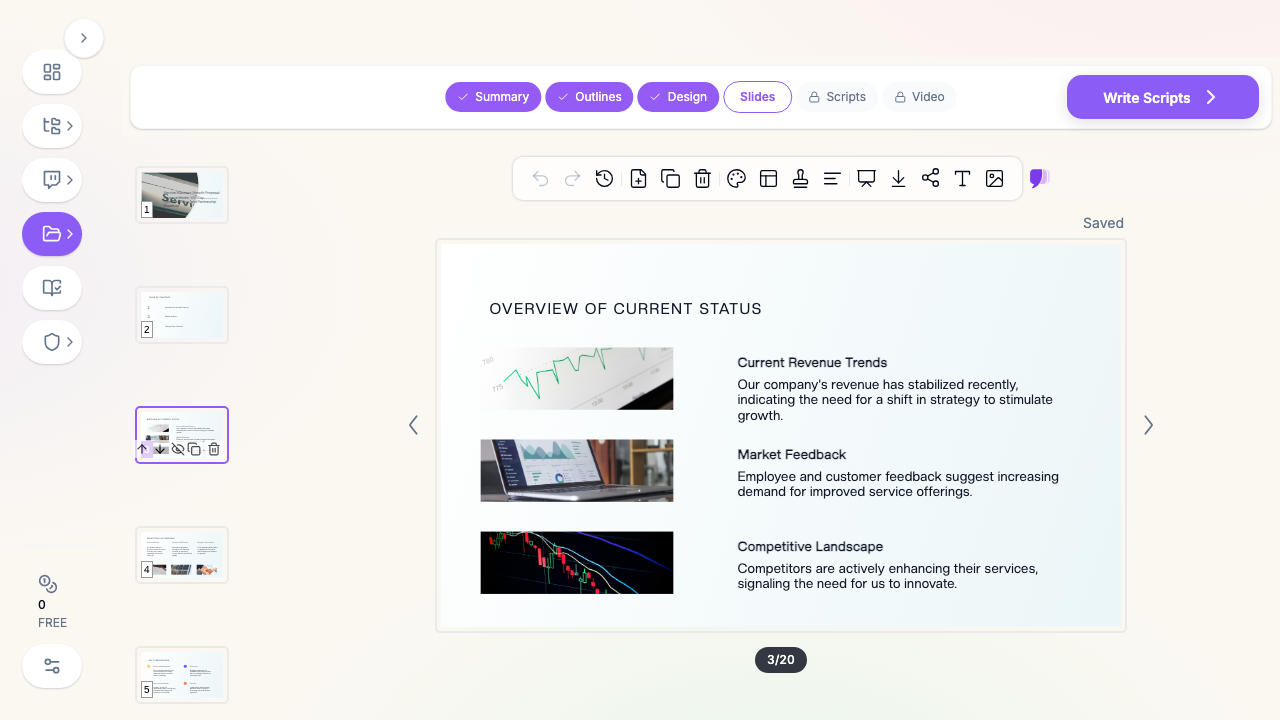
Quick Answer: ChatSlide is an AI company overview presentation maker that turns your company info, capabilities, and proof points into a polished profile deck in under 2 minutes — importing from your existing materials, building real charts from your metrics, and giving you 19 AI editing tools to make it sales- and partner-ready.
The Company Overview Problem
The company overview (a.k.a. capabilities deck, company profile, or "about us") is the deck sales sends before a call, BD brings to a partnership, and leadership uses at events. It has to establish credibility fast — who you are, what you do, why you're trusted — and it's often out of date the moment metrics or logos change.
Company overview decks have requirements generic tools miss:
- A credibility arc — mission, offering, differentiation, proof (logos, metrics, case studies), team, contact
- Real proof points — traction and results charted from your numbers
- Brand consistency — this deck represents the company externally
- Mixed inputs — website copy, case studies, a metrics sheet, prior decks
- Easy updates — metrics and logos change; the deck should keep up
Generic tools like Gamma, Tome, or Beautiful.ai make attractive slides but often need more manual work to chart your traction or keep a consistent, up-to-date company narrative.
What Makes ChatSlide Work for Company Overviews
3 Input Modes
- File Upload — case studies, one-pagers, a metrics sheet, prior decks (7+ file types, OCR).
- Web and URL — point ChatSlide at your own website and it extracts your messaging into slides.
- Text Prompt — describe the company and audience and let the AI draft it.
Real Proof-Point Charts
ChatSlide renders charts with Chart.js and D3 from your actual metrics — growth, results, customer outcomes — so your credibility rests on real numbers, not stock graphics.
A Consistent Company Narrative
Describe your standard flow — mission, offering, differentiation, proof, team, contact — and the AI builds to it, keeping your materials in a persistent knowledge base so updates are fast.
19 AI Editing Tools
"Add a customer-logo wall," "Chart our growth from this data," "Rewrite for an enterprise audience," "Condense to a 10-slide version." Four editing modes and batch editing keep it on-brand.
How ChatSlide Builds a Company Overview
- Gather inputs — upload case studies and metrics, or point it at your website.
- AI structures it — into a credibility arc with real proof-point charts.
- Edit with 19 tools — retarget the audience, add proof, trim the length.
- Present and share — export to PowerPoint/PDF or share a link.
Frequently Asked Questions
Can it pull from our website?
Yes. Paste your URL and ChatSlide extracts your messaging into structured slides.
Can it chart our traction?
Yes. Provide your metrics and ChatSlide builds real charts with Chart.js and D3.
Can I make audience-specific versions?
Yes. Use the editing tools to retarget for enterprise, partners, or investors.
How do I keep it updated?
Your materials persist in your knowledge base, so refreshing metrics and logos is fast.
Can multiple teams contribute?
Yes — Teams, Folders, Sharing, and Embed.
The Company Overview: Slide-by-Slide Outline
A credibility-first company deck (10–14 slides):
- Cover & tagline — who you are in one line
- The problem you solve — the customer pain
- What you do — your offering, plainly
- How it works — the 3-step version
- Differentiation — why you, not the alternatives
- Proof — logos, metrics, a case study (charted from real results)
- Traction — growth or outcomes over time
- Team — the credibility of the people
- Customers/partners — social proof
- Contact / next step
Variants: a capabilities deck goes deeper on services; a sales leave-behind leads with the customer outcome; a partner intro emphasizes fit and integration.
Getting Started
Try ChatSlide for Company Overview Presentations — Point it at your website or upload your materials and get a polished company deck in minutes. Free to start, no credit card required.
ChatSlide is a general-purpose AI presentation platform. Website/URL import, real data charts, a persistent knowledge base, and 19 AI editing tools make it well-suited to company overviews and capabilities decks.