
Quick Answer: ChatSlide is an AI marketing presentation maker that turns your campaign plans, performance data, and brand materials into a polished deck in under 2 minutes — importing from your docs and analytics exports, building real charts from your numbers, and giving you 19 AI editing tools to make it client- or leadership-ready.
The Marketing Deck Problem
Marketers live in decks: campaign plans, quarterly performance reviews, brand guidelines, client pitches, channel strategy. Each one blends a strategy narrative with real performance data, and each is rebuilt on a deadline the day before the meeting.
Marketing decks have requirements generic tools miss:
- Performance data — CAC, ROAS, funnel, channel mix charted from your analytics exports
- A strategy narrative — audience, positioning, channels, budget, KPIs
- Brand consistency — the deck represents the brand to clients or leadership
- Mixed inputs — analytics exports, a creative brief, prior decks, research
- Speed and reuse — the same story is retold for different audiences
Generic tools like Gamma, Tome, or Beautiful.ai make pretty slides but often need more manual work to chart your funnel from a CSV or hold a consistent brand structure.
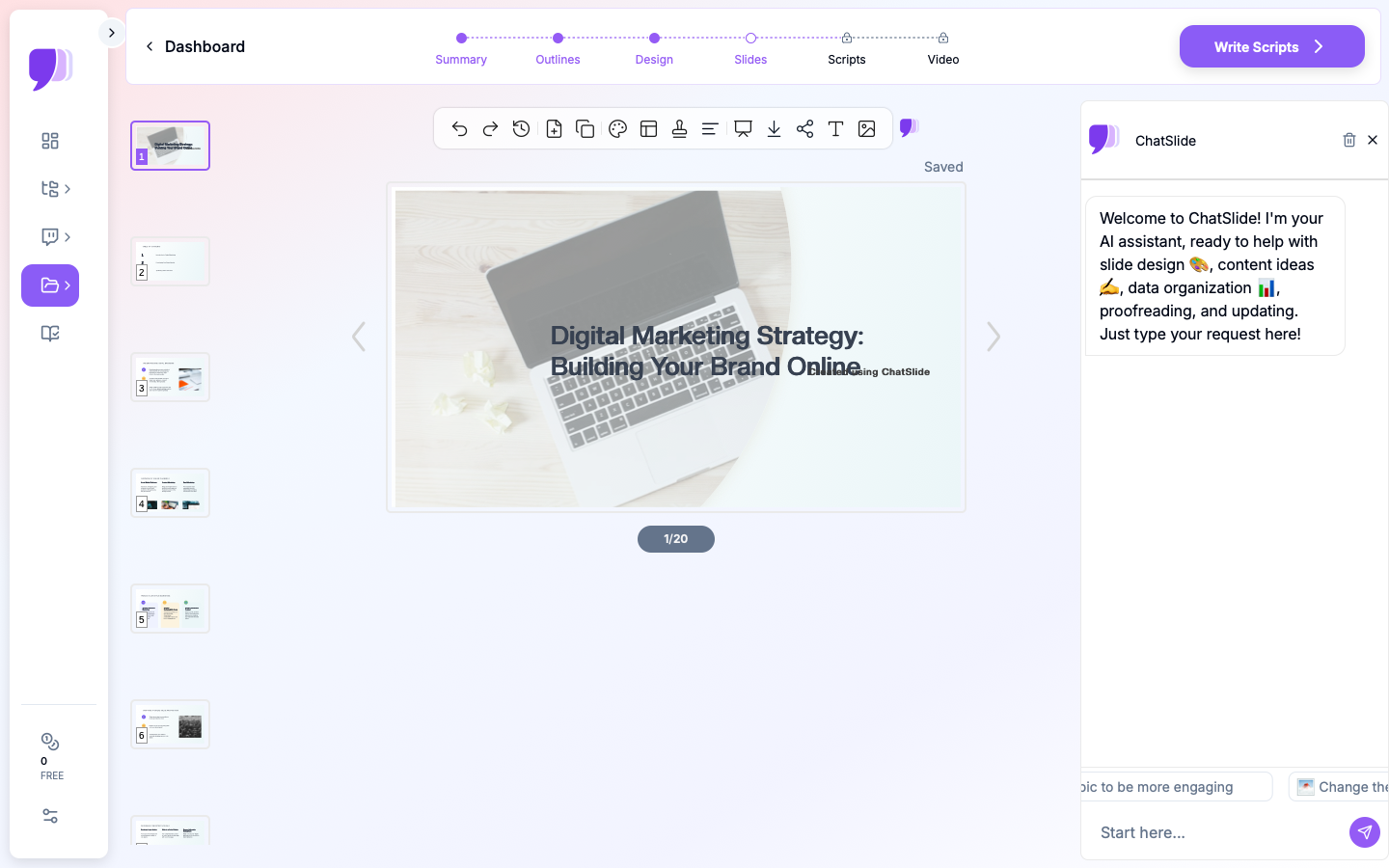
What Makes ChatSlide Work for Marketing
Real Charts from Your Analytics
ChatSlide renders charts with Chart.js and D3 from your actual data — funnel, ROAS by channel, CAC/LTV, campaign lift. Export your numbers, get real visualizations, not decorative graphics.
3 Input Modes
- File Upload — analytics exports, creative briefs, research PDFs, prior decks (7+ file types, OCR).
- Web and URL — pull in a landing page, a competitor site, or a dashboard export.
- Text Prompt — describe the campaign or strategy and let the AI draft it.
Consistent, On-Brand Structure
Describe your standard flow — objectives, audience, strategy, channels, budget, KPIs, timeline — and the AI builds to it, drawing on prior decks in your persistent knowledge base.
19 AI Editing Tools
"Add a channel-mix pie chart from the budget data," "Turn the plan into a quarterly timeline," "Rewrite for a client audience," "Build a KPI dashboard slide." Four editing modes and batch editing keep it consistent.
Repurpose for Every Audience
Export a narrated AI-avatar video of the deck for a client leave-behind or an async internal update.
How ChatSlide Builds a Marketing Deck
- Gather inputs — upload analytics, briefs, and prior decks; or describe the plan.
- AI structures it — into your marketing flow, with real charts and consistent branding.
- Edit with 19 tools — add the exact charts, retarget the audience, tighten the story.
- Present and repurpose — export to PowerPoint/PDF or a narrated video.
Frequently Asked Questions
Can it chart my campaign performance?
Yes. Provide your analytics data and ChatSlide builds real charts (funnel, ROAS, CAC) with Chart.js and D3.
Can I import a creative brief or prior deck?
Yes — 7+ file types with OCR, and the AI structures them into a marketing flow.
Can I keep it on-brand?
Yes. Prior decks persist in your knowledge base, so new decks follow your established structure and style.
Can I make client and internal versions?
Yes. Use the editing tools to retarget the audience, and export a narrated video for leave-behinds.
Can my team collaborate?
Yes — Teams, Folders, Sharing, and Embed.
The Marketing Deck: Slide-by-Slide Outline
Marketing "presentation" splits into two common intents — build the one you need:
A. Marketing plan (the strategy, forward-looking):
- Objectives & targets · 2. Audience/ICP · 3. Positioning & message · 4. Channel strategy · 5. Campaign calendar · 6. Budget allocation · 7. KPIs & measurement plan
B. Campaign performance review (the results, backward-looking):
- Executive summary · 2. Goals vs. actuals · 3. Funnel metrics (impressions → MQL → SQL) · 4. Channel performance (ROAS, CAC by channel) · 5. Top creatives/campaigns · 6. Learnings · 7. Next-quarter recommendations
Tip: define each metric on the slide (e.g. what counts as an MQL) so the room argues about strategy, not definitions.
Getting Started
Try ChatSlide for Marketing Presentations — Import your campaign plan and performance data and get a polished deck with real charts in minutes. Free to start, no credit card required.
ChatSlide is a general-purpose AI presentation platform. Multi-format import, real data charts, a persistent knowledge base, avatar video, and 19 AI editing tools make it well-suited to marketing plans, performance reviews, and client decks.