
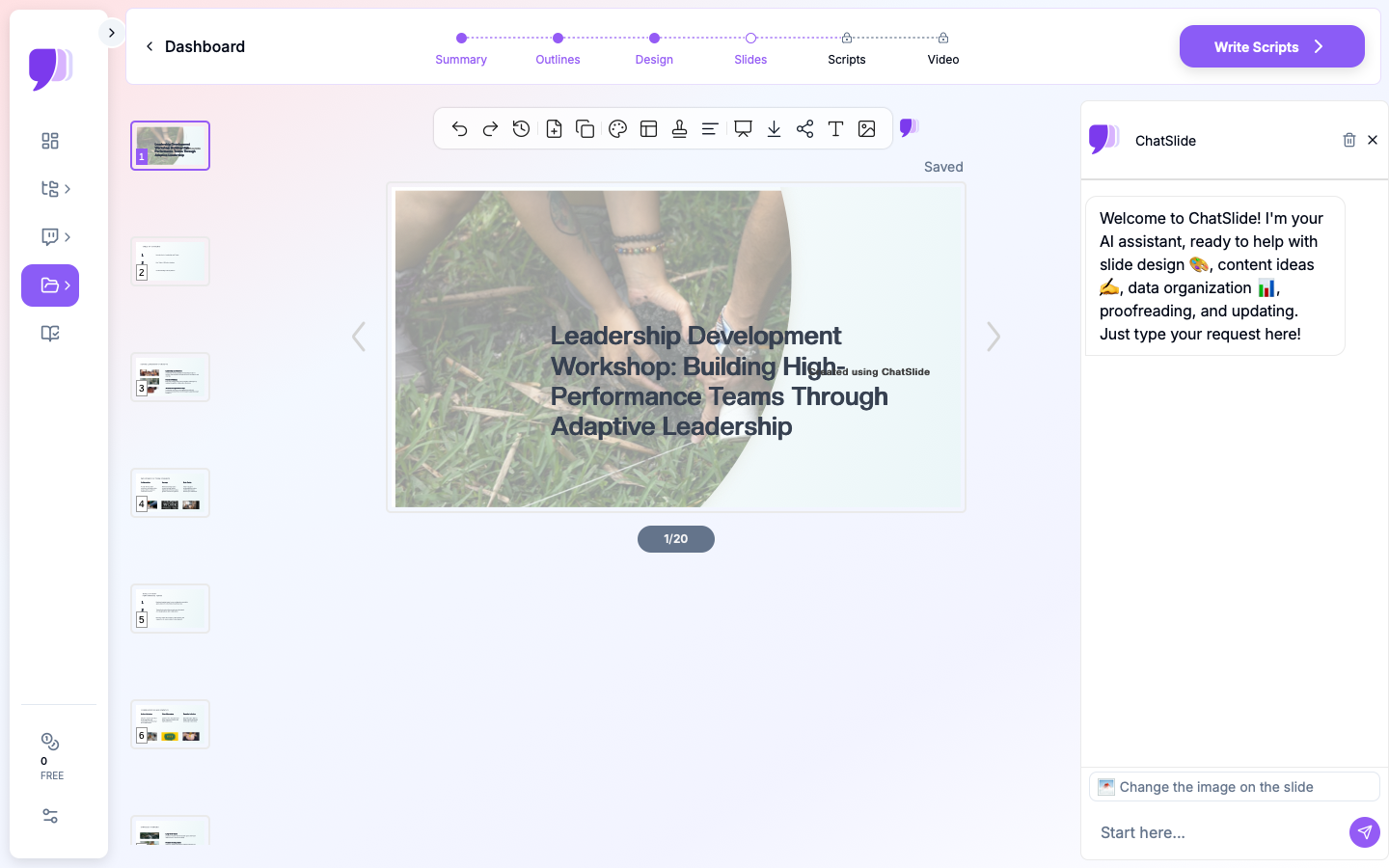
Quick Answer: ChatSlide is an AI presentation maker that turns statutes, case law summaries, and practice materials into structured continuing legal education presentations. Upload the source documents or describe the course, refine the outline against your accreditation requirements, and export slides to PowerPoint and written materials to PDF. Free to start, no credit card.
The CLE Presentation Problem
Agreeing to present a CLE is easy; the month before it is not. A one-hour continuing legal education session typically needs 40-60 slides, a set of written materials for accreditation, a timed agenda, and learning objectives — all on top of the substantive work of actually knowing the recent cases. The presenters are practicing lawyers doing this around billable work, and the preparation reliably compresses into the final week.
The substance is rarely the bottleneck. A partner presenting "Recent Developments in Non-Compete Law" has the developments at hand — the new statute, the three appellate decisions, the agency guidance. The bottleneck is converting a folder of authorities and a rough outline into slides that teach, plus the written materials the sponsoring bar or provider requires.
Generic templates make legal education worse, because CLE has structural requirements ordinary decks do not: accurate citations on the slide, doctrine presented in the order the analysis actually runs, and an ethics segment that maps to specific professional conduct rules.

What Makes a Strong Continuing Legal Education Presentation
Learning objectives stated up front and honored throughout. Accrediting bodies ask for them, but they are also the discipline that keeps a CLE from becoming a case-list recital. "After this session, attendees will be able to evaluate whether an existing non-compete survives the new statute" is an objective; "cover recent cases" is not.
Authority cited on the slide, accurately. A CLE audience of lawyers will write down the citations. Case names, courts, years, and statute sections belong on the slide in citation form, and they must be right — a wrong cite in a CLE travels further than a wrong cite in a brief.
Doctrine in analytical order. Present the framework the way a practitioner applies it: the rule, the elements or factors, then the recent decisions organized by which element they move. A chronological tour of cases forces the audience to build the framework themselves, which is the presenter's job.
Practice takeaways, not just developments. The sessions that get strong evaluations translate every development into an action: the clause to redraft, the deadline that changed, the argument now available. One "what to do differently" slide per section is a good discipline.
An ethics segment tied to numbered rules. Where the session includes professional responsibility credit, tie each scenario to the specific rule (competence, confidentiality, conflicts) and present the analysis, not just the punchline — ethics credit reviewers look for exactly that.
Written materials that stand alone. Most accreditation regimes require substantive written materials distributed to attendees. The deck is not the materials; the materials are the long-form treatment the deck summarizes.
How to Create a CLE Presentation with ChatSlide, Step by Step
1. Upload the Source Authorities
Upload what the session is built from: your case summaries, the new statute or rule as PDF, an article you have written on the topic, or last year's written materials as the base to update. ChatSlide reads the uploads — including OCR for scanned slip opinions — and generates slides grounded in those sources rather than in generic AI knowledge, which is exactly the property legal education requires. Verify every citation against the source before you present; the AI drafts the structure, the presenter owns the law.
2. Frame the Course with a Specific Prompt
State the topic, the audience's practice level, and the session format:
- Substantive update: "One-hour CLE presentation on recent developments in trade secret and non-compete law for employment litigators, organized by doctrine — enforceability standards, the new state statute, remedies — with practice takeaways in each section"
- Skills session: "CLE presentation on taking and defending expert depositions for mid-level litigation associates, structured around preparation, examination technique, and common errors, with example transcript excerpts"
- Ethics hour: "One-hour legal ethics CLE on conflicts of interest in joint representations, built around hypothetical scenarios mapped to the professional conduct rules on conflicts and confidentiality"
The Education > Lecture scenario fits most CLE formats; set the section count to match your timed agenda.
3. Refine the Outline Against the Accreditation Requirements
Review the generated outline with the provider's checklist beside it: learning objectives slide at the front, sections that match the timed agenda you submitted, and — for ethics credit — segments that a reviewer can map to specific rules. This is also where you enforce analytical order over chronological order.
4. Add the Visuals That Teach
Legal doctrine benefits from structure made visible: a flowchart for a multi-step analysis, a before-and-after table for a statutory amendment, a timeline for a doctrine's development. ChatSlide's chart and table layouts handle these directly. Keep decoration minimal — a CLE audience reads restraint as credibility — and give each hypothetical its own slide so the room has time to think.
5. Export Slides and Written Materials
Export the deck to PPTX for presenting and to PDF for the handout the provider distributes. For the written materials, the long-form route works well: have ChatSlide generate the fuller outline with speaker notes, export to PDF, and expand it into the required materials — or upload your existing article and let the deck be its summary. Presenters who maintain both from the same source spend far less time on the annual update.
Tips for CLE Training Presentations
Budget slides to the accredited hour. A 60-minute credit hour with questions is roughly 45-50 minutes of presenting. One substantive slide per minute is the practical ceiling; fewer is better.
Update, don't rebuild, next year. The annual "recent developments" CLE should be a diff, not a rewrite. Keep the framework slides stable and swap the new authorities in — uploading last year's deck as source material makes this a one-evening job.
Anonymize war stories. Practice examples make sessions memorable, and client confidentiality still applies in a CLE room. Strip identifying details the same way you would in a pitch deck or an article.
Rehearse the hypotheticals. Audience discussion is where sessions run long. Decide in advance which hypotheticals get five minutes and which get thirty seconds, and mark the agenda accordingly.
Have a PDF fallback. Bar association AV setups vary widely. A PDF export on a USB drive has saved more CLE sessions than any other piece of preparation.
Related Legal Presentation Guides
- How to Create a Trial Presentation with AI — opening statements, chronologies, and exhibit slides
- How to Create a Case Review Presentation with AI — case summaries for legal teams
- Compliance Training Presentation with AI — the corporate compliance training playbook
For the full picture of how legal professionals use ChatSlide, see the AI presentation maker for legal teams page.
Get Started
The session date is fixed; the preparation time is not. Upload the authorities, shape the outline against your agenda, and spend the saved evenings on the analysis your audience is actually coming for. Start with ChatSlide — free to start, with PowerPoint and PDF export built in.