
Quick Answer: If you have to stand up and present what the literature says — a thesis lit review chapter, a systematic review, a seminar synthesis, or the background section of a proposal — ChatSlide turns your sources and notes into a structured review deck in minutes. It is used by 300,000+ users across 750+ universities, searches Google Scholar and PubMed from inside the editor, builds outlines organized by theme rather than by paper, generates editable synthesis tables and PRISMA-style flow layouts, writes per-slide speaker notes, and exports to editable PowerPoint on paid plans. Free to start, no card required.
The Literature Review Slide Problem
A literature review presentation fails in a predictable way: it becomes a parade. Slide 4 is Smith 2021, slide 5 is Chen 2022, slide 6 is Okafor 2024 — each with a summary, a method, a finding. Twenty minutes later the audience has heard about eleven papers and cannot say what the field believes, where it disagrees, or why your study needs to exist. The reading was real work; the deck buried it.
The problem is structural, not stylistic. A literature review is an argument built out of other people's results, and the argument only appears when the sources are reorganized — by theme, by method, by chronology, by conflict — instead of listed. Doing that reorganization by hand means holding forty papers in your head, drafting a synthesis matrix in a spreadsheet, and then rebuilding all of it as slides. Most people run out of time somewhere in the middle and default to the parade.
Generic AI slide tools make the parade prettier. They will happily produce one clean slide per paper. What a review deck actually needs is the opposite move: fewer slides than sources, each one carrying a claim that several sources support or contest, with the gap you intend to fill stated out loud.
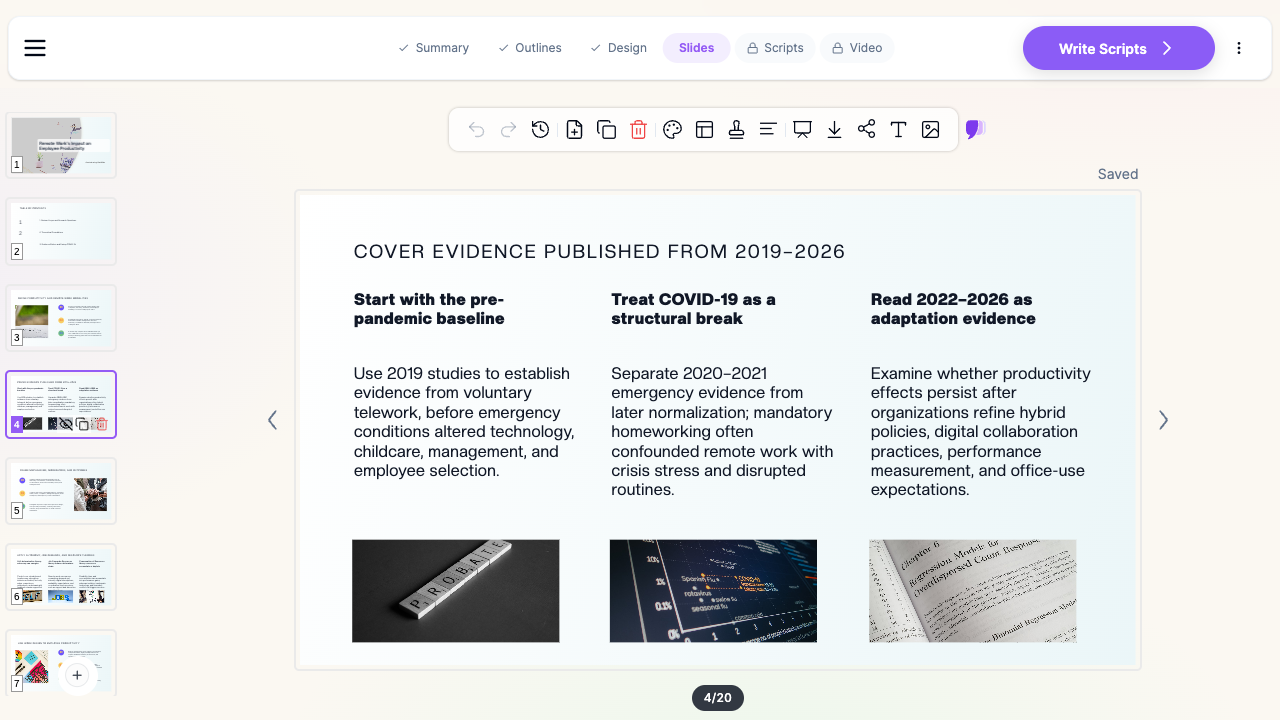

This page is for literature review intent — synthesis of a body of work. If you are defending the whole dissertation, see the PhD thesis defense guide. If you are presenting one paper to a group, see the journal club guide. If the review is the background section of a proposal you have to defend, see the research proposal defense guide.
What Makes ChatSlide Powerful for Literature Reviews
1. Literature search inside the editor
The Research tab searches Google Scholar for cross-disciplinary work and PubMed by keyword, PMID, or DOI for biomedical literature, and pulls what you select into the deck with citations attached. For a review that spans fields — say, an education intervention with a psychology evidence base — this saves the tab-hopping stage where half the citations get lost.
2. Upload what you already have
Most reviews do not start from zero. A draft chapter, an annotated bibliography, a stack of PDFs, a Zotero export, a synthesis matrix in a spreadsheet — ChatSlide reads text prompts, uploaded files across 7+ formats with OCR for scanned papers, and URLs. Your existing reading notes become the source material instead of being retyped.
3. Outlines organized by theme, not by paper
This is the stage that decides whether you present a synthesis or a parade. The outline is fully editable before a single slide is generated, so you can impose the organizing principle the review actually needs — thematic, methodological, chronological, or theoretical — and merge, split, and reorder sections until the argument runs in order. Ask for a thematic structure and the sources get grouped under claims rather than each getting its own slide.
4. Synthesis tables and comparison matrices
The single most useful slide in a review deck is a table: studies down one axis, method or sample or outcome across the other, so agreement and contradiction are visible at a glance. ChatSlide builds these as real slide tables you can edit, and renders charts from data you paste — publication counts by year, effect sizes, sample sizes — which is what turns "the literature has grown rapidly" into something the audience can see.
5. Per-slide speaker notes
Notes are generated per slide at the length and tone you specify. For a review this matters more than usual: the slide holds the claim, the notes hold the citations and caveats you say out loud but do not put on screen. It also means the deck survives being sent to a supervisor who was not in the room.
6. 19 AI editing tools for the inevitable rewrite
"Combine the three methodology slides into one comparison table." "Add a gap slide after the thematic sections." "Cut this to twelve minutes." "Rewrite for a committee outside my subfield." Reviews get restructured repeatedly as the argument sharpens; editing per slide or in batch keeps that from being a rebuild.
7. Export where the work happens
Editable PowerPoint and PDF export, plus a shareable link — and the PPTX imports cleanly into Google Slides — so a department template, a supervisor's track changes, or a conference's slide upload portal all still work.
How ChatSlide Builds Your Literature Review Deck
Step 1 — Give it the sources. Upload the draft chapter, the annotated bibliography, or the papers themselves; paste a topic and search Scholar or PubMed from the Research tab; or do both. Scanned PDFs are read with OCR.
Step 2 — Choose the organizing principle. Set the audience — committee, seminar, conference session, undergraduate class — and edit the outline until the sections are themes, debates, or eras rather than author names. This is the highest-leverage five minutes in the whole process.
Step 3 — Generate, then compress. Slides come out with layouts, images, tables, and charts in place. Use the editing tools to merge overlapping sections, turn text slides into comparison tables, and make the gap slide explicit.
Step 4 — Deliver and reuse. Present live, export to PowerPoint for your department template, or share a link with your supervisor. When you add ten more papers next term, regenerate the affected sections instead of rebuilding the deck.
Use Cases
Thesis or dissertation chapter defense. Your Chapter 2 is sixty pages and you have twenty minutes. The deck has to compress it into three or four themes plus the gap your study addresses — and the committee will ask about the papers you left out, which is what the speaker notes are for.
Systematic review and PRISMA reporting. A systematic review presentation carries a fixed structure: search strategy, databases and dates, inclusion and exclusion criteria, the screening flow with counts at each stage, quality appraisal, and synthesis. Building the flow diagram and the study-characteristics table as editable slide objects keeps the numbers changeable when the final screening pass shifts them.
Graduate seminar and qualifying exams. Weekly or milestone syntheses of an assigned body of work, where the assessment is explicitly about whether you can organize a field rather than summarize papers.
Grant and proposal background sections. Reviewers want to see that you know the state of the art and that there is a hole in it. A tight review section — established consensus, live disagreement, unaddressed gap, your study — does more for the proposal than an exhaustive bibliography.
Teaching a field to newcomers. Onboarding new lab members or teaching an advanced undergraduate class often means presenting the same review with the depth dialed down. Regenerating from the same sources at a different audience level is a prompt change, not a rewrite.
Research groups and departments. Labs, centers, and graduate programs present overlapping literature every term. ChatSlide Enterprise adds SSO, centralized team billing, shared brand templates, and collaboration so a group's review decks stay consistent and reusable across students and cohorts — contact us to set it up. Individuals can keep using the free tier.
Literature Review Presentation Tools Compared (2026)
| Capability | ChatSlide | Gamma | Canva | Beautiful.ai |
|---|---|---|---|---|
Scholar / PubMed search inside the editor | ✅ | ❌ | ❌ | ❌ |
File upload with OCR (7+ types) | ✅ | Limited | Limited | ❌ |
Editable outline before generation | ✅ | ✅ | Limited | ❌ |
Synthesis tables and charts from your data | ✅ | Limited | ✅ | Manual |
AI per-slide speaker notes | ✅ | Limited | ✅ | ❌ |
Editable PowerPoint export | ✅ (paid plans) | ✅ | ✅ | ✅ |
AI-narrated video from the deck | ✅ | ❌ | Partial | ❌ |
Free to start | ✅ | ✅ | ✅ | Trial |
Time Comparison: Manual vs. AI-Assisted
| Task | Manual | With ChatSlide |
|---|---|---|
Regrouping sources into themes | 2–4 hours | Minutes (edit a generated outline) |
Building a synthesis / comparison table | 1–2 hours | Generated, then edited |
Drafting slide content from notes | 3–5 hours | Generated, then refined |
Charts (publications by year, effect sizes) | 1–2 hours | Minutes from pasted data |
Speaker notes with citations | 1–2 hours | Generated per slide |
The manual column is a full working day or two — and reviews get presented more than once, at proposal, at defense, and at conferences, each time needing an update.
What a Strong Literature Review Presentation Includes
- A scope statement in the first two minutes. Which literature, which years, which databases, which inclusion criteria. Without it the audience cannot judge whether an omission is a choice or an oversight.
- Themes as section headings. If a section is named after an author, it is a summary; if it is named after a claim, a mechanism, or a debate, it is a synthesis.
- At least one comparison table. Studies against methods, samples, or outcomes. This is the slide people photograph.
- Visible disagreement. Reviews that report only consensus read as incomplete. Show where findings conflict and say what plausibly explains the conflict — population, measure, design, era.
- A stated gap, not an implied one. One slide that says what the literature has not established, in a sentence a committee member could repeat back.
- A bridge to your work. The last content slide should connect the gap to your research question. That transition is the entire reason the review is in the talk.
- Citations on the slide, detail in the notes. Author-year on screen; full references on a final slide or handout; the caveats spoken from the notes.
Best Practices
Do:
- Aim for fewer slides than sources — compression is the deliverable
- Use a chronology slide when the field has a genuine turning point (a method, a policy, an event)
- Name the organizing principle out loud, so the audience can follow the structure
- Keep a few backup slides on individual studies for the question period
- Update the deck from the source files when you add papers, rather than editing slides by hand
Don't:
- Give every paper its own slide
- Present the search strategy as an afterthought in a systematic review
- Hide the gap in a bullet on a crowded slide
- Read the citations aloud — the audience can see them
- Claim a gap exists without showing the coverage that makes it visible
Frequently Asked Questions
Can it find papers, or do I have to supply them?
Both. The Research tab searches Google Scholar and PubMed (by keyword, PMID, or DOI) from inside the editor and pulls selected sources in with citations. You can also upload the papers, an annotated bibliography, or a draft chapter you have already written.
Will it organize by theme instead of one slide per paper?
Yes — ask for a thematic structure and edit the outline before generating. The outline stage is where you enforce grouping by claim or debate rather than by author, and it is fully editable.
Can it build a PRISMA-style flow or a study-characteristics table?
It generates editable slide tables and flow-style layouts you can adjust, so the screening counts and study characteristics stay changeable when your final numbers shift.
Does it write speaker notes?
Yes, per slide, at the length and tone you specify — useful for keeping citations and caveats in the notes rather than crowding the slide.
Can I export to PowerPoint for my department template?
Yes. PPTX export is editable and imports cleanly into Google Slides; PDF export and a shareable link are also available. PPTX export starts on the Plus plan.
Does it handle a systematic review differently from a narrative review?
The structure is yours to set at the outline stage. A systematic review deck typically needs search strategy, screening flow, appraisal, and synthesis sections; a narrative review is organized around themes or debates. Both start from the same editable outline.
Can I turn the review into a video?
Yes. ChatSlide can narrate the deck as a video with an AI presenter, which suits async seminars, lab onboarding, and recorded course material.
Is there a free version?
Yes — free to start, no credit card required. Paid plans add higher generation limits and premium features.
Get Started
Make your literature review presentation with ChatSlide — bring your papers, your notes, or just the topic, and get a themed synthesis deck with comparison tables and speaker notes in minutes. Free to start, no credit card required.