
Quick Answer: ChatSlide is an AI presentation maker built for surgeons who teach. It turns operative notes, technique papers, and PubMed searches into a structured plastic-surgery deck in under two minutes — with built-in PubMed, Google Scholar, and ClinicalTrials.gov import, OCR for scanned atlases and journal pages, charts generated from your real outcomes data, and per-slide speaker notes. Free to start, used by clinicians at 750+ universities, and exportable to PowerPoint, PDF, or video.
The Plastic Surgery Teaching Problem
Aesthetic and reconstructive surgery is one of the most visually demanding fields to teach, and one of the worst served by generic slide tools. A rhinoplasty technique talk is not a bulleted summary. It is a sequence: nasal analysis, the deformity, the operative plan, the graft, the closure, and the result at twelve months. Every step wants its own visual language — surface anatomy, intraoperative views, cartilage-graft diagrams, and outcome comparisons.
The workload compounds when the talk is long. A 60- to 90-minute rhinoplasty workshop runs 50 to 70 slides. A resident didactic on septal extension grafts needs the anatomy, the biomechanics, the technique variants, and the evidence behind each. A journal-club presentation on a new fixation method needs the trial design and the outcomes table. Most surgeons build these between cases, at night, one slide at a time.
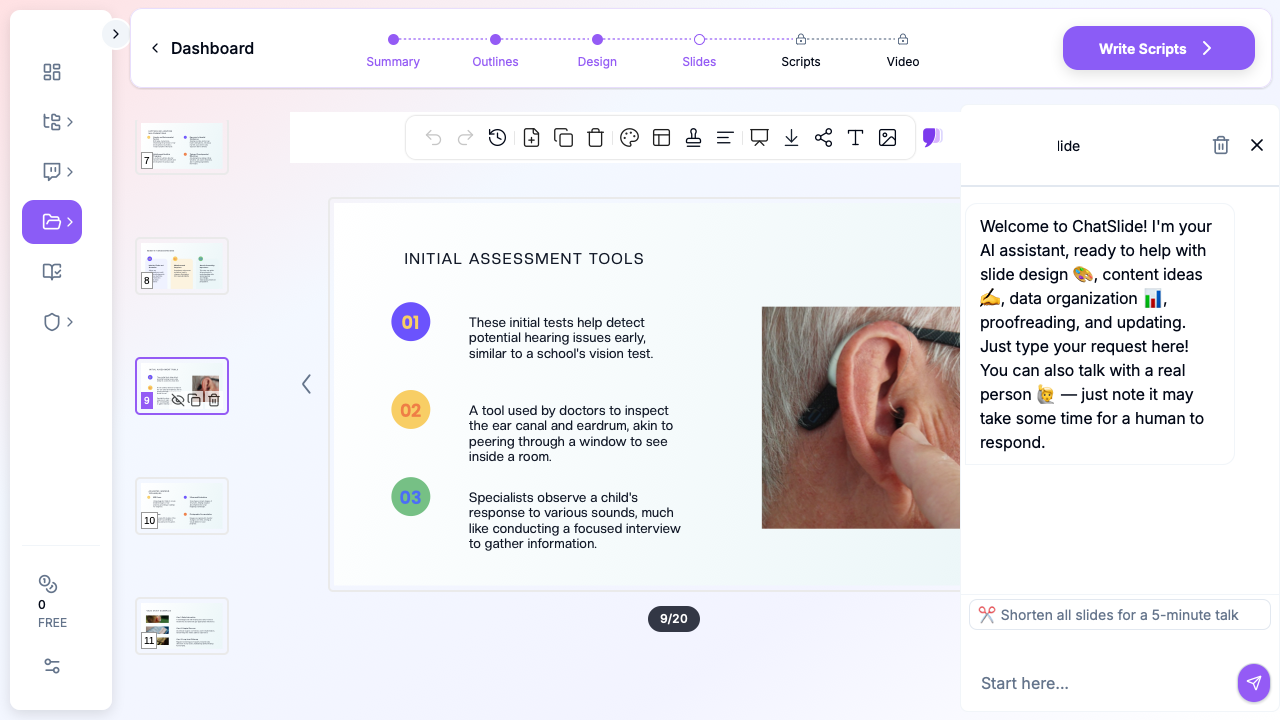

ChatSlide changes the starting point. Instead of an empty deck, you begin with a structured draft: a clean teaching narrative, sectioned the way surgeons actually present, with speaker notes on every slide and citations attached to the claims that need them.
What Makes ChatSlide Powerful for Plastic Surgery
Three input modes for the material you already have
Surgeons rarely start from nothing. ChatSlide accepts your existing material three ways, and you can combine them:
- File upload — operative notes, technique PDFs, prior PowerPoint decks, Word documents, and images. Scanned pages from a surgical atlas or a photocopied journal article are read with OCR, so the text becomes usable source material rather than a flat picture.
- Web and YouTube URLs — paste a link to a recorded conference talk, a society guideline, or an online technique video, and the content is extracted into your source pool.
- Text prompt — describe the talk ("septal extension grafts: indications, technique variants, and outcomes, for a senior resident audience") and let the AI build the structure.
For a workshop deck, this matters: you can upload the three papers your technique is based on, add your own operative notes, and get a deck that reflects both.
Direct research database access, inside the tool
You do not have to leave the editor to find the evidence. The Research tab searches the literature directly and imports what you select as source material for the deck.
Charts from your real outcome data
Aesthetic surgery arguments live and die on outcomes. Upload your data — revision rates by technique, patient-reported outcome scores, complication counts by cohort — and ChatSlide builds the chart from the actual numbers. These are real data visualizations, not decorative stock graphics or invented figures. If you do not supply data, it will not fabricate a chart and pretend the numbers are yours.
Audience depth control
The same topic serves very different rooms. A rhinoplasty talk for a national aesthetic meeting is not the talk you give to PGY-2s, and neither is the talk you give to a referring-physician audience. ChatSlide lets you set the audience depth and the scenario type, so the generated draft calibrates its terminology and its level of detail before you start editing.
Speaker notes on every slide
Long technique talks are hard to pace. Every generated slide carries speaker notes, which means you can rehearse a 70-slide workshop against a written narrative instead of improvising over images.
Structured AI editing after generation
Generation is the first draft, not the deliverable. A set of AI editing tools handles the refinements surgeons actually make: shorten a section to fit a 15-minute slot, split an overloaded slide, add a comparison table of technique variants, restyle a slide's layout, or rewrite a passage for a different audience.
Export where your meeting needs it
Decks export to PowerPoint and PDF. You can also generate a narrated video version of the same deck, which is useful for asynchronous resident teaching and for society education libraries.
Direct Research Database Access
ChatSlide's Research tab connects to the databases physicians use daily:
- PubMed: Search by keyword, PMID, or DOI. Find the landmark trials, recent publications, and clinical guidelines relevant to your case. The AI reads abstracts and incorporates key findings into your slides with citations.
- Google Scholar: When your topic spans disciplines — say, the intersection of genetics and oncology — Scholar captures the broader academic literature that PubMed alone might miss.
- Clinical Trials (NCT): Presenting on a treatment where pivotal trials are ongoing? Search by NCT number or condition to pull trial design, endpoints, and status into your slides.

For plastic surgery specifically, this is how you keep a technique talk current. Search PubMed for the last three years of outcome studies on your graft technique, import the ones that matter, and let the evidence sections build from those papers rather than from a deck you last updated two meetings ago.
How ChatSlide Builds Your Plastic Surgery Deck
- Bring your sources. Upload operative notes, technique papers, and prior decks — or search PubMed inside the tool and import the papers directly.
- Set the frame. Choose your topic, audience depth, language, and scenario type (lecture, conference case, workshop, resident didactic).
- Review the outline. ChatSlide proposes a sectioned outline first. This is the cheapest place to fix structure — reorder sections, add the complications section you want, cut what does not fit the time slot.
- Generate and refine. Slides are produced with visuals, speaker notes, and citations. From there you use the AI editing tools to tighten individual slides, then export to PowerPoint, PDF, or video.
Use Cases for Plastic and Aesthetic Surgeons
The rhinoplasty workshop. A 60- to 90-minute instructional course wants 50 to 70 slides covering analysis, planning, approach, grafting, closure, and outcomes. Built manually this is a multi-weekend project. Starting from a generated outline lets you spend your time on the operative sequences that only you can teach, and on your own case photography.
Resident didactics. A weekly teaching slot needs a new 20-slide deck on a rotating topic. Set audience depth to match the PGY level, generate the draft, and add the two or three teaching points you actually want them to remember.
Journal club. One paper, ten to twelve slides: design, cohort, outcomes, limitations, and what it changes in your practice. Import the paper from PubMed and let the structure follow the article.
Conference case presentations. A difficult revision case presented to a specialty audience needs a tight narrative — presentation, prior operations, plan, technique, result — with the literature attached to the decision points.
Referring-physician and patient-facing education. The same clinical content, set to a beginner audience depth, becomes a talk that explains candidacy, recovery, and realistic expectations without the operative detail.
Plastic Surgery Presentation Tools Compared (2026)
| ChatSlide | Gamma | Tome | Beautiful.ai | |
|---|---|---|---|---|
PubMed / Scholar / ClinicalTrials import | Yes, built in | No | No | No |
OCR for scanned atlas and journal pages | Yes | No | No | No |
Charts built from your own outcome data | Yes | Limited | Limited | Template charts |
Per-slide speaker notes | Yes | Limited | Limited | Limited |
Long-deck support (50–70 slides) | Yes | Practical limits | Practical limits | Practical limits |
Narrated video export | Yes | No | No | No |
PowerPoint export | Yes | Yes | Yes | Yes |
Free tier | Yes | Yes | Yes | Yes |
Generic AI deck tools are built for marketing narratives. They are good at that. They are not built to ingest a scanned surgical atlas, cite a 2025 outcomes paper, and hold a 70-slide teaching structure together.
Time Comparison: Manual vs. AI-Assisted
| Task | Manual | With ChatSlide |
|---|---|---|
Literature search and paper selection | 2–3 hours | 15–20 minutes (in-tool search) |
Outline and deck structure | 1–2 hours | 5 minutes (review the generated outline) |
Building 50–70 workshop slides | 10–15 hours | 1–2 hours (refine the draft) |
Writing speaker notes | 2–3 hours | Generated, then edited |
Outcome charts from your data | 1–2 hours | Minutes (upload the data) |
The savings are in the scaffolding, not the surgery. Your case photography, your operative judgment, and your teaching points still take the time they take.
What a Strong Plastic Surgery Presentation Includes
- Analysis before technique. The audience needs the deformity and the plan before the operative sequence makes sense.
- Anatomy that matches the technique. A graft slide without the anatomical relationship it addresses is decoration.
- Honest outcomes. Show revisions and complications, not only the best result. Specialty audiences discount decks that only show wins.
- Standardized before-and-after imaging. Same view, same lighting, same distance, stated time interval. Inconsistent photography undermines an otherwise sound argument.
- Evidence attached to claims. When you assert that a technique reduces revisions, the citation belongs on that slide.
- A time-appropriate slide count. Roughly one slide per minute for didactics; workshops run denser because operative sequences need multiple frames.
Best Practices
Do:
- Fix the structure at the outline stage, before generating slides.
- State the time interval on every before-and-after pair.
- Set audience depth deliberately — resident, specialty meeting, or referring physician.
- Keep your own case photography as the centerpiece; use generated visuals for anatomy and concept slides.
- Update the evidence sections from a fresh literature search before each reuse.
Don't:
- Present outcome claims without the data or the citation behind them.
- Reuse a workshop deck across audiences without recalibrating depth.
- Put identifiable patient photographs into slides without documented consent.
- Let a generated draft ship unedited — it is a scaffold, not your talk.
Patient Privacy and Consent
Note on patient data: ChatSlide's standard plans are not a HIPAA-covered service — keep PHI out of slide content and uploads. Clinical photography in plastic surgery is especially sensitive, since facial and body images are often identifiable even when names are removed; use consented, de-identified imaging and follow your institution's policy. For hospital systems, group practices, and clinics that need a Business Associate Agreement, our Enterprise plan offers HIPAA-compliant deployment options — contact us to discuss BAA terms, SSO, and on-prem / private-cloud hosting.
For Departments, Societies, and Group Practices
If teaching is a department-level activity rather than a personal one, the Enterprise plan adds the controls that make shared decks manageable: SSO, centralized and team billing, shared brand templates so every resident deck carries the same identity, and team collaboration on a common slide library. Specialty societies building an education library get the same benefits, plus narrated video export for asynchronous modules. Individuals can keep using the free tier — Enterprise is for scaling it across a division. Contact us to talk through a rollout.
Frequently Asked Questions
Can ChatSlide build a 70-slide rhinoplasty workshop deck? Yes. Long-form decks are supported, and the outline step is where you control the section balance across a 60- to 90-minute course before any slides are generated.
Will it cite the papers I import? Yes. Papers imported through the Research tab are used as source material and citations can be attached to the generated content. Always verify citations against the source before presenting.
Can I upload scanned pages from a surgical atlas? Yes. Scanned pages and images are processed with OCR so the text is usable as source material, rather than being embedded as a flat picture.
Does it generate before-and-after images? No, and it should not. Clinical outcome photography must be your own consented patient imaging. AI-generated visuals are appropriate for anatomy and concept slides, never for representing a surgical result.
Can I make charts from my own revision-rate data? Yes. Upload your dataset or provide the numbers and the chart is built from those values.
What formats can I export to? PowerPoint and PDF, plus a narrated video version of the same deck for asynchronous teaching.
Is it free? There is a free tier, no card required to start. Paid plans add capacity and Enterprise adds SSO, shared templates, team billing, and HIPAA-compliant deployment options.
Can I present in a language other than English? Yes. Decks can be generated in a range of languages, which is useful for international society meetings and multilingual training programs.
Get Started
Your next didactic, workshop, or society talk is already on the calendar. Instead of rebuilding the same scaffolding between cases, bring your operative notes and the papers behind your technique, and start from a structured draft.
Make your plastic surgery presentation with ChatSlide — free to start, no credit card required.