
Quick Answer: If you teach an operations course, brief executives on procurement, or train planners on inventory policy, ChatSlide turns a topic, a spreadsheet, or an existing document into a structured supply chain deck in minutes. It is used by 300,000+ users across 750+ universities, builds outlines that follow real teaching and briefing logic, renders charts from your actual data, writes per-slide speaker notes, and exports to editable PowerPoint on paid plans. Free to start, no card required.
The Supply Chain Slide Problem
Supply chain management is a subject that lives in trade-offs. A single lecture or briefing has to hold cost against resilience, service level against inventory, single-sourcing efficiency against disruption risk — and then show what those trade-offs mean at the level of one supplier decision or one safety-stock formula. A deck that lists definitions ("what is JIT", "what is a bullwhip effect") without walking through the tension between them teaches vocabulary, not judgment.
It is also a subject that runs on data. Lead times, fill rates, defect rates, demand variability, landed cost comparisons — a supply chain audience expects to see the numbers plotted, not summarized in a sentence. That is exactly the material that takes longest to build by hand: every chart is another export-format-paste loop, and every quarter the numbers change.
Generic AI slide tools produce clean-looking slides that say supply chains are "complex and global." A useful SCM deck instead shows that a supplier with an 8% lower unit cost and a 6% defect rate is not the cheaper supplier, and lets the audience follow the arithmetic. In an operations deck, that reasoning is the content.

This page is for supply chain management intent — lectures, trainings, and executive briefings on sourcing, logistics, and inventory. If you are building a general business-school deck, see the MBA presentation guide. For recurring performance reviews with a customer or leadership team, see the quarterly business review guide.
What Makes ChatSlide Powerful for Supply Chain Decks
1. Three input modes for operations material
Some decks start from a topic prompt ("Supplier selection: quality, cost, capacity, and risk"). Others start from what operations teams actually have: a procurement policy PDF, a textbook chapter, last quarter's S&OP deck, or a web page describing a framework. ChatSlide works from a text prompt, an uploaded file (7+ file types, with OCR for scanned documents), or a URL — which matters because supply chain material rarely arrives in one format.
2. Real charts from your real data
Paste or upload the numbers — lead-time distributions, fill rate by supplier, inventory turns by SKU class, cost breakdowns — and ChatSlide renders them as charts on the slide instead of describing them in a bullet. For a subject where the argument lives in the data, this replaces the longest part of deck-building.
3. Outlines that preserve the trade-off logic
The outline stage is editable before any slide is generated. That is where an SCM deck is won or lost: you can enforce the sequence you actually teach — customer promise, sourcing decision, inventory consequence, resilience cost — rather than accepting a flat list of topics. Reorder, merge, split, or delete sections, then generate.
4. Speaker notes written against each slide
Notes are generated per slide, at the length and tone you ask for. For a course, that makes the deck reusable next term and handable to a co-instructor; for a briefing, it means the deck can circulate after the meeting and still make the argument without you in the room.
5. 19 AI editing tools for iteration
"Make the supplier-comparison slide a table," "add a slide on the bullwhip effect after demand planning," "shorten every slide to three bullets," "rewrite for a non-technical executive audience." Edits happen per slide or in batch, so updating the deck for a new quarter's numbers doesn't mean rebuilding it.
6. Export where the work happens
PowerPoint and PDF export, plus a shareable link. The PPTX comes out editable — and imports cleanly into Google Slides — so corporate templates, legal review, and last-minute changes before the steering meeting still work.
How ChatSlide Builds Your Supply Chain Deck
Step 1 — Give it the source. A topic sentence ("Lean supply chain: JIT logistics, heijunka, and safety stock"), a procurement policy PDF, a spreadsheet of supplier metrics, or an existing deck to rebuild. Scanned documents are read with OCR.
Step 2 — Shape the outline. Set the audience — undergraduate operations course, planner onboarding, executive steering committee — and edit sections directly. This is the fastest place to enforce the order of the argument and cut what belongs in a different session.
Step 3 — Generate and refine. Slides come out with layouts, images, and charts in place. Use the editing tools to tighten the data slides, add scenario slides, and tune the speaker notes.
Step 4 — Deliver and reuse. Present live, export to PowerPoint for the corporate template, or share the link. Next quarter, update the source numbers and regenerate the data slides instead of rebuilding the deck.
Use Cases
Operations lecture series. An SCM course runs from sourcing to logistics to inventory to risk over a term. Generating each lecture from the same syllabus material keeps terminology and structure consistent across weeks instead of drifting — and per-slide notes make the deck lendable to a TA.
Supplier selection briefing. Procurement needs leadership to approve a sourcing decision. A deck built around the actual comparison — cost, defect rate, capacity, geographic risk, with the numbers charted — carries the recommendation better than a memo.
Planner and analyst onboarding. New demand planners need the same foundation every cohort: forecasting basics, safety-stock logic, the bullwhip effect, escalation paths. A regenerable training deck beats the ten-version-old PPT on the shared drive.
Resilience and risk reviews. After a disruption, teams present what happened and what buffer policy should change. Charts of lead-time variance and stockout impact, built from the incident data, turn a war story into a policy argument.
Logistics sales and QBRs. 3PLs and freight teams present capabilities and performance to clients on a cadence. Regenerating the performance section from fresh data each quarter keeps the deck current at low cost.
Supply Chain Presentation Tools Compared (2026)
| Capability | ChatSlide | Gamma | Canva | Beautiful.ai |
|---|---|---|---|---|
Charts rendered from your data | ✅ | Limited | ✅ | Manual |
File upload with OCR (7+ types) | ✅ | Limited | Limited | ❌ |
Editable outline before generation | ✅ | ✅ | Limited | ❌ |
AI per-slide speaker notes | ✅ | Limited | ✅ | ❌ |
Editable PowerPoint export | ✅ (paid plans) | ✅ | ✅ | ✅ |
AI-narrated video from the deck | ✅ | ❌ | Partial | ❌ |
Free to start | ✅ | ✅ | ✅ | Trial |
Time Comparison: Manual vs. AI-Assisted
| Task | Manual | With ChatSlide |
|---|---|---|
Structuring the argument/outline | 1–2 hours | Minutes (edit a generated outline) |
Building data charts | 2–3 hours | Minutes (charts from pasted data) |
Writing slide content | 2–4 hours | Generated, then refined |
Speaker notes | 1–2 hours | Generated per slide |
Reformatting for the corporate template | 1 hour | Editable PPTX export |
The manual column totals a working day or more per deck; teams that present quarterly spend that time again each cycle.
What a Strong Supply Chain Deck Includes
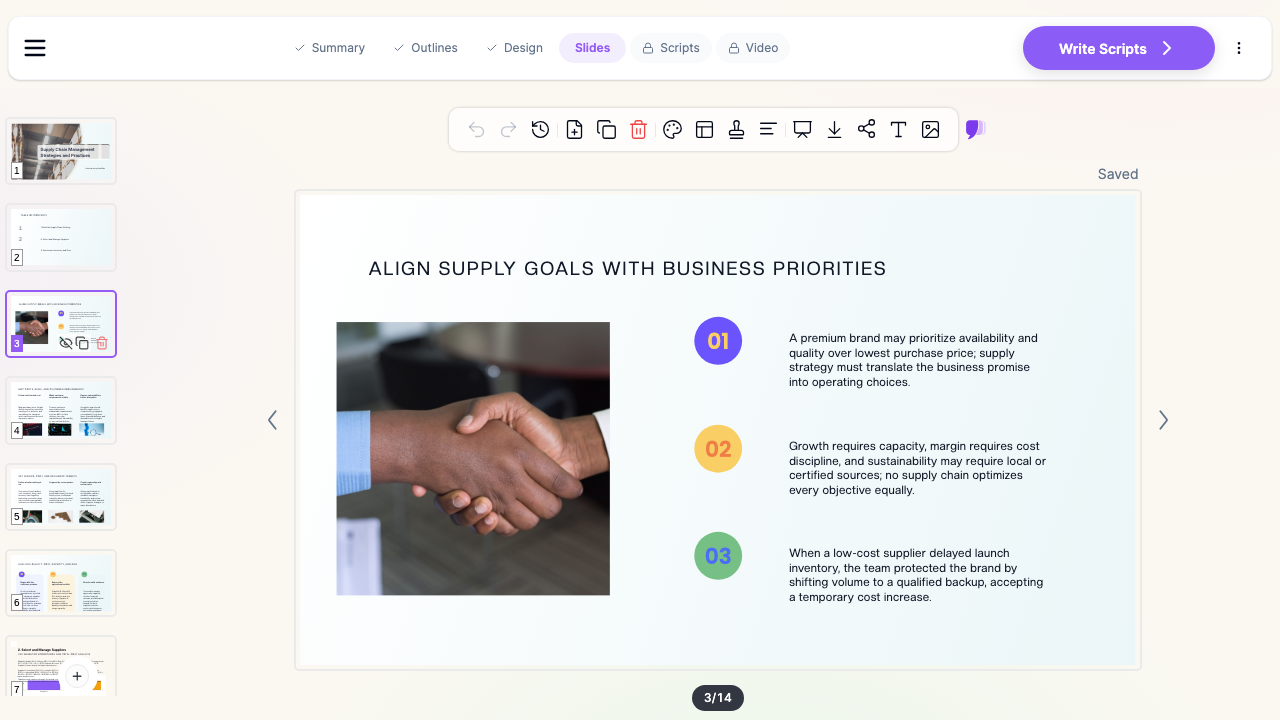
- The customer promise first. Cost, speed, availability, sustainability — no supply chain optimizes all of them. State which promise this supply chain serves; every later trade-off refers back to it.
- Decisions, not definitions. Frame sections as choices (single vs. dual sourcing, make vs. buy, push vs. pull) with the evidence for each side, not as glossary entries.
- The arithmetic on one slide. A supplier comparison, a safety-stock calculation, or a total-landed-cost breakdown should be followable on the slide itself — one worked example beats three abstract claims.
- Variability made visible. Demand spikes, lead-time variance, and the bullwhip effect are distribution problems; show ranges and distributions, not just averages.
- A resilience section with a price tag. Buffers, dual sources, and nearshoring all cost something. A credible deck names the cost of resilience, not just the risk it removes.
- A one-slide summary of asks. Briefings end in decisions; restate the recommendation and what you need approved.
Best Practices
Do:
- Anchor every trade-off to the customer promise established up front
- Use one worked numeric example per major concept
- Keep one idea per slide; move derivations to speaker notes or an appendix
- Update data slides from source files each cycle instead of editing numbers by hand
Don't:
- Present averages where variability is the point
- Stack three frameworks on one slide — pick the one the decision needs
- Leave the recommendation implicit in a briefing deck
- Paste screenshots of spreadsheets where a chart would carry the point
Supply Chain Decks for Teams
Operations groups rarely present alone: procurement, logistics, planning, and finance each own sections of the same review. ChatSlide Enterprise adds SSO, centralized team billing, shared brand templates, and team collaboration so a department's decks stay consistent across presenters — contact us to set it up for your team. Individuals can keep using the free tier.
Frequently Asked Questions
Can it build charts from my supply chain data?
Yes. Paste or upload the numbers and ChatSlide renders charts on the slides — lead times, fill rates, cost comparisons — instead of describing the data in text.
Can I start from an existing deck or policy document?
Yes — upload PowerPoint, PDF, Word, and other files (7+ types). Scanned documents are read with OCR and restructured into an outline you can edit.
Does it write speaker notes?
Yes, per slide, at the length and tone you specify — a teaching script for a lecture or a leave-behind narrative for a briefing.
Can I export to PowerPoint for our corporate template?
Yes. The PPTX export is editable and imports cleanly into Google Slides; PDF export and a shareable link are also available. PPTX export starts on the Plus plan.
Is it suitable for a university operations course?
Yes — ChatSlide is used across 750+ universities. The editable outline stage lets you enforce your teaching sequence, and regenerating from the same syllabus material keeps a lecture series consistent.
Can I turn the deck into a video?
Yes. ChatSlide can narrate the deck as a video with an AI presenter, which works for async training modules and client-facing capability overviews.
Is there a free version?
Yes — free to start, no credit card required. Paid plans add higher generation limits and premium features.
Get Started
Make your supply chain presentation with ChatSlide — bring a topic, a document, or your data, and get a structured deck with charts and speaker notes in minutes. Free to start, no credit card required.