
Quick Answer: ChatSlide is the fastest way for teachers, small-group leaders, and pastors to build a Bible study presentation. Upload your passage, sermon notes, or lesson outline and it drafts a full teaching deck — key verses, background, discussion questions, and application — in under two minutes. Used by educators at 750+ universities and thousands of teaching teams worldwide, it exports to PowerPoint, PDF, and Google Slides, adds relevant images automatically, and is free to start with no card required.
The Bible Study Prep Problem
Anyone who teaches Scripture knows the weekly grind. You study the passage, fill a page with notes, and then face the real bottleneck: turning those notes into slides your group can actually follow. Formatting verses, laying out discussion questions, finding a fitting image for each section — an hour of study becomes another two hours of slide work, every single week.
Generic AI tools promise to fix this, but most produce shallow decks that miss the point. They generate five vague bullet points and call it a lesson. That falls apart the moment someone in the room opens their Bible and asks a real question about the text.
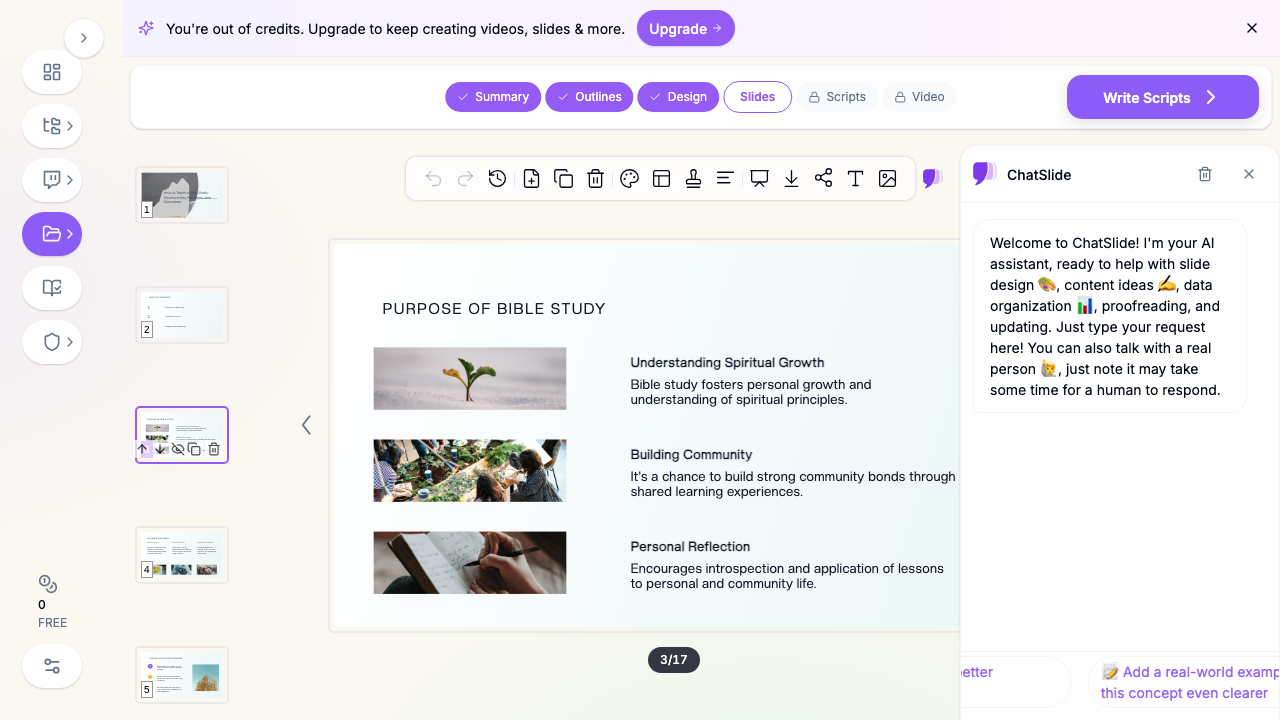

What Makes ChatSlide Powerful for Bible Teaching
ChatSlide adapts to a teaching scenario instead of treating every deck like a sales pitch. For Scripture study, that difference shows up in the features that matter most.
3 Input Modes
Start from a topic ("The Cities of Refuge in Joshua 20"), from a document (paste your sermon manuscript or upload your lesson-plan PDF), or from a passage reference. ChatSlide builds the deck around what you actually give it, so the slides reflect your teaching, not a generic template.
OCR and Document Grounding
Upload handwritten study notes, a scanned commentary page, or a Word outline. ChatSlide reads the content and grounds the deck in your material — pulling your main points and structure rather than inventing filler.
Built-In Images
Every section gets a relevant, tasteful image automatically. No hunting through stock sites for a picture that fits "community" or "restoration." The visuals reinforce the lesson instead of decorating it.
Discussion-Ready Structure
Teaching decks need more than information. ChatSlide can lay out observation, interpretation, and application in a logical teaching sequence — and generate discussion questions that get a small group actually talking about the text.
Speaker Notes
Generate speaker notes for each slide so you can teach from the deck confidently, whether you are leading a midweek small group or preaching on Sunday.
19 AI Editing Tools
Rewrite a point for a younger audience, shorten a wordy slide, change the tone from academic to conversational, or expand a thin section — all inline, without starting over. Every class and congregation is different, and the deck bends to fit.
How ChatSlide Builds Your Bible Study Deck
- Add your source. Enter the passage or topic, or upload your notes, manuscript, or lesson plan.
- Set the audience. "Adult small group," "middle-school Sunday school," or "Sunday morning congregation" — the audience shapes the depth and vocabulary of the slides.
- Review the outline. ChatSlide drafts a teaching flow — introduction, background, key verses, main points, discussion, and application. Rearrange or edit any section.
- Generate and export. It builds matching slides with images, then exports to PowerPoint, PDF, or Google Slides for the projector, the screen, or a shared link.
Use Cases for Teachers, Leaders, and Ministries
- Small-group Bible study. A leader turns a chapter and a few study notes into a discussion deck with questions — challenge: limited prep time; time saved: about two hours a week.
- Sunday school lessons. A volunteer teacher builds an age-appropriate lesson with simple visuals and a clear takeaway — challenge: making the text land for kids or teens; time saved: an evening of formatting.
- Sermon slides. A pastor pastes a manuscript and gets clean supporting slides with key verses pulled out — challenge: turning prose into projectable points; time saved: the Saturday-night slide scramble.
- New believers and membership classes. A ministry builds a consistent teaching series across weeks using the same look — challenge: continuity; time saved: rebuilding a template every session.
- Bible study slides for churches and ministry teams. A teaching team drafts, edits, and shares decks together so every campus and group teaches from the same well-made material.
Bible Study Presentation Tools Compared (2026)
| Feature | ChatSlide | Gamma | Generic slide templates |
|---|---|---|---|
Grounds slides in your notes/passage | Yes (upload or paste) | Partial | No |
Auto-adds relevant images | Yes | Yes | No |
Generates discussion questions | Yes | No | No |
Speaker notes for teaching | Yes | Limited | No |
Export to PowerPoint / Google Slides | Yes | Yes | Yes |
Free to start | Yes | Limited | Varies |
Time Comparison: Manual vs. AI-Assisted
| Task | Manual | With ChatSlide |
|---|---|---|
Structuring the lesson flow | 45 min | 5 min |
Formatting verses and points | 40 min | Automatic |
Finding and placing images | 30 min | Automatic |
Writing discussion questions | 20 min | Included |
Total per lesson | ~2.5 hrs | ~15 min |
What a Strong Bible Study Presentation Includes
The product gets you to a draft fast, but good teaching still follows a shape. A strong study deck usually moves through:
- Context and background. Who wrote the passage, to whom, and why. A slide of historical or literary background keeps the group from reading the text in a vacuum.
- The passage itself. Put the key verses on screen so everyone is looking at the same words. Break long passages across slides rather than cramming them.
- Observation before interpretation. What does the text actually say? Lead the group to notice details before jumping to meaning.
- Main teaching points. Two to four clear ideas, each with its supporting verse. Resist the urge to cover everything.
- Discussion questions. Open questions that connect the text to real life, not yes/no recall.
- Application and response. End with a concrete takeaway — what this passage asks of the group this week.
Best Practices
Do:
- Ground the deck in your own study notes so the slides carry your voice.
- Keep one main idea per slide; let the discussion fill the space.
- Use the audience setting to match the reading level to your group.
- Add speaker notes so you teach the room, not the screen.
Don't:
- Overload a slide with an entire chapter of text.
- Rely on a generic tool to do your exegesis — bring your own study to the passage.
- Treat AI-drafted discussion questions as final; adapt them to your people.
Bible Study Slides for Churches and Ministry Teams
For multi-campus churches, ministry networks, and teaching teams, ChatSlide's Enterprise plan adds shared brand templates so every group's slides look consistent, team collaboration so leaders can co-edit a series, centralized billing across campuses, and SSO for staff accounts. If your church wants every small group and Sunday school class teaching from the same polished material, contact us to set up a shared workspace. Individual teachers and leaders can keep using ChatSlide free.
Frequently Asked Questions
Can I make Bible study slides from my sermon notes? Yes. Paste your manuscript or upload your notes and ChatSlide builds a supporting deck grounded in what you wrote, pulling out key verses and main points.
Does it work for Sunday school and kids' lessons? Yes. Set the audience to the age group and the slides adjust in vocabulary and depth, with simple visuals for younger classes.
Can it generate discussion questions? Yes. ChatSlide can include open-ended discussion questions tied to the passage so your small group has something to talk about.
Can I export to PowerPoint or Google Slides? Yes. Export to PowerPoint, PDF, or a shareable link, and continue editing in Google Slides or Keynote if you prefer.
Is it free? You can start free with no card required. Paid plans add higher limits and team features.
Will the slides quote Scripture accurately? ChatSlide drafts from your input, so provide the translation and verses you want on screen. Always review the passage text before teaching — treat the draft as a starting point, not a final proof.
Can our whole church team use it together? Yes. The Enterprise plan supports shared templates, team collaboration, and centralized billing — reach out to set it up.
Get Started
Stop spending your evenings formatting verses. Bring your study to the passage, then let ChatSlide turn your notes into a teaching deck your group can follow. Make your Bible study presentation with ChatSlide — free to start, no card required, and exportable to PowerPoint and Google Slides in minutes.