
Quick Answer: ChatSlide is an AI business proposal presentation maker for founders, operators, agencies, service firms, and internal strategy teams that need to turn a plan into a credible deck fast. Paste a proposal outline, upload source docs, or describe the deal, and ChatSlide drafts the story, slides, visuals, speaker notes, and exportable PowerPoint in under 2 minutes. It is free to start and used by 300,000+ users and 750+ universities.
The Business Proposal Problem
A good business proposal deck has to do several jobs at once. It needs to explain the opportunity, prove the current problem is real, show a practical operating plan, make the financial model easy to follow, and give the audience a concrete decision to make. That is much harder than writing a one-page memo.
Most proposal decks fail at one of two extremes. Some are too conceptual: vision, market, and buzzwords, but no operating plan. Others are too operational: process details, staffing charts, and numbers, but no executive story. A partner, investor, executive sponsor, or department head needs both. They need the logic of the plan and the confidence that someone can execute it.
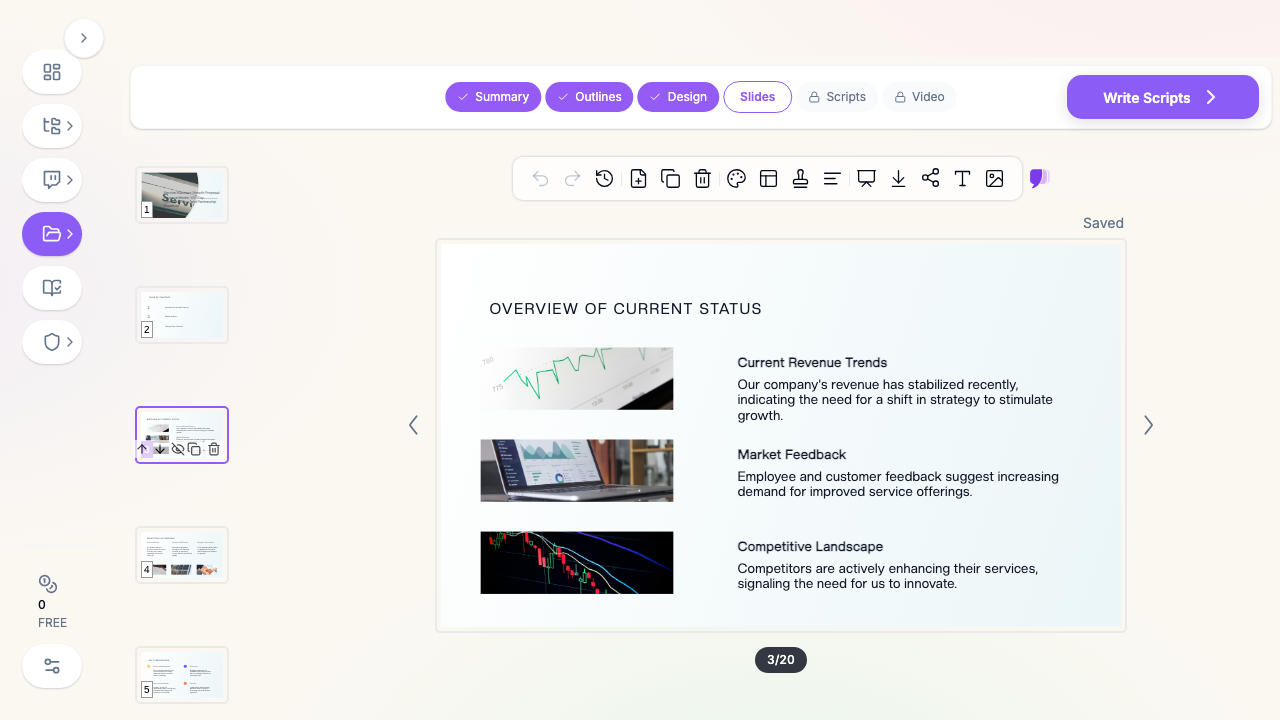
ChatSlide helps by forcing the proposal into a deck structure before design begins. You can start with a rough topic like "service business growth proposal" or upload a business plan, strategy memo, revenue model, operating plan, or partner brief. The output is not a generic pitch template. It is an editable deck that you can reshape into a revenue-sharing proposal, 100-day operations plan, partnership roadmap, board update, or service-business expansion plan.
What Makes ChatSlide Powerful for Business Proposals
3 Input Modes for Messy Starting Points
Business proposals rarely begin as clean slides. They begin as PDFs, Word docs, spreadsheets, meeting notes, client discovery calls, or a founder's outline. ChatSlide supports topic-to-slides, document-to-slides, and AI-assisted editing, so you can start from whatever artifact exists today instead of rebuilding the whole proposal manually.
For a revenue-sharing proposal, paste the deal terms and expected responsibilities. For an operations plan, upload the draft plan and ask ChatSlide to turn it into a 6-section executive deck. For a partner pitch, describe the audience and the decision you want them to approve.
Outline First, Slides Second
Proposal decks need sequencing. If the deck jumps from market overview to pricing to staffing to implementation without a clear arc, the audience has to build the logic for you. ChatSlide generates an outline first, so you can review the proposal story before any slide is rendered.
A strong business proposal outline usually follows this order: context, opportunity, proposed model, operating plan, financial logic, implementation roadmap, risks, and decision. Changing that outline is much faster than rewriting finished slides.
Visual Structure for Models and Roadmaps
Business proposals need more than bullet lists. The audience expects simple visuals: revenue model, stakeholder map, phased roadmap, before-and-after operating model, responsibility split, investment and payback, and decision table. ChatSlide turns dense prose into slide layouts with diagrams, image blocks, tables, and timeline-ready sections that you can refine.
Speaker Notes for the Real Conversation
The deck is what people see. Speaker notes are where the real proposal lives: how to explain the revenue split, when to mention a sensitive constraint, where to pause for approval, and which objections to answer verbally. ChatSlide can generate notes for each slide, then preserve them in PowerPoint export.
AI Editing Tools After the First Draft
The first draft gives you structure. The editing pass makes it executive-ready. Use ChatSlide to shorten a slide, turn a paragraph into a table, rewrite for a CFO audience, add a risk section, generate alternative headlines, or create a sharper closing ask. This matters because proposal decks change quickly as stakeholders react.
Export to PowerPoint and PDF
Business proposal decks often need to move through several formats: editable PowerPoint for the live meeting, PDF for email, and share link for async review. ChatSlide exports the deck so the proposal does not get trapped inside the tool.
How ChatSlide Builds Your Business Proposal Deck
1. Describe the Proposal and Decision
Start with the decision the audience needs to make:
- "Approve a revenue-sharing partnership for a regional service business expansion"
- "Fund a 100-day operations improvement plan for a healthcare services team"
- "Choose between three market-entry options for a new managed-service offering"
- "Approve a partner-led implementation model for a client services business"
The topic should name the proposal, audience, and outcome. "Business proposal" is too broad. "100-day strategic plan for improving service operations, retention, and revenue visibility for executive stakeholders" gives the AI enough direction.
2. Upload the Source Material
Upload the proposal memo, operating plan, spreadsheet, market notes, org chart, customer feedback, or financial model. If the data is not ready for a chart, ask ChatSlide to produce a clean summary table first. The goal is not to automate judgment. The goal is to get your raw material into a presentation structure quickly.
3. Review the Outline
Before generating slides, check whether the outline answers the business questions:
- What problem are we solving?
- Why now?
- What model are we proposing?
- What changes operationally?
- What does the 30, 60, or 100-day plan look like?
- What resources are required?
- What risks remain?
- What decision do we need today?
If a section is missing, add it before slide generation. Proposal decks are easiest to fix at the outline stage.
4. Generate and Edit the Slides
Generate the full deck, then edit for audience level. A founder pitch should feel sharper and more market-facing. An internal operations proposal should be more concrete about process, ownership, and metrics. A partner proposal should spell out mutual responsibilities and escalation paths. Use the AI editor to adapt the same base deck to each audience.
5. Export for the Meeting
Export to PowerPoint for live discussion. Keep a PDF version for pre-read and post-meeting circulation. If your team uses a shared workspace, save the ChatSlide project with the source files so the proposal can be updated after the first review.
Use Cases for Business Teams
Revenue-Sharing Proposal
A revenue-sharing deck needs to explain the business model in plain language: who brings demand, who delivers service, how revenue is measured, how payouts work, and what prevents misalignment. ChatSlide can turn a memo into slides that separate model, responsibilities, economics, risks, and next steps.
100-Day Strategic Plan
A 100-day plan deck is useful for new executives, operators, consultants, and department leads. The structure should show current state, first 30 days of diagnosis, next 30 days of implementation, final 40 days of scaling and measurement, and the operating cadence after day 100.
Service Business Growth Proposal
Service businesses often need decks for expansion, new offerings, staffing models, regional rollout, or partner-led delivery. ChatSlide can convert a service blueprint into slides that show offer design, customer journey, delivery model, staffing, pricing logic, and launch milestones.
Internal Operations Plan
Operations plans are usually dense. ChatSlide helps compress them into executive slides: current bottlenecks, proposed process, ownership, timeline, systems affected, and how progress will be measured.
Partnership Roadmap
Partner decks need clarity on roles. Use ChatSlide to build sections for shared opportunity, partner responsibilities, your responsibilities, customer handoff, operating cadence, escalation path, and commercial terms.
Business Proposal AI Tools Compared (2026)
| Tool | Best Fit | Business Proposal Strength | Limits |
|---|---|---|---|
ChatSlide | Proposal, strategy, and operations decks | Turns topics, docs, and rough plans into editable proposal slides with outlines, visuals, notes, and exports | You still need to review deal terms and numbers |
Gamma | Lightweight narrative pages | Fast for polished web-style summaries | Less control for PowerPoint-heavy stakeholder workflows |
Tome | Storytelling and concept decks | Good for high-level narrative flow | Not focused on operating plans, tables, or proposal reuse |
Beautiful.ai | Polished manual slide design | Strong design guardrails | Requires more manual structuring before the deck is useful |
Time Comparison: Manual vs. AI-Assisted
| Task | Manual Deck | With ChatSlide |
|---|---|---|
Turn notes into proposal outline | 45 to 90 minutes | 2 to 5 minutes |
Build first slide draft | 3 to 6 hours | Under 2 minutes after outline approval |
Create roadmap and model slides | 1 to 3 hours | Drafted with the deck, then edited |
Write speaker notes | 30 to 90 minutes | Generated, then refined |
Adapt for a second audience | 1 to 3 hours | 10 to 20 minutes |
What a Strong Business Proposal Presentation Includes
Executive Summary
Open with the ask. Do not make the audience hunt for the decision. A strong first slide says what you want approved, what changes if approved, and why this is the right time.
Current Situation
Show the pain with evidence: revenue trend, operational bottleneck, customer feedback, partner demand, market shift, compliance pressure, or missed growth opportunity. The current-state slide earns the right to propose change.
Proposed Model
Describe the model in one slide. For a revenue-sharing proposal, show the value chain and split logic. For a 100-day plan, show the operating cadence. For a service-business expansion, show the offer, customer, delivery model, and success metric.
Financial Logic
Keep it understandable. Use assumptions, ranges, and scenarios rather than a spreadsheet screenshot. The audience should be able to explain the financial logic after one pass.
Operating Plan
Name owners, workflows, dependencies, and milestones. A proposal without an operating plan is just an idea. This is where service businesses, agencies, and internal teams win trust.
Risk and Mitigation
Do not hide risk. Put the top risks in the deck and pair each one with a mitigation, owner, and decision point. This shows the plan has been thought through.
Decision and Next Steps
End with the specific ask: approve, fund, pilot, partner, staff, or review. Then list the next three actions and dates.
Best Practices
Do lead with the decision. The audience should know by slide 2 what you want them to approve.
Do separate strategy from operations. Put the business logic up front and the operating detail after the model is clear.
Do use simple numbers. A proposal deck is not a finance workbook. Use the few numbers that explain the model.
Do tailor the deck by audience. A CFO version needs assumptions and risk. A partner version needs responsibilities and incentives. An operator version needs milestones and owners.
Do not overpromise precision. If the model is directional, label it as directional. Credibility beats false confidence.
Do not bury risks in an appendix. Serious audiences trust proposals more when the risks are visible.
Business Proposal Decks for Teams and Organizations
For agencies, departments, consulting teams, and multi-location service businesses, the bigger win is consistency. ChatSlide Enterprise can help teams standardize proposal decks with shared brand templates, team collaboration, centralized billing, and SSO. If your organization needs a repeatable proposal workflow across sales, operations, strategy, and leadership teams, contact us to discuss an Enterprise setup.
Frequently Asked Questions
Can AI make a real business proposal presentation?
Yes, if you treat AI as the drafting and structuring layer. ChatSlide can build the outline, slide structure, visuals, and notes. You still review the assumptions, numbers, legal terms, and final recommendation.
What should I include in a business proposal deck?
Include the decision, current situation, proposed model, financial logic, operating plan, risk mitigation, and next steps. Add an appendix only for details that would slow down the main story.
Can I make a 100-day plan presentation with ChatSlide?
Yes. Describe the role, business context, audience, and 30/60/100-day milestones. ChatSlide can draft the structure and slide content, then you can refine ownership, metrics, and timing.
Is this different from a startup pitch deck?
Yes. A startup pitch deck usually sells a venture to investors. A business proposal deck sells a specific plan, model, partnership, or operating change to stakeholders who need to approve it.
Can I upload my existing business plan?
Yes. Upload the business plan, proposal memo, PDF, spreadsheet, or operating notes, then ask ChatSlide to turn the material into a concise proposal deck.
Can I export the proposal to PowerPoint?
Yes. ChatSlide supports PowerPoint export, so you can edit the deck in your company template, present live, or send it to stakeholders.
Get Started
Open ChatSlide, describe the proposal you need to make, upload any source material you already have, and generate the first outline. In a few minutes, you can move from scattered notes to a business proposal deck with a clear ask, a practical plan, and slides your stakeholders can review.
Start free, then refine the deck for the meeting that matters: revenue-sharing proposal, 100-day strategic plan, service-business blueprint, or partnership roadmap.