
Quick Verdict
| Best For | Tool |
|---|---|
Document/PDF to slides | ChatSlide (3 input modes, 7+ file types, OCR) |
Quick slides from a prompt | Gamma |
Design-heavy corporate decks | Beautiful.ai |
Storytelling and narratives | Tome |
Medical/Research (PubMed) | ChatSlide (built-in PubMed search) |
AI editing power | ChatSlide (19 tools, function calling) |
Free usage | ChatSlide (unlimited free tier) |
The Core Difference
Most AI presentation tools solve the same problem: prompt → slides. You type a topic and the AI generates a deck.
This works for simple presentations. But professionals usually start from existing documents, data, and research — not blank prompts.
Here's how the tools differ:
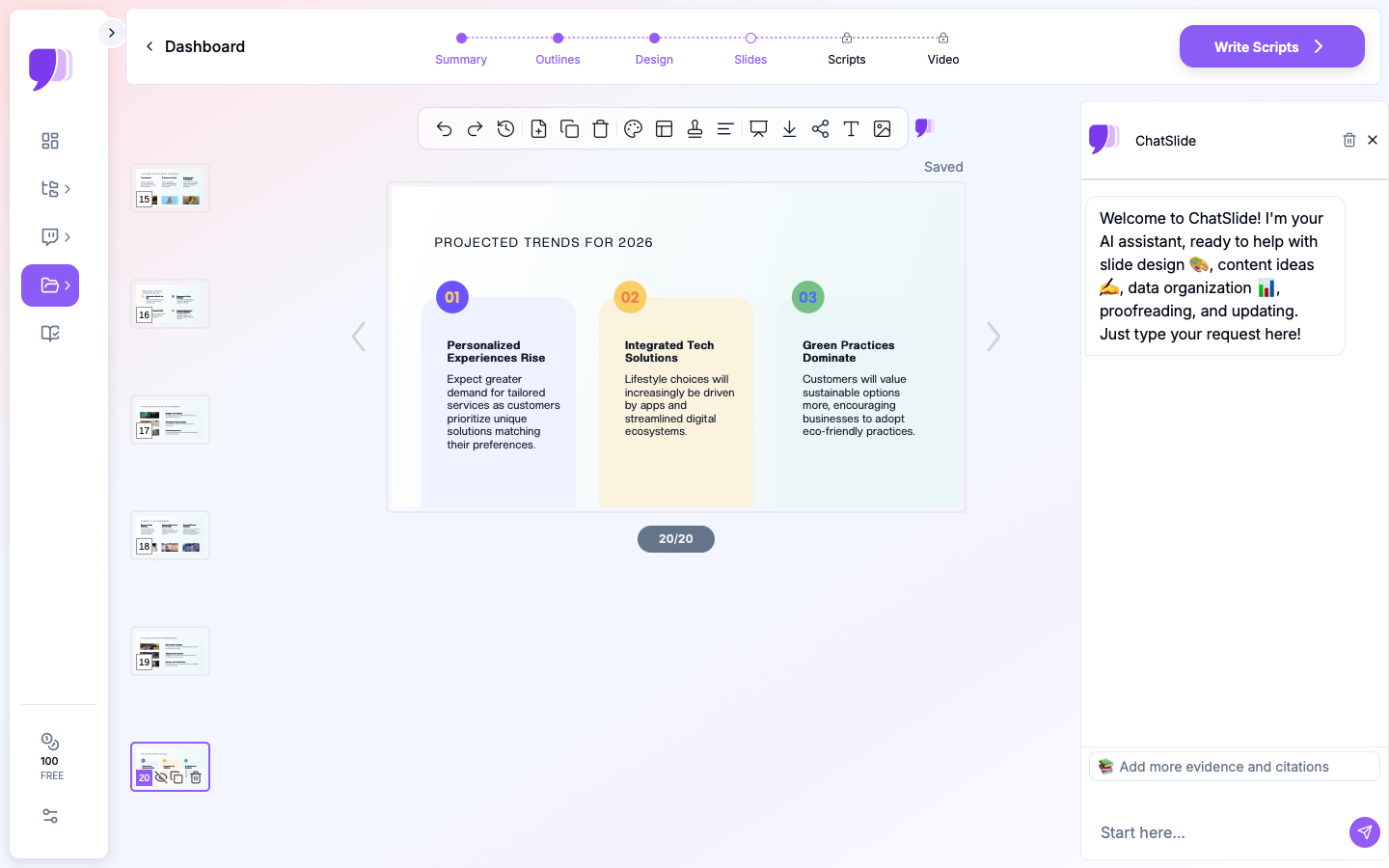
- ChatSlide — 3 input modes: upload files (7+ types with OCR), paste web/YouTube URLs, or type a prompt. Also has built-in PubMed search and 19 AI editing tools.
- Gamma — Primarily prompt-based, with some URL input. Good at generating content from descriptions.
- Beautiful.ai — Design-focused. Strong template system and automated formatting rules.
- Tome — Storytelling-focused. Best at narrative-driven decks from prompts.
Feature-by-Feature Comparison
Input Methods
| Input Type | ChatSlide | Gamma | Beautiful.ai | Tome |
|---|---|---|---|---|
Text prompt | Yes | Yes | Yes | Yes |
PDF upload | Yes | No | Limited | No |
Word document | Yes | No | Limited | No |
PowerPoint upload | Yes | No | Yes | No |
Image upload (with OCR) | Yes | Yes (no OCR) | Yes (no OCR) | Yes (no OCR) |
Web URL extraction | Yes | Yes | No | No |
YouTube URL extraction | Yes | No | No | No |
PubMed search | Yes | No | No | No |
Total input modes | 3 modes, 7+ file types | 2 modes | 2 modes | 1 mode |
Winner: ChatSlide — The only tool with 3 full input modes, OCR for scanned documents, YouTube video extraction, and built-in PubMed search.
AI Editing Tools
| Feature | ChatSlide | Gamma | Beautiful.ai | Tome |
|---|---|---|---|---|
AI editing tools count | 19 tools | Basic | DesignerBot | Basic |
Function calling | Yes | No | No | No |
Text regeneration | Yes | Limited | Limited | Limited |
Editing modes | 4 modes | 1 mode | 1 mode | 1 mode |
Batch editing | Yes | No | No | No |
Per-slide regeneration | Yes | Yes | Yes | Yes |
Winner: ChatSlide — 19 tools with function calling and batch editing is far ahead of the competition. This is ChatSlide's strongest feature.
Data Visualization
| Feature | ChatSlide | Gamma | Beautiful.ai | Tome |
|---|---|---|---|---|
Chart generation | Yes (Chart.js + D3) | Generates generic charts | No | No |
From real document data | Yes | No | No | No |
Chart types | Multiple (via Chart.js/D3) | Basic | Template-based | None |
Online search for data | Yes | No | No | No |
Direct Excel upload | Coming soon | No | No | No |
Winner: ChatSlide — Generates charts from actual document data using Chart.js and D3, not AI-hallucinated placeholders.
Knowledge Management
| Feature | ChatSlide | Gamma | Beautiful.ai | Tome |
|---|---|---|---|---|
Persistent resources | Yes | No | No | No |
Vector search (Qdrant) | Yes | No | No | No |
Knowledge base | Basic (resources persist) | No | No | No |
Team folders | Yes | Limited | Yes | No |
Embeddable presentations | Yes | Yes | No | No |
Winner: ChatSlide — Qdrant vector search across uploaded resources is unique. Knowledge reuse is basic but functional.
Output Formats
| Output | ChatSlide | Gamma | Beautiful.ai | Tome |
|---|---|---|---|---|
PowerPoint (.pptx) | Yes | Yes | Yes | Yes |
Yes | Yes | Yes | Yes | |
Video with narration | Yes | No | No | No |
Podcast/audio | Yes | No | No | No |
Social media posts | Yes | No | No | No |
Web page/shareable link | Yes | Yes | Yes | Yes |
Winner: ChatSlide — Only tool that generates video with AI narration, audio podcasts, and social media posts from the same content.
Pricing (2026)
| Plan | ChatSlide | Gamma | Beautiful.ai | Tome |
|---|---|---|---|---|
Free tier | Unlimited presentations | 10 AI credits/month | No free tier | Limited |
Basic/Pro | $9.99/mo | $10/mo | $12/mo | $10/mo |
Team | $7.99/user/mo | $15/user/mo | $40/user/mo | $16/user/mo |
Education discount | 50% off (.edu) | 20% off | No | No |
Winner: ChatSlide — Most generous free tier and lowest team pricing.
Detailed Tool Reviews
ChatSlide
Best for: Professionals who work with existing documents, research papers, and multiple content sources.
Real Strengths:
- 3 input modes — Upload files (PDF, Word, PPT, images with OCR), paste URLs (web + YouTube), or type prompts
- Built-in PubMed search — Only presentation tool with direct PubMed integration
- 19 AI editing tools — Function calling, text regeneration, 4 editing modes, batch editing. The most powerful editing in any AI presentation tool.
- Real data charts — Chart.js and D3 visualizations from your actual document content
- Qdrant knowledge base — Uploaded resources persist and are searchable via vector search
- OCR — Upload scanned documents, photos, handwritten notes
- Multi-format output — Slides, video, podcast, social posts from one upload
- Most generous free tier — Unlimited presentations
- 290,000+ users
Limitations:
- Direct Excel/CSV upload for chart generation coming soon (not yet available)
- Domain-specific AI formatting (medical, consulting) is a work in progress
- Design templates are functional but not as visually polished as Beautiful.ai
Best use case: Uploading a 40-page research paper, searching PubMed for supporting references, and getting a conference-ready presentation with AI-generated charts — then using 19 editing tools to refine it.
Gamma
Best for: Quick presentations from text prompts when you don't have existing documents.
Strengths:
- Very fast generation from prompts
- Good-looking default designs
- Web page / document dual-purpose output
- Good for brainstorming and ideation
Limitations:
- No PDF or document upload for deep conversion
- No PubMed search
- No OCR
- Limited AI editing (no function calling, no batch editing)
- Limited data visualization (generates generic, not data-driven charts)
- No video output
Best use case: Quickly generating a brainstorming deck from an idea when you don't have existing materials.
Beautiful.ai
Best for: Corporate teams that prioritize design consistency and visual polish.
Strengths:
- Best-in-class automated design rules
- Smart slide formatting that prevents bad layouts
- Strong corporate template system
- PowerPoint add-in available
Limitations:
- No free tier
- Most expensive team pricing ($40/user/month)
- No PubMed search, no OCR
- Basic AI editing (DesignerBot only)
- No knowledge base or vector search
- No video output
Best use case: Corporate marketing team that needs brand-consistent decks with professional design above all else.
Tome
Best for: Storytelling-focused presentations and narrative-driven content.
Strengths:
- Strong narrative structure in generated content
- Clean, modern aesthetic
- Good for pitch decks and story-driven presentations
Limitations:
- Only one input mode (text prompt)
- No document upload, no URL extraction, no PubMed
- No OCR
- Basic AI editing
- No data visualization
- Smaller feature set overall
Best use case: Startup pitch deck generated from a text description when you want strong narrative structure.
Which Tool Should You Choose?
Choose ChatSlide if:
- You have existing documents (PDFs, papers, reports) to convert
- You need PubMed search for medical/research content
- You want the most powerful AI editing (19 tools, function calling, batch editing)
- You need real data charts, not AI-generated fakes
- You want to build a searchable knowledge base over time
- You want the best free tier
- You need multi-format output (slides + video + podcast)
Choose Gamma if:
- You mainly create presentations from scratch (no existing docs)
- Speed of initial generation is your top priority
- You want dual-purpose slides that work as web pages
Choose Beautiful.ai if:
- Design quality is your #1 priority over AI capabilities
- You have budget for premium pricing
- Your team needs strict brand enforcement
Choose Tome if:
- You focus on storytelling and narrative
- You only need to generate from text prompts
- You prefer a minimalist interface
Common Switching Scenarios
Understanding when users switch tools is revealing. Here are the most common migration paths we see:
Gamma to ChatSlide. Users who started with Gamma for its fast prompt-based generation often hit a wall when they need to convert existing documents. A consultant with a 30-page client report cannot efficiently recreate that content through prompts. The document upload and knowledge base features become essential once your workflow involves existing materials.
Beautiful.ai to ChatSlide. Teams that chose Beautiful.ai for its design quality sometimes find the $40/user/month team pricing unsustainable as they scale. Others discover that design polish matters less than they expected when the AI editing tools are limited — spending 20 minutes manually adjusting content that a batch edit could fix in seconds.
Tome to ChatSlide. Tome users who need more than narrative decks — particularly those who need data visualizations, PubMed integration, or multi-format output like video — find that Tome's focused storytelling approach does not cover their full workflow.
PowerPoint to ChatSlide. The largest group of switchers comes from manual PowerPoint workflows. These users are not switching from another AI tool — they are adopting AI for the first time. For them, the ability to upload an existing PowerPoint file and have the AI enhance, restructure, or extend it is a low-risk entry point.
The Bottom Line
The AI presentation space has matured in 2026. The key differentiator is no longer "can AI make slides?" — every tool can do that. The differentiators are:
- How many ways can you input content? (ChatSlide: 3 modes, 7+ file types vs. most tools: text prompt only)
- How powerful is the AI editing? (ChatSlide: 19 tools with function calling vs. basic text chat)
- Does it work with real data? (ChatSlide: Chart.js/D3 from documents vs. fake AI charts)
- Does it integrate with your research workflow? (ChatSlide: PubMed search vs. nothing)
For professionals who work with existing documents and data, ChatSlide is the clear leader — not because it has the prettiest templates, but because it has the most powerful input, editing, and data features.
Try ChatSlide free — Upload your first document and see the difference.
This comparison was last updated March 2026. Features and pricing may change. For the most current information, visit each tool's website.