
The Challenge: Your Event Lives or Dies by the Pitch
Every event starts as an idea. But between that idea and the actual event stands a presentation — one that needs to convince stakeholders, sponsors, clients, or board members to say yes.
Event planners know this pressure well. You might have a brilliant concept for a corporate retreat, a community fundraiser, or a product launch party, but if your presentation falls flat, so does the event. Decision-makers want to see a clear vision, realistic logistics, and hard numbers. They want to feel confident that their money and reputation are in good hands.
The problem is that building a professional event proposal presentation takes hours. You need to structure the narrative, design the slides, build budget charts, create timelines, and make it all look polished enough to match the caliber of the event you are proposing. Most event planners are not graphic designers, and most do not have time to wrestle with PowerPoint templates at midnight before a pitch meeting.
If you have ever searched for an event proposal template that writes itself, or wanted a tool to create a fundraiser pitch deck or food festival proposal without starting from scratch, AI changes the game. Instead of starting from a blank slide, you can describe your event concept and let AI generate a structured, professional proposal that you refine and make your own. Here is how to do it with ChatSlide.
What Makes a Strong Event Planning Presentation
Before diving into the workflow, it helps to understand what decision-makers expect to see. A compelling event planning presentation typically covers seven key areas:
1. Event Concept and Vision
Lead with the big picture. What is the event? What is the theme? What experience are you creating? This is where you hook your audience emotionally. Paint a vivid picture of what attendees will see, feel, and remember.
2. Target Audience
Who is this event for? Define the demographics, expected attendance, and why this audience matters. If you are pitching to sponsors, this section is critical — sponsors want to know they are reaching the right people.
3. Venue and Logistics
Show that you have thought through the practical side. Include venue options, capacity, location advantages, parking, accessibility, and any vendor partnerships you have lined up. Photos or renderings of the venue add significant impact.
4. Event Timeline
A clear timeline demonstrates professionalism. Cover the planning milestones leading up to the event and the day-of schedule. Decision-makers want to see that you have a realistic path from approval to execution.
5. Budget Breakdown
This is where many presentations succeed or fail. Present a detailed but digestible budget with clear categories: venue, catering, entertainment, marketing, staffing, permits, and contingency. Charts and tables make budget data easier to scan than walls of text.
6. Marketing and Promotion Plan
How will you fill the seats? Outline your marketing channels — social media campaigns, email outreach, influencer partnerships, local press, paid advertising — along with projected reach and conversion rates.
7. Expected Outcomes and ROI
Close with what success looks like. For corporate events, this might be brand impressions, lead generation, or employee engagement scores. For fundraisers, it is the fundraising target and net proceeds. For community events, it could be attendance goals and media coverage. Give stakeholders a reason to measure the investment as worthwhile.
Step-by-Step: Creating Your Event Proposal with ChatSlide
ChatSlide lets you go from a rough event concept to a polished presentation deck in minutes. Here is the workflow.
Step 1: Describe Your Event Concept
Start by entering a text prompt that describes your event. You do not need to write a full brief — a few sentences about the event type, audience, and goals are enough for the AI to work with. For example:
"A three-day outdoor food festival in Austin, Texas targeting millennials and Gen Z foodies. Features 40+ local restaurant vendors, live cooking demos, craft beer garden, and live music stages. Goal is 15,000 attendees and $200K in vendor revenue."
The more specific you are, the more tailored the output. But even a brief description like "corporate team-building retreat for 200 employees at a mountain resort" will generate a usable starting structure.
If you already have a written event brief, proposal document, or reference PDF, you can upload that file directly. ChatSlide supports PDFs, Word documents, PowerPoint files, and images. It will extract the content and use it as the foundation for your slides.
Step 2: AI Generates a Structured Proposal Outline
ChatSlide analyzes your input and generates a complete slide outline covering the key sections: event overview, audience profile, venue details, timeline, budget, marketing strategy, and expected outcomes. Each section gets its own slide or group of slides with relevant talking points.
Review the outline and adjust the structure. You can reorder sections, add new slides, remove sections that do not apply, or merge slides. The outline is fully editable before you move to the design phase.
Step 3: Customize Each Section
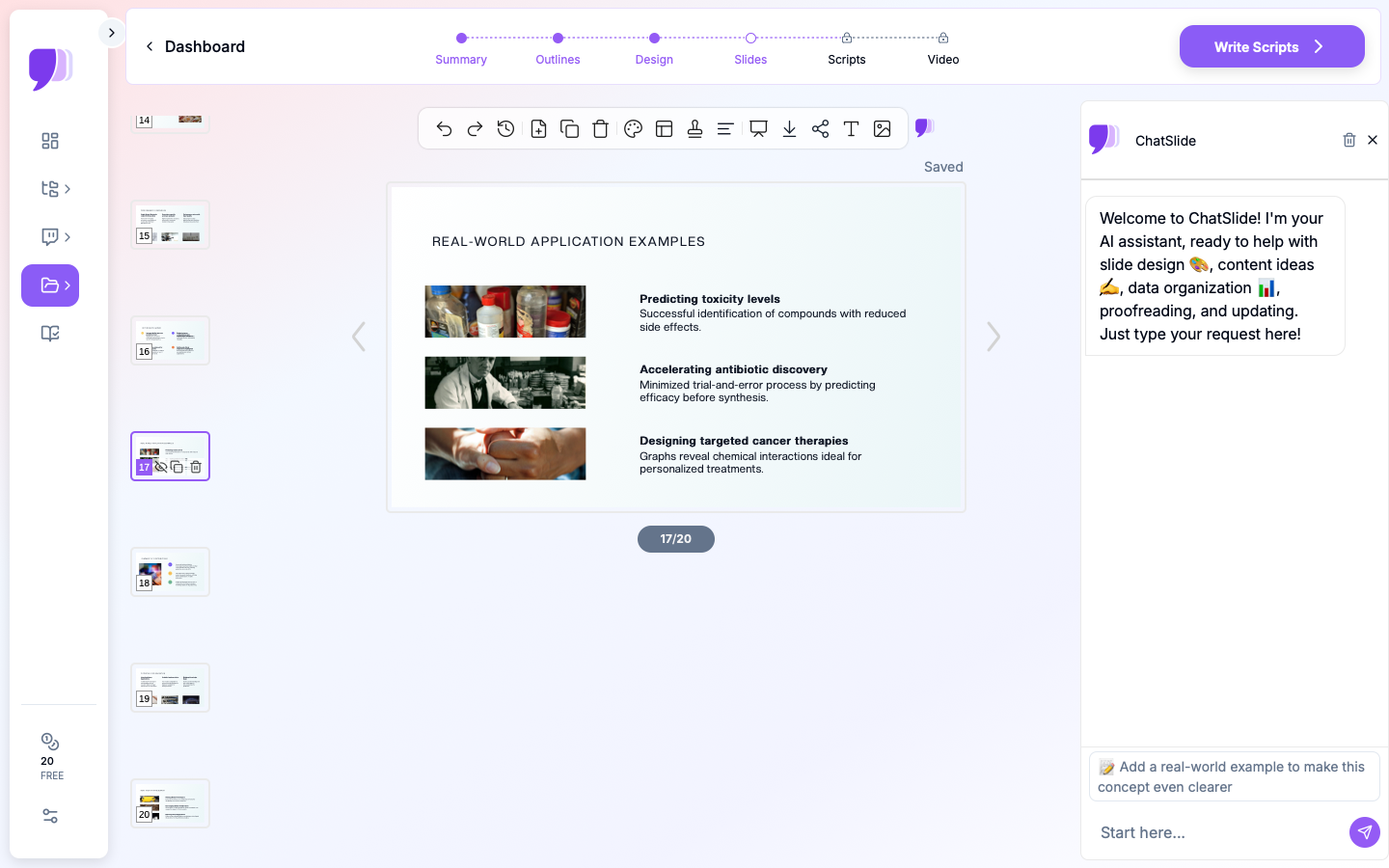
Once you are happy with the structure, dive into individual slides. ChatSlide provides 19 editing tools that let you refine content at a granular level. You can:
- Rewrite slide text to match your voice and brand
- Add bullet points or expand on specific details
- Adjust the tone from formal to conversational
- Insert specific data points, venue names, or sponsor information
- Add speaker notes for your verbal pitch
This is not a "take it or leave it" AI output. You have full control over every word on every slide.
Step 4: Add Budget Data for AI Chart Generation
For your budget breakdown slides, enter your financial data and let ChatSlide generate professional charts automatically. Whether you need a pie chart showing expense allocation, a bar chart comparing revenue projections across scenarios, or a table with line-item costs, the AI creates clean, presentation-ready data visualizations from your numbers.
You can also upload an Excel or CSV file with your budget data, and ChatSlide will generate charts directly from the spreadsheet. This is far faster than manually building charts in PowerPoint and ensures your data is accurately represented.
Step 5: Select a Professional Design Template
Choose from ChatSlide's library of professional templates. Select a design that matches the tone of your event — sleek and corporate for a business conference, vibrant and energetic for a music festival, elegant for a gala fundraiser.
The template applies consistently across all slides, giving your presentation a cohesive, professional look without any design skills on your part.
Step 6: Export and Present
Export your finished presentation as a PowerPoint file for further editing or client handoff, or as a PDF for email distribution and printing. You also get a shareable web link if you want to send a live, interactive version to stakeholders.
Need to rehearse your pitch? ChatSlide can generate a presentation script — suggested talking points for each slide that help you practice your verbal delivery and ensure you hit every key message during the actual presentation.
ChatSlide Features That Matter for Event Planners
Here is a summary of the features that make ChatSlide particularly effective for event planning presentations:
- AI-generated outlines from a simple description — Describe your event in plain language and get a complete proposal structure in seconds. No staring at a blank slide.
- Chart generation from real data — Enter budget figures, attendance projections, or revenue targets and get professional charts automatically. Upload Excel files for even faster visualization.
- 19 editing tools — Fine-tune every slide with granular controls. Adjust text, tone, structure, and content without regenerating the entire presentation.
- Professional templates — Access a library of design templates that give your proposal a polished, on-brand look.
- PowerPoint and PDF export — Deliver your presentation in the format your audience expects. Edit further in PowerPoint or share as a locked PDF.
- Script generation — Get AI-written talking points for each slide so you can rehearse your pitch and present with confidence.
- Multiple input modes — Start from a text prompt, upload an existing document, or paste a URL. Combine inputs for richer results.
Types of Events You Can Pitch with This Workflow
This approach works for virtually any event that requires stakeholder approval or sponsor buy-in:
- Corporate events — Product launches, annual conferences, team-building retreats, awards galas, shareholder meetings
- Fundraisers — Charity galas, auction nights, benefit concerts, walkathons, donor appreciation events
- Food and beverage festivals — Food truck rallies, wine tastings, craft beer festivals, restaurant weeks
- Pop-up events — Retail pop-ups, art installations, experiential marketing activations, seasonal markets
- Conferences and summits — Industry conferences, TEDx-style events, professional development seminars, trade shows
- Weddings and social events — Wedding planning proposals for clients, anniversary celebrations, milestone birthday parties
- Community events — Street fairs, cultural festivals, park concerts, holiday markets, neighborhood block parties
Each of these has a slightly different audience and emphasis, but the core structure — vision, logistics, budget, outcomes — remains the same. ChatSlide adapts its generated content to the type of event you describe.
Tips for Event Planning Presentations That Win Approval
Even with AI handling the heavy lifting, the strategic choices are yours. Here are four tips that separate approved proposals from rejected ones.
Lead with the Vision, Not the Logistics
Open with what the event feels like, not what it costs. Decision-makers need to be emotionally invested before they will engage with spreadsheets. Use your first two or three slides to paint a compelling picture of the event experience — the atmosphere, the energy, the moments that attendees will remember. Logistics and budgets matter, but they land better after you have established excitement.
Show the Numbers Early and Clearly
Once you have their attention, deliver the financial picture with confidence. Use charts to make budget data scannable. Show total cost, revenue projections, and net ROI on a single slide if possible. Decision-makers appreciate transparency — do not bury the costs deep in an appendix. If the numbers work, let them speak.
Include a Realistic Timeline with Milestones
A timeline signals that you have thought beyond the concept phase. Include key milestones: venue booking deadline, vendor contracts, marketing launch, ticket sales open, final headcount, day-of logistics. Add buffer time. A timeline that looks too tight will raise red flags; one that shows thoughtful planning builds confidence.
Address Risks Before They Ask
Every event has risks — weather, low ticket sales, vendor cancellations, permit delays. Acknowledge the top two or three risks in your presentation and show your mitigation plan. This does not weaken your pitch; it strengthens it. It tells stakeholders that you are experienced enough to anticipate problems and prepared enough to handle them.
Start Building Your Event Proposal Now
Your next event concept deserves a presentation that matches its ambition. Instead of spending hours wrestling with slide layouts and chart formatting, let AI handle the structure and design while you focus on the strategy and vision.
Try ChatSlide free — describe your event, get a complete proposal deck, customize it to perfection, and walk into your next pitch meeting with confidence.
Whether you are proposing a 10,000-person music festival or an intimate corporate dinner for 50, ChatSlide gives you the tools to present your ideas with clarity, professionalism, and impact. Your event starts with the pitch. Make it count.