
Quick Answer: If you are building an immune-related adverse events (irAE) teaching deck — a fellows' topic review on checkpoint inhibitor toxicity, a nursing in-service on early recognition, a tumor board update on steroid-refractory colitis — ChatSlide turns your objectives, guidelines, and existing slides into a complete deck in minutes. It is used by 300,000+ users across 750+ universities, searches PubMed, Google Scholar, and ClinicalTrials.gov from inside the editor, builds 20- to 40-slide topic reviews with citations, writes per-slide speaker notes, and exports to editable PowerPoint on paid plans. Free to start, no card required.
The irAE Teaching Problem
irAE education is a matrix problem, and matrices are miserable to build by hand. Every organ system — skin, gut, thyroid, pituitary, liver, lung, joints, myocardium, kidney — has its own presentation, its own workup, its own grading, and its own steroid and steroid-sparing pathway. Multiply that by four CTCAE grades and by the decision of whether to hold, permanently discontinue, or rechallenge, and a "quick topic review" turns into thirty-five slides that all have to stay internally consistent.
The content also moves. Guidance from ASCO, NCCN, ESMO, and SITC has been revised repeatedly as combination regimens, adjuvant use, and bispecifics widened the toxicity picture, and myocarditis and neurologic events pushed rare-but-fatal recognition to the front of every talk. A deck built two years ago is not wrong so much as incomplete, and the person who has to notice that is usually the fellow assigned to present on Thursday.
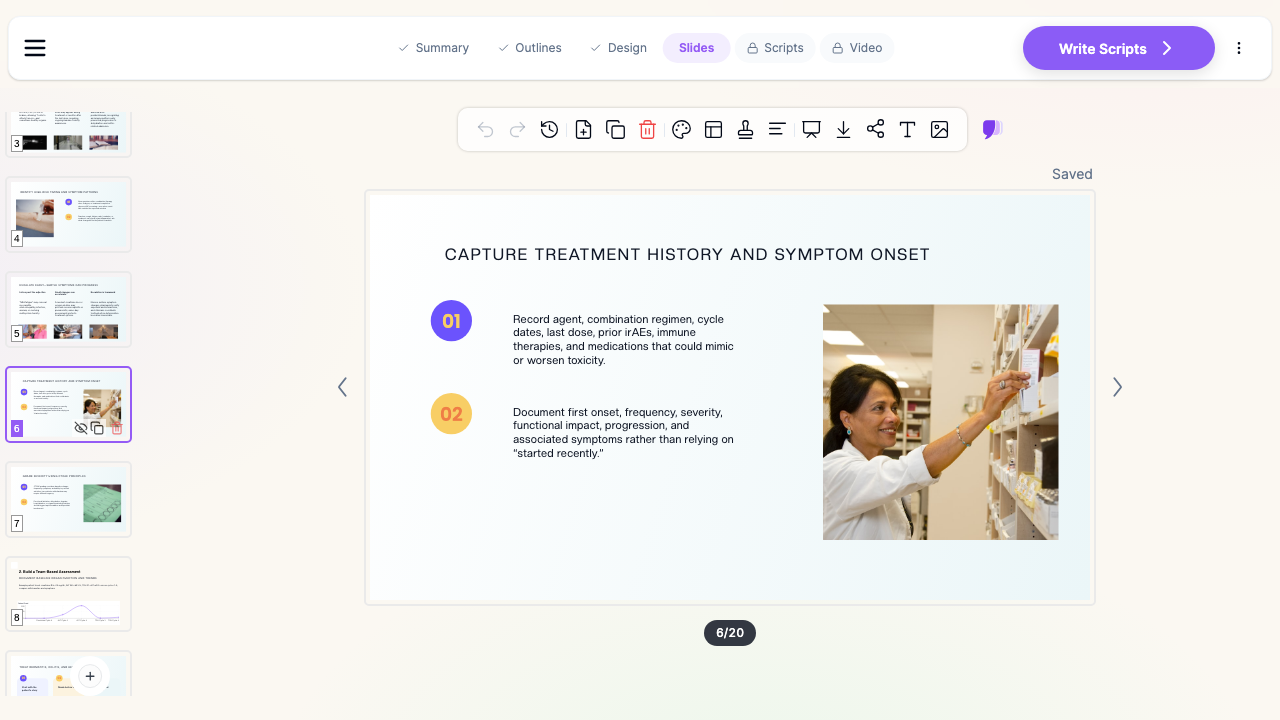

What Makes ChatSlide Powerful for irAE Teaching
Three Ways to Start a Deck
Give ChatSlide a topic ("30-slide topic review on immune-related adverse events for oncology fellows"), upload a document, or paste your objectives. Most people building an irAE talk already have a source: a departmental toxicity pathway, a printed guideline summary, a journal article on a specific organ toxicity, last year's deck. Uploading beats retyping, because the AI reads your source and builds the outline from it rather than from a generic toxicity template.
Outline Editing Before Slides Exist
An irAE deck lives or dies on structure — mechanism, then epidemiology by agent class, then organ-by-organ, then grading, then management, then rechallenge. ChatSlide returns an editable outline first. Reorder sections, split "GI toxicity" into colitis and hepatitis, delete the pathophysiology block if your audience is nursing rather than fellows, and only then generate. Fixing structure at the outline stage takes seconds. Fixing it after thirty-five slides exist takes an evening.
Research Search Inside the Editor
Toxicity talks need citations, and the citations need to be current. ChatSlide searches PubMed, Google Scholar, and ClinicalTrials.gov without leaving the deck, reads the abstracts, and pulls the findings onto slides with references attached — so the myocarditis incidence figure on your slide traces back to a paper you can name when someone asks.
Tables and Grading Charts That Are Actually Editable
Grading tables are the backbone of an irAE deck, and they are the slowest thing to build by hand. ChatSlide generates real tables and real charts — CTCAE grade against management action, incidence by agent class, time-to-onset distributions — as editable objects rather than flat images, so you can correct a threshold without rebuilding the slide.
Per-Slide Speaker Notes
The deck a fellow presents and the deck a fellow studies from are different documents. ChatSlide writes speaker notes for every slide, which double as the handout and as the script for whoever inherits the talk next rotation.
Nineteen AI Editing Tools
Once the deck exists, targeted edits are the work: shorten a slide that ran long, rewrite bullets for a nursing audience, split a dense organ-system slide into two, add a summary slide before the case discussion. These act on the slide in front of you instead of regenerating the deck.
How ChatSlide Builds Your irAE Deck
- Start from what you have. Upload a guideline PDF, a departmental pathway, or an old PowerPoint — or type the topic and audience directly.
- Review the outline. Confirm the organ systems, grading, and management sections are where you want them, and cut what your audience does not need.
- Generate the slides. ChatSlide writes the content, builds tables and charts, adds images, and attaches citations from the sources it searched.
- Edit and export. Refine individual slides, then present in the browser or export to editable PowerPoint or PDF on a paid plan.
Use Cases for Oncology Teams
Fellows' topic review. A 30- to 40-slide review covering mechanism, organ systems, grading, and management — the assignment that eats a weekend. Built from your objectives and current guidelines, it comes back structured and cited in an afternoon.
Infusion nursing in-service. The same clinical content, retargeted: recognition, triage thresholds, what to escalate, what to document. Regenerate the deck for a nursing audience instead of hand-editing a physician deck down.
Tumor board or grand rounds update. A focused talk on one problem — steroid-refractory colitis, ICI myocarditis, endocrinopathy after adjuvant therapy — with the recent literature searched and cited from inside the editor.
Pharmacy and stewardship teaching. Steroid tapers, infliximab and vedolizumab use, and the drug-interaction picture around long steroid courses, laid out as tables your team can actually read from a screen.
Onboarding new staff. New fellows, new infusion nurses, and rotating residents all need the same baseline talk. One deck, exported and reused, with speaker notes so the person delivering it does not have to be the person who wrote it.
Direct Research Database Access
ChatSlide's Research tab connects to the databases physicians use daily:
- PubMed: Search by keyword, PMID, or DOI. Find the landmark trials, recent publications, and clinical guidelines relevant to your case. The AI reads abstracts and incorporates key findings into your slides with citations.
- Google Scholar: When your topic spans disciplines — say, the intersection of genetics and oncology — Scholar captures the broader academic literature that PubMed alone might miss.
- Clinical Trials (NCT): Presenting on a treatment where pivotal trials are ongoing? Search by NCT number or condition to pull trial design, endpoints, and status into your slides.

irAE Presentation Tools Compared (2026)
| Capability | ChatSlide | Gamma | Tome | Beautiful.ai |
|---|---|---|---|---|
PubMed / Scholar / NCT search in-editor | Yes | No | No | No |
Build from an uploaded guideline PDF | Yes | Partial | Partial | No |
Editable grading tables and charts | Yes | Limited | Limited | Templates only |
Per-slide speaker notes | Yes | Partial | No | No |
Editable PowerPoint export | Yes (paid) | Yes | Limited | Yes |
Free tier for a full deck | Yes | Limited | Limited | Trial only |
Time Comparison: Manual vs. AI-Assisted
| Task | Manual | With ChatSlide |
|---|---|---|
Structuring a 35-slide topic review | 1–2 hours | 5 minutes (editable outline) |
Writing organ-system content | 4–6 hours | 10 minutes, then editing |
Building grading and incidence tables | 2 hours | Generated, then corrected |
Finding and formatting citations | 2–3 hours | Searched in-editor |
Writing speaker notes | 1–2 hours | Generated per slide |
Total | 10–15 hours | 1–2 hours |
What a Strong irAE Presentation Includes
- Mechanism, briefly. CTLA-4, PD-1, and PD-L1 blockade releases T-cell brakes; the same loss of tolerance that acts on tumor can act on normal tissue. Two slides, not eight — the audience needs the frame, not the immunology course.
- Epidemiology by agent class. Incidence and severity differ sharply between anti–PD-1 monotherapy and combination CTLA-4 blockade. A talk that quotes one number for "immunotherapy" is misleading.
- Time-to-onset. Skin and GI events tend to appear early, endocrine and pulmonary later, and some events emerge months after the last dose. Onset timing is often the diagnostic clue that separates an irAE from an infection or progression.
- Organ-by-organ presentation and workup. What it looks like, what to rule out first, and which test changes management.
- CTCAE grading tied to action. Grading is only useful when each grade is bound to a decision: continue, hold, treat, or permanently discontinue.
- Steroids and what comes after. Dose, route, taper length, and the specific escalation agents used when steroids fail — this is the section clinicians actually come for.
- The events that kill. Myocarditis, pneumonitis, neurologic toxicity, and adrenal crisis deserve explicit recognition slides even though they are rare.
- Hold, discontinue, and rechallenge. The judgment section: who can safely resume, and what the data supports.
- A case or two. One case that was caught early and one that was missed teaches grading better than any table.
- Current citations. Guideline versions and publication years on the slide, so the audience knows how fresh the content is.
Best Practices
Do:
- Write the deck against explicit learning objectives, and keep them on slide two.
- State the guideline source and version for every management algorithm you show.
- Match depth to audience — fellows need pathophysiology, infusion nurses need thresholds and escalation paths.
- Use consistent grading language throughout; mixing CTCAE versions inside one deck creates real confusion.
- Leave one slide on patient-facing education and the wallet-card message, because recognition often happens outside the clinic.
Don't:
- Compress every organ system onto one slide to hit a slide count. Split it.
- Present incidence figures without naming the regimen they came from.
- Put patient identifiers, dates of service, or unredacted imaging into teaching slides.
- Let a rechallenge slide imply a blanket rule; it is a case-by-case decision and should read like one.
irAE Teaching for Departments and Cancer Centers
For an oncology service running the same toxicity curriculum across fellows, infusion nursing, pharmacy, and community sites, ChatSlide's Enterprise plan adds SSO, centralized team billing, shared brand templates, and team collaboration so one maintained deck stays current everywhere it is taught — contact us to set that up for your department.
Note on patient data: ChatSlide's standard plans are not a HIPAA-covered service — keep PHI out of slide content and uploads. For hospital systems, group practices, and clinics that need a Business Associate Agreement, our Enterprise plan offers HIPAA-compliant deployment options — contact us to discuss BAA terms, SSO, and on-prem / private-cloud hosting.
Frequently Asked Questions
Can ChatSlide build a full 30- to 40-slide irAE topic review? Yes. Give it the topic and audience, or upload your objectives, and it generates a complete deck with an editable outline first so you can fix the structure before any slides are written.
Will it cite guidelines and papers? It searches PubMed, Google Scholar, and ClinicalTrials.gov from inside the editor and attaches citations to the slides it builds from those sources. Verify every citation and every management threshold against the current guideline before you teach from the deck.
Can I upload our department's toxicity pathway? Yes. Upload the PDF, DOCX, or an existing PowerPoint and ChatSlide builds the outline from your content instead of a generic template.
Does it make grading tables I can edit? Yes — tables and charts are generated as editable objects, so correcting a grade threshold or an incidence figure does not mean rebuilding the slide.
Can I retarget the same deck for nurses instead of fellows? Yes. Change the audience and regenerate, or use the editing tools to rewrite specific slides for a different level.
Can I export to PowerPoint? Yes, editable PPTX and PDF export are available on paid plans. You can present directly in the browser on any plan.
Is it safe to use with patient cases? Use de-identified teaching cases only. Standard plans are not HIPAA-covered; Enterprise offers HIPAA-compliant deployment options under a BAA.
Is it free? Yes, there is a free tier with no card required. Paid plans add editable exports, higher limits, and more generation credits.
Get Started
Build your next irAE topic review, nursing in-service, or toxicity grand rounds in an afternoon instead of a weekend. Make your irAE presentation with ChatSlide — free to start, no credit card required.
Related reading: the oncology and hematology presentation guide, the medical grand rounds guide, and the journal club presentation guide.