
Quick Answer: ChatSlide is an AI presentation maker that turns a firm's existing materials — practice group descriptions, matter summaries, RFP responses — into a structured client pitch deck. Upload the documents or describe the pitch, refine the outline around the client's actual problem, and export a branded PowerPoint or PDF. Free to start, no credit card.
The Law Firm Pitch Deck Problem
Law firms pitch constantly and budget for it rarely. A beauty contest invitation arrives with ten days' notice. An RFP wants a capabilities presentation alongside the written response. A partner gets a meeting with a general counsel and needs fifteen slides by Monday. The content exists — practice descriptions, representative matters, team bios — but it lives in Word documents, the firm website, and the last pitch deck someone can find on the document management system.
So the deck gets assembled the usual way: a business development manager or a mid-level associate copies the last pitch, swaps the client name (and hopes they caught every instance), and pastes in whatever matter descriptions come to hand. The result is the deck every general counsel has seen a hundred times: firm history, office map, forty logos, and nothing about the client's actual problem.
The firms that win pitches invert the structure. The client's situation comes first, the firm's relevant experience second, and the firm's general credentials last — if at all.
What Makes a Strong Law Firm Client Presentation
It opens with the client's problem, not the firm's history. The first section should demonstrate that the team understands the client's industry, the specific dispute or transaction, and what a good outcome looks like. A pitch that could be sent to any company is read as exactly that.
Representative matters are specific and relevant. Three matters that match the client's situation — same industry, same claim type, same deal structure — beat thirty generic ones. Describe what the firm actually did and the result, within the bounds of client confidentiality: name clients only where the representation is public or consent exists, and anonymize the rest ("a Fortune 500 medical device manufacturer") without inflating.
The team slide shows the people who will do the work. General counsel buy lawyers, not letterhead. Lead with the partners and senior associates who will staff the matter, one line each on why they are the right people, and be honest about staffing — pitching senior and delivering junior is the fastest way to lose a client after winning them.
The approach section gives something away. The strongest pitch decks include a preliminary view: an initial read on the dispute, a strawman deal timeline, the three issues that will matter most. It proves the team has already started thinking, which is precisely what the client is buying.
Fees are addressed on the client's terms. Whether the conversation is hourly rates, a fixed-fee phase plan, or an alternative fee arrangement, the deck should show the structure clearly and leave the numbers for the discussion the partners want to have.
How to Create a Law Firm Pitch Deck with ChatSlide, Step by Step
1. Upload the Raw Materials
Upload the documents the pitch will draw from: the practice group description, relevant matter summaries, attorney bios, and — most importantly — anything you have about the client's situation, such as the RFP itself or a memo on the dispute. ChatSlide builds the deck from these sources, which keeps the content grounded in what the firm has actually done.
2. Frame the Pitch with a Specific Prompt
Describe the pitch, the audience, and the structure you want:
- Beauty contest: "Pitch presentation for a panel interview with the general counsel and litigation team of a logistics company facing a multi-district product liability action, covering our understanding of the case, relevant defense experience, the proposed team, our approach to the first 90 days, and fee structure options"
- RFP capabilities deck: "Capabilities presentation responding to an RFP for outside employment counsel, organized around the RFP's stated evaluation criteria"
- Relationship meeting: "Introductory presentation for a first meeting with a fintech startup's founders, focused on venture financing and regulatory experience, kept to ten slides"
3. Restructure the Outline Around the Client
Review the generated outline and enforce the winning order: client's situation, then relevant experience, then team, then approach, then fees. Cut the office map. Cut the practice areas the client will never use. If the outline reads like a firm brochure, keep editing — the outline stage is where the deck is really won.
4. Design for the Firm's Brand
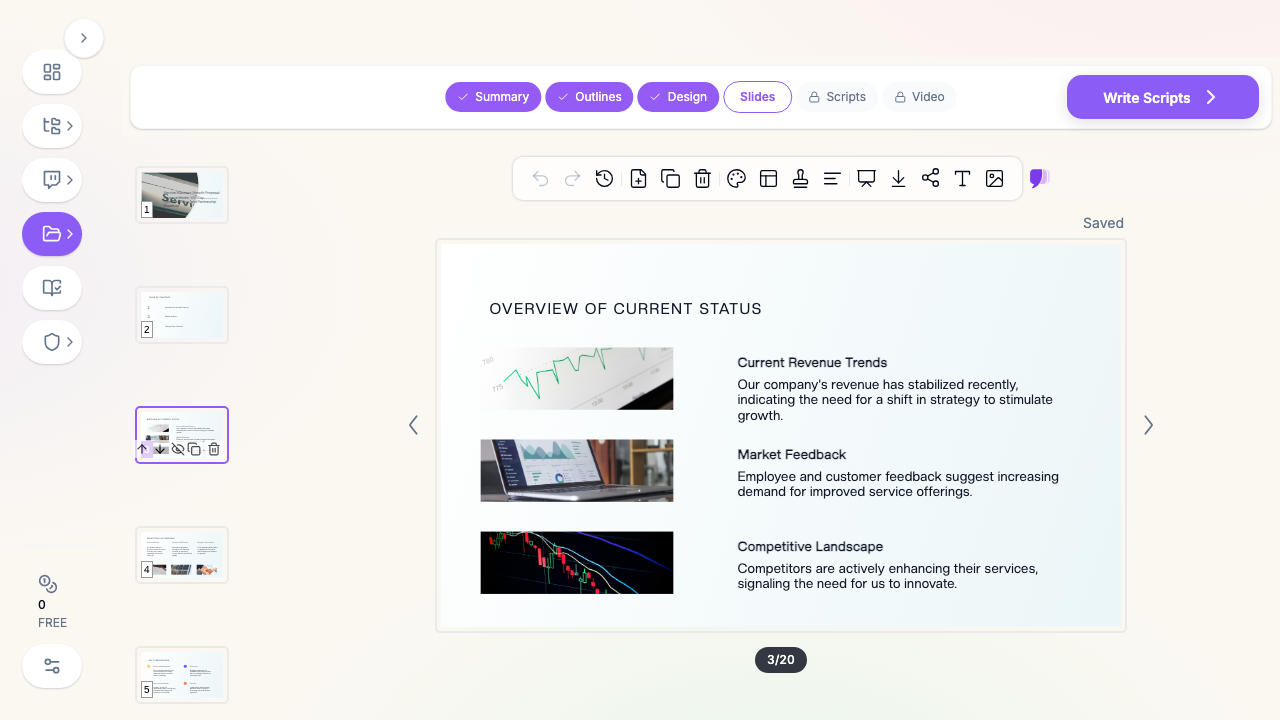
Apply the firm's colors and keep the design conservative and consistent. Use ChatSlide's chart layouts where they earn their place — a phase timeline for the proposed approach, a simple structure diagram for a deal — and resist decoration everywhere else. Legal buyers read visual restraint as competence.
5. Export and Localize per Pitch
Export to PPTX for the version partners will inevitably edit the night before, and to PDF for the copy sent ahead of the meeting. Keep the master deck as the template and generate client-specific versions from it rather than editing one file forever — that is how another client's name survives into slide 12.
Confidentiality in Client Development Materials
Pitch decks are marketing documents built from confidential raw material, and the line needs managing:
- Matter descriptions must not out a client. Even anonymized descriptions can identify a client when the industry is small and the matter was reported. Have the billing partner for each referenced matter approve its description.
- Do not recycle another client's work product. A strategy diagram built for Client A's matter does not belong in a pitch to Client B, however generic it looks.
- Check conflicts before the pitch, not after. Nothing undermines a capabilities presentation like discovering mid-meeting that the firm is conflicted out.
Tips for Attorney Business Development Presentations
Keep it to 12-15 slides for a live pitch. Panels run short and the conversation matters more than the deck. Put the overflow — full bios, complete matter lists, diversity and billing data — in an appendix that ships with the PDF.
Rehearse the handoffs. Multi-partner pitches fail at the seams. Decide who owns each section and how transitions happen before you are in the room.
End with a page the client keeps. A one-slide summary — the team, the approach, the next step — is what gets forwarded to the CEO. Write it so it survives forwarding.
Follow up with the deck, amended. After the meeting, send the PDF updated with anything you promised in the room. It signals the responsiveness the client is trying to buy.
Related Legal Presentation Guides
- How to Create a Trial Presentation with AI — opening statements, chronologies, and exhibit slides
- How to Create a Case Review Presentation with AI — case evaluations and client status updates
- Business Proposal Presentation with AI — the general-purpose proposal deck playbook
For the full picture of how legal teams use ChatSlide, see the AI presentation maker for legal professionals page.
Get Started
The next RFP will not extend its deadline. Upload the practice materials, structure the pitch around the client's problem, and spend the saved hours on the preliminary analysis that actually wins the work. Start with ChatSlide — free to start, with PowerPoint and PDF export built in.