
The Challenge of Teaching Emergency Medicine
Emergency medicine moves fast, and so does the teaching around it. A single morning lecture on septic shock has to compress the recognition criteria, the resuscitation targets, the vasopressor algorithm, and the latest trial evidence into something a tired post-call audience can actually absorb. Trauma, airway management, toxicology, ACLS, and the endless stream of journal-club trials each carry their own decision points and time pressures — and the slides have to reflect that urgency without becoming a wall of bullet points.
The difficulty isn't expertise. EM attendings, critical care fellows, and senior residents know this material cold. The problem is translating algorithm-driven, time-critical medicine into slides that move an audience cleanly from presentation to decision to disposition — the same way the specialty itself works at the bedside.
Generic presentation templates make this harder. They have no concept of a resuscitation algorithm, a triage flow, a vasopressor ladder, or a trauma primary survey. The result is usually a compromise between clinical accuracy and visual clarity — and in a specialty built on rapid decision-making, a cluttered slide defeats the whole point.
This guide focuses on emergency and acute care medicine specifically — resuscitation, sepsis, trauma, toxicology, and the critical care that begins in the ED. If your talk is centered on renal critical care, our companion guide on nephrology and critical care presentations covers AKI and dialysis in more depth, and our mechanical ventilation and respiratory therapy guide covers the ventilator side.
What Makes a Strong Emergency Medicine Presentation
The lectures that hold an EM audience share a few traits.
An algorithm-first structure. Emergency medicine teaching works best when it follows the decision tree: presenting complaint, immediate stabilization, diagnostic workup, and disposition. This mirrors how clinicians actually think when a critically ill patient rolls through the door, and it gives even complex topics a clear spine.
Time-critical actions made obvious. The first-hour sepsis bundle, the trauma primary survey, the steps of rapid sequence intubation — these are sequences, and they read far better as numbered flows or annotated timelines than as paragraphs. A good slide makes the next action unmistakable.
Evidence in context. EM is a trial-heavy specialty. Landmark resuscitation, vasopressor, and fluid-strategy trials shape daily practice, and a strong slide shows the clinical question, the key design feature, and the bottom line without drowning the audience in secondary outcomes.
Disposition as the endpoint. Unlike many specialties, the EM teaching point often ends in a decision — admit, transfer, discharge, or escalate. Presentations that make the disposition explicit teach better than ones that trail off after the diagnosis.
Calm clarity under pressure. The best EM slides strip away noise. One idea per slide, a clear visual hierarchy, and a single take-home action keep an audience oriented even when the subject is chaotic.
Where Emergency Medicine Presentations Show Up
Residency didactics and morning report. Core curriculum lectures and case-based teaching walking residents through high-acuity presentations, resuscitation, and the reasoning behind each decision.
Journal club. Critical appraisal of a pivotal trial — a sepsis resuscitation strategy, a vasopressor comparison, an airway or trauma study — where the slides have to carry both the study design and the practice-changing takeaway.
Morbidity and mortality (M&M) conference. Structured case reviews where the timeline, the decision points, and the systems factors all need to read clearly to a department audience.
Simulation and procedural teaching. Decks that frame a sim scenario or walk through a procedure — central line placement, RSI, chest tube — step by step before hands-on practice.
Board review and CME. High-yield review for the EM boards or continuing-education workshops, where structure and clarity matter more than decoration.
Step-by-Step: Building an Emergency Medicine Presentation with ChatSlide
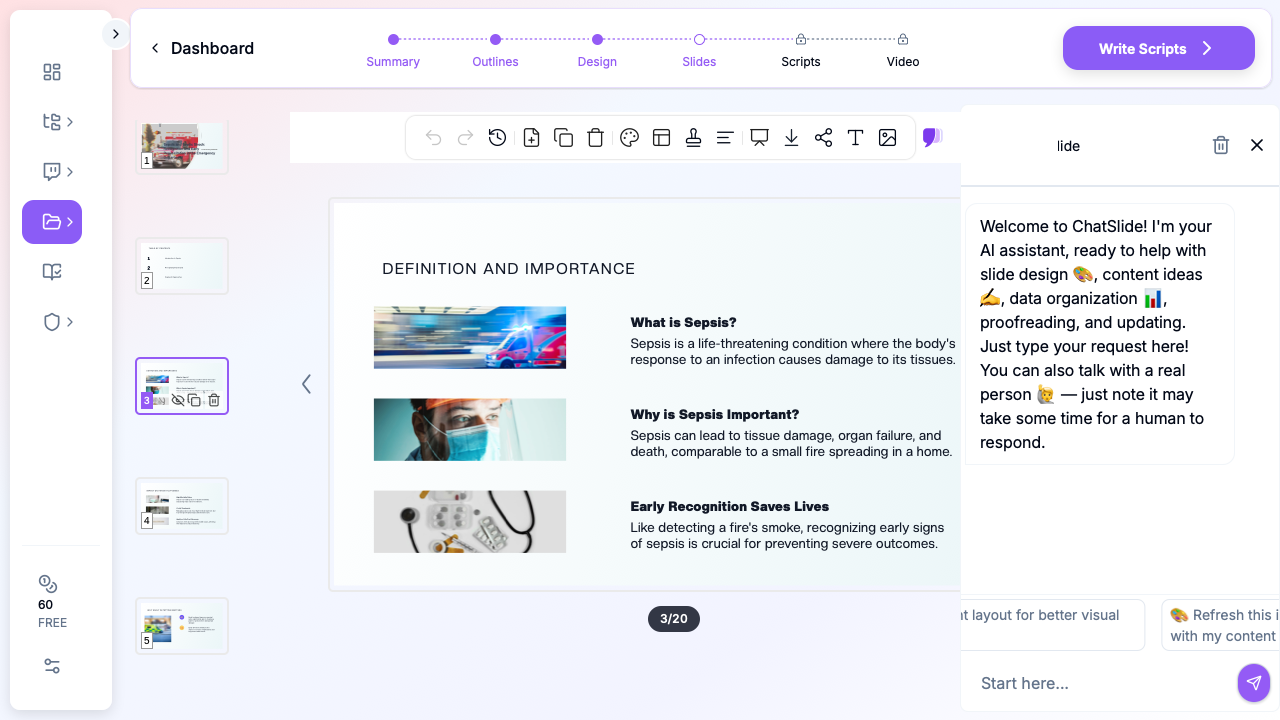
1. Start with your topic or your source material. Begin from a topic prompt — "septic shock resuscitation for residents" — or upload an existing PowerPoint, a PDF of a guideline, or a trial paper for journal club. ChatSlide reads the material and drafts a structured outline.
2. Refine the outline before generating slides. Reorder sections so the deck follows the clinical decision tree — stabilization, workup, management, disposition. Fixing structure at the outline stage is far faster than reworking finished slides.
3. Generate slides with relevant medical imagery. ChatSlide builds each slide with a clean layout and pulls in supporting visuals so you're not staring at empty placeholders. Replace any generic image with your own algorithms, ECGs, imaging, or annotated figures.
4. Pull in the evidence. Use the Research tab (below) to bring landmark trials and current guidelines directly into your deck with citations — essential for journal club and any practice-changing talk.
5. Export to your format. Download as PowerPoint or PDF for didactics, journal club, or a conference talk.
Direct Research Database Access
ChatSlide's Research tab connects to the databases physicians use daily:
- PubMed: Search by keyword, PMID, or DOI. Find the landmark trials, recent publications, and clinical guidelines relevant to your case. The AI reads abstracts and incorporates key findings into your slides with citations.
- Google Scholar: When your topic spans disciplines — say, the intersection of critical care and emergency medicine — Scholar captures the broader academic literature that PubMed alone might miss.
- Clinical Trials (NCT): Presenting on a resuscitation or critical care intervention where pivotal trials are ongoing? Search by NCT number or condition to pull trial design, endpoints, and status into your slides.

Tips for Emergency Medicine Presentations
Lead with the undifferentiated patient. Anchor each case in the presenting complaint and vital signs before moving to the workup. It gives the audience the same starting point the clinician had.
Show the timeline. For time-critical conditions — sepsis, STEMI, stroke, trauma — a horizontal timeline of actions and decision points teaches the urgency far better than a static list.
Put the algorithm on one slide. Resuscitation, RSI, and ACLS sequences belong on a single clean flow the audience can hold in their head, with detail reserved for backup slides.
Frame trial data around the decision it changes. For journal club, end each trial slide with the practical question: does this change what I do at 3 a.m.? That framing keeps the appraisal grounded in practice.
Make the disposition explicit. Close each case with the endpoint — admit, ICU, OR, transfer, or discharge — and the reasoning behind it. It's the teaching point an EM audience came for.
Prepare for detailed questions. EM audiences probe dosing, contraindications, alternative pathways, and statistical methodology. Have backup slides ready with supplementary tables and protocol details.
A Note on Patient Data
ChatSlide's standard plans are not a HIPAA-covered service — keep protected health information (PHI) out of slide content and uploads, and anonymize any clinical images, ECGs, or case details. For hospital systems, academic centers, and group practices that need a Business Associate Agreement, our Enterprise plan offers HIPAA-compliant deployment options — contact us to discuss BAA terms, SSO, and on-prem / private-cloud hosting.
Get Started
Emergency medicine teaching sharpens decision-making, builds resuscitation skill, and trains the next generation of clinicians to stay calm under pressure. The hours spent formatting slides are hours away from that work.
With ChatSlide, turn your expertise in sepsis, trauma, resuscitation, and critical care into structured, professional slides in minutes — whether you're running residency didactics, leading journal club, or presenting at a conference.
Start building your emergency medicine presentation with ChatSlide.