
Quick Answer: If you teach microbiology or immunology and need lecture slides on bacterial structure, microbial metabolism, the immune response, or infectious disease, ChatSlide turns a topic or a source document into a structured deck in minutes. It is used by 290,000+ users across 750+ universities, builds outlines that follow real teaching logic, adds relevant figures, can pull supporting literature from PubMed and Google Scholar, and exports to PowerPoint for the lecture hall. Free to start, no card required.
The Microbiology Slide Problem
Microbiology and immunology are dense, visual, and cumulative. A single lecture on the immune response has to move from cells and molecules to mechanism to clinical relevance without losing a first-year audience, and the next lecture builds on it. A microbiology survey course spans bacterial structure, microbial metabolism, host-pathogen interaction, antimicrobials, and the microbiome — each needing its own diagram-heavy deck.
Generic AI slide tools struggle here. They produce polished-looking slides that flatten the actual science: they'll write a paragraph about "the importance of bacteria" instead of showing the structure of the cell envelope, the steps of an immune response, or how an antibiotic targets a specific pathway. For a teaching deck, that structure is the content.
The manual alternative is the instructor rebuilding the same lecture series each term from textbook chapters, old slides, and figure screenshots. The expertise is already there — the time goes into assembly.

This page is for microbiology and immunology lecture intent. If your course is molecular genetics or RNA technology, see our molecular biology presentation guide. If you teach microbiology to nursing students, our nursing education presentation guide may be the closer fit.
What Makes ChatSlide Powerful for Microbiology and Immunology
1. Multiple input modes for course material
Some lectures start from a topic prompt like "Innate vs adaptive immunity: cells, recognition, and response." Others start from a textbook chapter PDF, a review article, or last term's slides that need rebuilding. ChatSlide works from any of those, which matters because course material rarely lives in one format.
2. Literature import for evidence and currency
Microbiology moves fast — new resistance mechanisms, microbiome findings, vaccine platforms. ChatSlide's Research tab can pull from PubMed and Google Scholar so a graduate seminar or an updated lecture can cite primary literature without copying references by hand.
3. Figures that fit the science
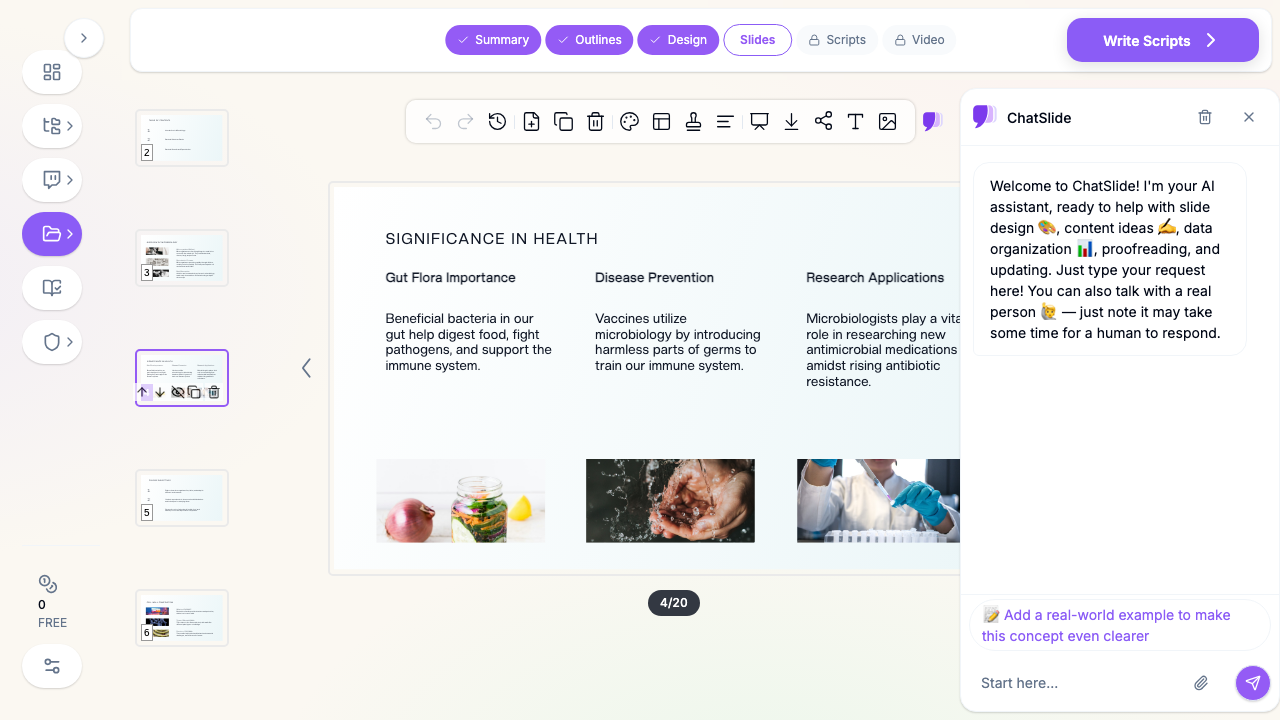
A usable microbiology slide needs cell structures, pathways, and immune-response diagrams, not generic lab stock. ChatSlide fills the visual slots with relevant imagery you can replace with your own diagrams, micrographs, or licensed textbook figures.
4. Fast outline-to-deck conversion
The bottleneck in a lecture series is structure, not typing. Once the outline follows a clean teaching progression — structure, function, mechanism, relevance — the rest refines quickly. ChatSlide builds that scaffold for a 25- to 40-slide lecture in minutes.
5. Re-leveling for different courses
The same immunology content has to work for a non-majors survey, a majors microbiology course, and a graduate seminar. ChatSlide's editing tools let you simplify, expand, or deepen a draft without rebuilding it, so one core deck adapts across courses.
6. PowerPoint export for the lecture hall
Universities still run lectures from PPTX files and LMS uploads. ChatSlide exports cleanly so the deck works in your classroom and your course site.
How ChatSlide Builds Your Microbiology Lecture
Step 1: Start with a precise topic
Concrete prompts produce usable decks. Instead of "microbiology lecture," try:
- "Bacterial cell structure: envelope, Gram stain, and clinical relevance"
- "Microbial metabolism: aerobic respiration, fermentation, and energy yield"
- "The immune response to infection: innate recognition through adaptive memory"
Step 2: Set the audience correctly
Audience changes the deck. A non-majors survey needs more analogy and less jargon; a majors course can assume biochemistry and go deeper into mechanism; a graduate seminar needs primary literature and open questions. Nursing and allied-health students need the clinical "so what" up front.
Step 3: Review the outline before generating slides
This is where the quality jump happens. A strong microbiology lecture outline usually includes:
- the structure or system being taught
- how it functions, with mechanism made explicit
- a worked example or representative organism
- the clinical or ecological relevance
- common misconceptions or exam pitfalls
- a summary that connects back to the course arc
Fix any gaps in the outline first — it is faster than patching a weak deck later.
Step 4: Generate the deck with figures
Once the structure is right, ChatSlide generates the slides and fills the visual slots, giving you a credible first draft you can tailor with your own diagrams, pathway figures, and citations.
Step 5: Refine for the exact course
The same topic becomes several decks: a survey-course lecture, a majors deep-dive, a lab pre-brief, or a graduate seminar with literature. The core stays similar; the depth and framing change.
Use Cases for Instructors and Students
Microbiology survey lectures
Bacterial structure, classification, growth, and metabolism — the backbone of an intro course. These follow a repeatable structure-function-relevance pattern that ChatSlide scaffolds quickly.
Immunology lecture series
Innate and adaptive immunity, antigen recognition, antibodies, and immune memory build on each other across weeks. A consistent template across the series helps students track the through-line.
Infection and host-pathogen lectures
How pathogens cause disease, virulence factors, and the host response — the bridge between basic microbiology and clinical or public-health application.
Antimicrobials and resistance
Antibiotic mechanisms, the history from penicillin onward, and the growing resistance problem. These talks need to separate "how the drug works" from "why resistance spreads," which is exactly the kind of structure a good outline enforces.
Student presentations and journal clubs
Students assigned an organism, a disease, or a paper can build a clear, well-structured deck instead of a wall of text. For appraising a single paper, our journal club presentation guide is a closer fit.
Microbiology AI Tools Compared (2026)
| Tool | Best fit | Where it works well | Common limitation for microbiology |
|---|---|---|---|
ChatSlide | Education, research, and science lecture decks | Topic- or document-to-outline workflow, literature import, figures, PPTX export | Still needs an instructor to verify mechanism and add specialty figures |
Gamma | Fast general-purpose visual decks | Lightweight brainstorming and polished broad presentations | Less tuned for diagram-heavy, mechanism-driven science teaching |
Tome | Narrative product-style presentations | Storytelling and high-level overviews | Weaker fit for structured, cumulative lecture content |
Beautiful.ai | Business-style slide assembly | Clean design patterns and executive decks | More rigid when you need pathway and immune-response detail |
For microbiology specifically, the question is which tool gets you closest to a scientifically clear first draft without flattening the mechanism students need to learn.
Time Comparison: Manual vs. AI-Assisted
| Task | Manual workflow | With ChatSlide |
|---|---|---|
Build the lecture outline | 30-60 minutes | a few minutes |
Draft 25-35 content slides | 2-4 hours | 10-20 minutes for first draft |
Add figures and visuals | 30-90 minutes | included in generation flow |
Re-level for a different course | 45-90 minutes | substantially faster from the same draft |
Prepare PPTX for the LMS | extra formatting pass | direct export |
The win is not full automation. It is cutting the repetitive setup so your time goes into the explanation and the figures instead of layout assembly.
What a Strong Microbiology Presentation Includes
Even with AI assistance, the teaching value comes from substance. A strong microbiology or immunology lecture usually includes:
A clear structure-function frame. Show what the structure or system is before what it does. A slide on the bacterial envelope or a B cell only makes sense once students can picture it.
Mechanism made visible. The highest-value microbiology slides show how — how an antibiotic blocks a pathway, how the complement cascade amplifies, how a pathogen evades the immune response. Diagrams beat paragraphs here.
A representative example. One worked organism, drug, or disease anchors an abstract concept in something concrete and memorable.
Clinical or ecological relevance. Connect the mechanism to why it matters — disease, treatment, the microbiome, or the environment. This is what makes the content stick for nursing and allied-health audiences especially.
Misconceptions addressed. Calling out the common errors (Gram stain confusion, conflating innate and adaptive immunity, "antibiotics treat viruses") prevents them before the exam.
A summary that connects to the arc. Each lecture should close by linking back to the course's larger story so the series feels cumulative, not disconnected.
Best Practices
Do
- build the outline around structure → function → mechanism → relevance
- use your own diagrams, micrographs, or licensed figures where they add real value
- include one worked example per abstract concept
- re-level the deck for the actual course before teaching
- pull recent literature for graduate seminars and rapidly changing topics
Don't
- rely on generic lab or petri-dish stock as the whole visual strategy
- present mechanism as a paragraph when a diagram would teach it better
- assume an AI first draft has the mechanism exactly right — verify it
- reuse a majors-level deck unchanged for a non-majors survey
- skip the clinical or ecological "so what" for applied audiences
Pulling in Primary Literature
For graduate seminars and rapidly changing topics, ChatSlide's Research tab can search PubMed and Google Scholar and bring key findings into your slides with citations — useful for incorporating new resistance data, microbiome studies, or vaccine-platform literature without breaking your drafting flow. As with any AI draft, confirm the mechanism and the citations before you teach from them.
Frequently Asked Questions
Can ChatSlide make microbiology lecture slides?
Yes. Microbiology is a strong fit because lectures follow a repeatable structure-function-mechanism-relevance pattern. Review the mechanism for accuracy before teaching.
Does it work for immunology specifically?
Yes. Innate and adaptive immunity, antigen recognition, antibodies, and immune memory all benefit from a consistent template across a lecture series.
Can I import a textbook chapter or review article?
Yes. You can start from a topic, upload source files, or use the Research tab to bring in supporting literature.
Can students use it for presentations?
Yes. Students assigned an organism, disease, or paper can build a clearer, better-structured deck than starting from a blank file.
Can I export to PowerPoint?
Yes. ChatSlide exports to PPTX for the lecture hall and your course LMS.
Will the science be accurate?
Treat the output as a first draft. ChatSlide builds a strong structure quickly, but an instructor should verify mechanism, terminology, and citations before teaching.
Get Started
If you need to build a microbiology or immunology lecture — bacterial structure, microbial metabolism, the immune response, infection, or antimicrobials — ChatSlide gets you to a real first draft far faster than rebuilding the series from textbook chapters and old slides.
Start with a topic or upload your course material, review the outline, add your own diagrams and citations, verify the mechanism, and export when the deck is ready for your next lecture.